


As businesses increasingly spend on digital advertising, SaaS, overseas travel, cross-border transactions and internal operations, the need cost control Fast – decisive – transparent is growing rapidly. CFOs and finance departments must process hundreds of small transactions each month, reconcile each invoice, track each department's budget, and limit the risk of loss from online spending.
The problem lies in this:
- Traditional physical cards difficult to control when assigned to multiple people.
- Sharing a common tag for Ads or SaaS causes a card overflow / overspending.
- Advance payments and reimbursements disrupt the accounting process. slow and lack of transparency.
That's why virtual business card (Virtual Corporate Card) was born and became the new standard in modern expense management.
This article will help you understand What is a virtual business card?How does it work, why does it help businesses better control costs, and how does a virtual card integrate with an accounting system – ERP? Electronic invoice to minimize risk.
What is a virtual business card and how is it different from a physical card?
Virtual business card It emerged as a modern solution, helping companies make online payments and control budgets by department or project, without the need to issue traditional physical cards. Before delving into the details, let's understand it better. What is a virtual business card and how is it different from a physical card?.

1. Define "what is a virtual business card" in the correct context.
Virtual Corporate Card is a kind of business payment cards, issued in a completely digital form - no plastic card form. Virtual cards still have all the same information as physical cards including:
- Card Number (PAN)
- Expiration date
- CVV/CVC security code
- Limit
- Issuer (licensed bank or fintech company)
The card is created and managed online, used for online payments (SaaS, advertising, service purchases, operational expenses), not for... e-business card Used for networking.
2. What are the technical components of a virtual business card?
Below are the technical components of a virtual business card:
- Card number and CVV: Randomly generated according to PCI-DSS standard.
- Expiration dateCustomizable for each use case.
- Limit: assign by department, project or expense type.
- TokenizationCard information is encrypted, preventing the disclosure of the actual card number during payment.
- 3DS/OTP: require authentication to prevent cheating (3DS 2.0).
- Rule engine: daily/monthly limit, MCC, merchant, country, time slot.
3. How is a virtual card different from a physical card?
The biggest difference lies in Methods for allocation, control, and risk reduction of loss.Physical cards need to be issued to specific individuals; virtual cards can be issued. by department, supplier, or individual transaction.
Quick comparison table: virtual vs. physical corporate cards
| Criteria | Virtual business card | Physical card |
| Form | No plastic card, just card number | Hard plastic card |
| Time of issue | 30 seconds – 5 minutes | 3-7 days |
| Limit | Flexible by department/project | User-defined |
| Lock/unlock | 1 click, by merchant/MCC | Lock everything |
| Risk of loss | Almost zero | High, lost must be replaced |
| Re-issuance fee | Are not | Have |
| Use | Online (SaaS, Ads, software) | Online + POS |
| Manage | Tagging, audit trail, realtime log | Difficult to track |
| Security | Tokenization + 3DS + dynamic limits | User dependent |
Are virtual business cards legal, and who is allowed to use them?
In recent years, Vietnamese businesses have been using virtual business cards more frequently—especially in advertising, SaaS purchases, and cross-border spending. However, the question always arises: “Are virtual business cards legal? Who is allowed to use them?” This section will provide a clear explanation within the current legal framework.
1. Legal basis of virtual corporate cards in Vietnam
Virtual business cards are perfectly legal, by their very nature. business payment card Published by:
- Commercial banks with card issuance licenses
- Financial/fintech institutions that own or are involved in issuing licenses
- Payment processing unit approved by the State Bank of Vietnam.
The governing legal framework includes:
- Law on credit institutions
- Circular 19/2016/TT-NHNN regarding bank card operations
- Circular 28/2019/TT-NHNN about security
- PCI-DSS and 3DS regulations on international security
There are no regulations prohibiting businesses from using virtual cards for payments, as long as the transaction is conducted through a legitimate banking system.
2. Who is allowed to use a virtual business card?
The groups that use virtual badges depend on authorization from the business:
- Corporate legal entity (registered entity)
- Authorized staff
- Department Head responsible for budget management
- Project Team (marketing, product, operations)
- Contractor or freelancer (when the business allows it within the permitted limits)
3. Common use cases
- Startup and technology team → SaaS, cloud, API payment
- Advertising agency → Google Ads, Meta Ads, TikTok Ads
- Operations Team → Purchase services online, subscription
- Businesses have cross-border spending.
- Research/marketing projects require many separate cards.
4. What are the mandatory requirements for using a virtual business card?
- Business KYC + legal representative verification
- Detailed activity log (audit trail) for each operation.
- Multi-level delegation management
- Internal spending regulations are tailored to the company and each department/employee/project.
How do virtual cards work from issuance to payment?
To visualize how the virtual card works, think of it as an automated workflow – extremely fast, paperless, and with complete control.
Card issuance
- Businesses create tags on the dashboard.
- Assign limits
- Assign user/provider
- Activate card
The release process only takes a few seconds.
Spending stream
- Enter your card information on the website/service.
- 3DS/OTP Authentication
- The transaction is recorded in real-time.
- Dashboard updates instantly
Card management
- Instant lock/unlock
- Limit by merchant type (MCC)
- Country restrictions
- Time limit
- Provider-specific limitations
Advanced virtual cards
- One-time card (single-use) – use only 1 transaction
- Merchant Card – combating abuse
- Campaign Cards – run Ads or projects
- Cards with daily/weekly/monthly limits
Which type of virtual card should you choose for each spending purpose?
When businesses start implementing virtual cards, the most important question is not “what is a virtual corporate card”, but Which card should I use for each spending group? To optimize cash flow, control risks, ensure accurate accounting, and avoid budget losses.
Choosing the wrong type of card can cause accounting department difficulties in reconciliation, or lead to the CFO losing control of expenses due to employees exceeding their spending limits.
This section will guide you in choosing the right card type based on financial classification, operational classification, and one clear hint matrix To help businesses make the right choices from the start.
1. Classification by financial perspective: Credit – Debit – Prepaid and impact on accounting & cash flow
From a corporate finance perspective, the three card models – Credit, Debit, and Prepaid – will determine how businesses manage cash flow, record expenses, and control risk. CFOs, chief accountants, and treasury departments need to understand these differences to choose the appropriate model for each expense.
Credit Card (Business credit cards) allow businesses to "spend now, pay later," thereby optimizing cash flow, especially when businesses have revenue cycles of 30-45 days. For large and regular expenses such as advertising (Google/Meta Ads), recurring software subscriptions, or international supplier payments, credit cards help avoid service interruptions due to insufficient account balance at the time of payment. In accounting, credit cards are typically recorded as accounts payable, allowing for transparency of cash flow and easy transaction reconciliation across statement periods.
Opposite, Debit card Ideal for businesses prioritizing financial security and risk control. The card only allows spending within the available funds in the account, helping CFOs avoid team budget overruns or creating debt burdens. Accounting is also easier to track as each transaction is deducted directly from the company account.
Meanwhile, Prepaid card Prepaid cards offer the highest level of risk mitigation because businesses only top up and use what they spend. This is especially suitable when allocating budgets by department or project. With prepaid cards, the risk of losing money due to leaked card information is also much lower, as the amount on each card is clearly limited. When accounting, prepaid cards allow for the separation of each expenditure according to the allocated budget, creating absolute transparency.
2. Classification by operation: by department, employee, project, or expenditure item.
From an operational perspective, virtual cards help businesses shift from a "one card for all users" model to a "one activity - one card" model, making expense control transparent and separate from the outset. Depending on the objective, businesses can issue cards by department, by employee, by project, or by expense type.
With the model Departmental card issuanceWith this system, businesses can control their advertising, purchasing, internal communications, or operational budgets without relying on a single central control panel. Each department is assigned its own spending limit, managed by the department head; the CFO simply monitors spending through a real-time dashboard.
Model by staff This is ideal for businesses with many employees who need to pay for services online, book tickets, purchase subscriptions, or make temporary payments for small expenses. When spending is directly linked to individuals, the risk of ambiguity in liability is reduced, and tracing becomes much simpler.
For businesses with multiple marketing campaigns or projects running in parallel, project cards This becomes an ideal option. Businesses can create a separate tag for each Google Ads or Meta Ads campaign, assign costs to the project code, and immediately stop the tag when the campaign ends without affecting other tags.
Finally, the model according to expenditure – such as Ads, SaaS, Travel, Logistics – helps businesses allocate budgets by spending category. For example, a dedicated card for SaaS helps businesses avoid multiple employees using a central card to register for software, which can lead to difficulties in tracking and potential losses.
Card selection suggestion matrix: Purpose × Card type × Risk × Advantages – disadvantages
To help businesses make informed decisions, here's a matrix of card selection options for various real-world scenarios – from running ads and paying for SaaS to cross-border spending.
If the goal is run ads (Google/Meta/TikTok Ads), credit cards are the optimal choice due to the need for continuous spending and the need to avoid interruptions. However, the risk arises from overspending when ads suddenly "explode," so businesses should use credit but limit it according to merchant and daily budget.
With the goal SaaS paymentsPrepaid cards are more effective. The reason: software typically deducts money periodically, and if multiple SaaS applications are linked to a single credit card, businesses can easily forget to cancel subscriptions or struggle to track who subscribed to which software. Prepaid cards limit the budget for each SaaS application and can lock it immediately when it's no longer in use.
When employees on business tripsThe debit card model ensures employees have sufficient funds in their accounts but cannot exceed their spending limits. This maintains flexibility for employees while accounting can still control expenses on a trip-by-trip basis.
For project expenditurePrepaid or project-based debit cards are the safest option, as they allow for easy budget breakdown – especially suitable for agencies and startups executing multiple campaigns simultaneously.
How to set policy by merchant: Google Ads, Meta Ads, AWS, OpenAI
One major advantage that virtual cards offer over physical cards is the ability to set rules for each individual merchant. This allows businesses to control risk right at the point of payment.
With Google AdsBusinesses should create a separate card for each account or major campaign so that when a campaign ends, you can simply lock that card without affecting other campaigns. Additionally, you should set daily spending limits and enable alerts when spending exceeds the 20-30% budget, as Google may increase spending unexpectedly on peak days.
For Meta AdsThe biggest risk is being charged incorrectly from multiple different advertising accounts. Businesses should limit cards by DSN (Meta Merchant ID) to prevent them from being used on accounts not under their control.
With AWSThe best practice is to use debit or credit cards but limit merchants by geographic region to avoid unexpected charges from regions the business doesn't use. You should also set up rules to alert you when AWS charges are unusual, as cloud costs can increase sharply when there are resource issues.
For OpenAI For AI platforms or businesses, prepaid or debit cards should be used to avoid uncontrolled charges when employees forget to disable APIs, especially in AI model testing projects. Prepaid cards help lock in the budget and completely eliminate the risk of card failure.
How exactly does a virtual business card help manage expenses better?
For today's businesses – especially fast-growing ones that utilize numerous SaaS tools, run multi-channel advertising campaigns, and manage dispersed budgets across departments – virtual corporate cards have become a cornerstone of expense control systems. They not only help separate cash flows but also automate almost the entire transaction lifecycle: from expense generation, recording, reconciliation, to reporting.
Here's how virtual cards can help optimize expense management in the most practical and specific way.
1. Absolutely separate personal and business expenses
The larger the business, the greater the risks: employees using personal cards to pay for company expenses, or vice versa – company expenses being "mixed" with personal card payments. This disrupts accounting, makes auditing difficult, and easily leads to disputes over liability.
Virtual cards help to completely solve:
- Each employee/department uses private card, not for sharing.
- Personal expenses cannot be recorded in the company's books.
- Each transaction is tagged with the business name → allowing for quick retrieval when verification is needed.
- Accounting reduced 90% of time spent filtering mixed expenses.
Real life example:
– Marketing team: Use virtual credit cards to run ads, do not borrow the director's card.
– Operations team: use virtual cards to pay for SaaS without touching the company bank card.
2. Set limits, terms and conditions of use for each spending case
Unlike physical cards which have only one spending limit, virtual cards allow businesses to create rules from the outset:
You can set:
- Daily/weekly/monthly limits
- Merchant restrictions (For use with Google Ads or Meta ads only)
- Limits by transaction type
- Card expiration date (one-time card, 30-day card, card for project X)
- Country/Currency Limits
This helps businesses control each expense that No need to wait for the end-of-month report..
Outstanding benefits:
- Stop budget overruns before they occur.
- Automate approvals.
- Increased compliance: no one can use the card for purposes outside its intended use.
3. Real-time transaction log – assign departments/projects – standardize expense codes from the start.
The accountant's headache is:
"Transactions occur at time A, invoices arrive at time B, reports arrive at time C → a discrepancy of 3-5 days, sometimes even completely lost."
With a virtual card, everything... takes place in real time.:
- Each charge is recorded. right away in the dashboard.
- Automatic tag department/project when creating a card.
- Automatic Preset cost code According to the company's chart-of-account.
- Data is synchronized into ERP/Accounting → minimizing future correction entries.
Businesses receive:
- Closing earlier than 30-50%.
- Departmental P&L reports are always in real-time.
- Transparency of spending is significantly improved.
4. Reduce advances – reimburse advances – shorten month-end closing.
One of the “hidden” costs for businesses is: Advance payments – reimbursements → time-consuming processing + easily causes internal resentment.
Virtual cards help:
- Staff self-checkout Business expenses are paid using a pre-issued credit card.
- No advance – no refund – no waiting for approval.
- Accounting reduced processing volume 40-70%.
- MongoDB closing, audit-trail properly implemented from the start → minimizes disputes.
Big plus:
✓ No receipt → system will trigger an immediate alert.
✓ Over limit → transaction not allowed.
✓ Invalid payment at merchant → self-blocking.
5. Upgraded features: Auto-receipt capture, auto-match, anomaly alerts.
In the traditional system, expenses are incurred and then the accountant waits for the invoice/receipt → easily lost or delayed.
Modern virtual cards allow:
Auto-receipt capture
- Invoice sent to email → system self-identification, associated with the correct transaction.
- No more employees forgetting to send photos of bills.
Auto-match electronic invoices
- Self-comparison transaction – invoice – PO if the business has an eInvoice system.
- Reduce loss and errors in accounting.
Unusual transaction warning
- Abnormal expenses in value, frequency, merchant → abnormal warning via app.
- Detect fraud risks as soon as they arise.
Result:
- Invoices and documents are always complete → reducing the risk of tax penalties.
- Accountants don't waste time "going around picking up invoices."
- Leaders have real data in a single dashboard.
Are virtual cards safer than physical cards, and how secure are they?
A virtual corporate card is more than just a “plasticless card” – it’s a layer of financial control and security designed for the digital environment. In terms of security, virtual cards are often more secure than physical cards There are many technical and administrative mechanisms that help reduce the risk of theft, misuse, or fraud. However, the level of security depends on how the company designs its policies, configures security measures, and implements its operational processes.
Why are virtual cards safer? (Key mechanisms)
- TokenizationThe actual card number (PAN) is not exposed – the issuing system generates a token instead of the card number when storing/recording transactions, reducing the risk of data leakage.
- 3DS 2.0 & OTPMulti-factor authentication for online transactions reduces chargebacks from unauthorized card usage.
- Velocity checks (frequency capping): Block transactions exceeding frequency/limits for a short period – prevent bot/spam charges.
- Geo-fencing / Country blocking: Block transactions originating from unwanted countries.
- Role-based access & Least privilege: Role-based permission granting – only those who actually need it can issue/change limits or view details.
- Single-use / Limited-life cardsCreate a one-time card for a specific payment (e.g., paying a supplier bill), limiting the risk of reuse.
- API & Webhoo real-time: Instant alerts and transaction logs to detect unusual behavior.
- Instant lock/unlock mode: Immediately block accounts if fraud is suspected (no need to block the entire bank account).
Risk comparison: virtual card vs. physical card
- Lost card
- Physical cards: high risk – anyone holding the card can use it (unless it has a chip/PIN).
- Virtual card: no physical existence → risk of losing card = 0.
- Shared card
- Physical: often shared, difficult to trace.
- Virtual: issuing individual cards to each person/merchant → clear audit trail.
- Credential stuffing / data leak
- Physical: if the card number is exposed, it can be reused.
- Virtualization: Tokenization + 3DS reduces harm; single-use tokens are invalid if the token is exposed.
- Chargeback / friendly fraud
- Both methods encounter problems; but with virtual ones, you have detailed logs, merchant descriptions, and clear limit policies, so processing is faster.
- Phishing / social engineering
- Both carry risks if internal processes are lax; virtual cards require stricter governance procedures.
Hardening checklist (policies & techniques) for CFO / Chief Accountant
Governance
- Apply “least privilege” policy: only grant the right to issue/change limits to admins with 2FA authentication.
- Clearly define who is eligible to receive the card by department/project; require purchase orders or prior approval before issuance.
- Audit trail: all actions (issuing, changing limits, locking/unlocking) must be logged, including the person performing the action and the reason.
- Review cycle: review cards that have been unused for more than 30 days to block/cancel them.
Security Techniques & Configuration
- Enable mandatory tokenization for all storage/payments.
- 3DS 2.0 + OTP required for high-value online transactions or new merchants.
- Set velocity checks: max transactions / minute / hour / day according to profile.
- Geo-fencing: a country's whitelist/blacklist, blocking transactions from high-risk areas.
- Spending limit: set per-transaction, per-day, per-week, per-month.
- Single-merchant & single-use options for important Ads/SaaS.
- Activate webhooks and real-time alerts for trades exceeding thresholds.
Operating procedures
- PO → approval → card issuance → use → automatic invoice matching → close.
- Document submission regulations: invoices/receipts must be uploaded within X days (eg 48-72 hours).
- Immediate lock mechanism when detecting strange transactions; check-back within 24 hours.
Backup & Legal Mode
- Maintain a minimum transaction log as required by local regulations (e.g., 10 years for Vietnam).
- SLA supports chargebacks/disputes from issuers/cardholders.
- Authorization form + KYC verification for the cardholder (to avoid ambiguity regarding liability).
How can I use a virtual card to pay for advertising, SaaS, and cross-border spending?
Virtual cards are ideal for managing digital-first spend: advertising (Google/Meta/TikTok), recurring SaaS, and cross-border payments. When used properly, virtual cards reduce the risk of “card failure”, make it easy to cancel services, control FX fees, and automate reconciliation with e-invoices.
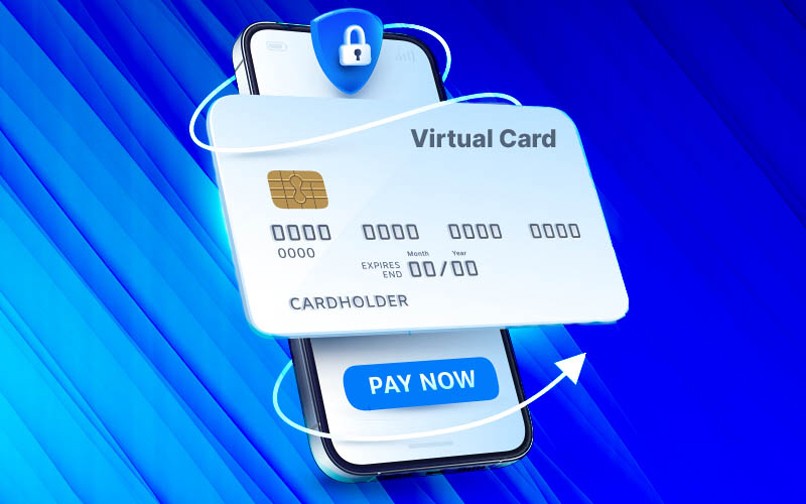
Things to note when using virtual cards for Ads (Google Ads, Meta, TikTok)
- Subject name & country in card: Many platforms verify the cardholder's name against the payment method. It's recommended to register the name of the organization/branch corresponding to the payment method (e.g., company name + address).
- Daily / monthly limit: Always set a daily limit to avoid your card being "exploded" when the campaign is running strongly or if you encounter fraud.
- Single-merchant cards (rare but powerful): Create tags specifically for Google Ads or Meta Ads – if the tag gets blocked, only that channel will be lost, other costs will not be affected.
- Auto-top-up by ROI (rare attribute): Set a rule: automatically increase the spending limit when the campaign reaches a certain KPI ROI; stop increasing the limit if the CPA exceeds the threshold.
- Currency & FX fee payment: If the payment platform accepts USD, choose a multi-currency card or one with low FX fees; check conversion fees and issuing fees.
Use virtual cards for SaaS (recurring)
- Split cards by software: Assign one tag/one SaaS service to make it easier to stop/cancel when needed.
- Set a reasonable limit: Choose a monthly limit of 1.2 × package price to avoid declining when billing changes occur.
- Set up alerts:When there are billing changes (upgrade/downgrade), receive an alert to cross-check the invoice.
- Reconciliation cycle:Automatically match card transactions to electronic invoices (XML/PDF); if there is a mismatch, alert the cardholder and accountant.
Cross-border & multi-currency spending
- Choose card type to optimize fees:Prepaid multi-currency or virtual cards from fintech companies (Brex, Revolut, Airwallex) usually have lower FX fees compared to domestic cards.
- Legal & Tax Notes:Keep valid invoices (e-invoices) and bank statements to prove the legitimacy of expenses when settling accounts.
- Declaration & accounting:Record exchange rate differences in the exchange rate difference account according to accounting standards; control VAT if applicable.
Tips to prevent card breakage and automatic optimization.
- Single-merchant virtual card for Ads: Issue only one tag for Google Ads; if the tag is rejected or held, the system only affects that ad channel, reducing overall system risk.
- Auto-top-up by ROIConnecting the ad dashboard with payment rules: when ROAS > X and CPA < Y, automatically top up cards above the base level; if ROI decreases, automatically reduce the limit. This solution requires API integration between the ad platform and the card issuance system.
- Campaign-based tagsCreate cards for each major campaign (product launch), with an expiration date; cards are automatically locked upon expiration – ideal for agencies and events.
Example of a practical configuration (suggested)
- Google Ads – Campaign A
- Card type: single-merchant, multi-currency (USD)
- Limit: 1 TP4T200/day; monthly cap 1 TP4T6,000
- Rule: if CPA > $X in 3 days → auto lock; if ROAS > Y → admin receives alert to top-up
- SaaS – Salesforce
- Card type: dedicated monthly card (recurring)
- Limit: monthly = subscription × 1.1
- Rule: detect invoice other than monthly subscription >10% → flag to accounting
Integration with accounting/auditing processes
- Attach the cost center/project code as soon as the card is issued. → When the transaction is completed, the system automatically maps it to the correct expense code.
- Automatically match card transactions to electronic invoices (Bizzi eInvoice) → If it's a match: automatically record it; otherwise: put it into a queue exception for manual processing.
- Statements & supporting documentsUpload PDF invoice + automatically save XML if the supplier has an electronic invoice → retain documentation for settlement and auditing.
Operational Tips for CFO / Head of Finance
- Use mixPrepaid for small expenses, virtual single-merchant for ads, credit/business card for travel expenses (points accumulation/convenient terms and conditions).
- Always Set a "stop-loss" rule.If the card has an unusual pattern (unusual volume increase), auto-lock → notify security and accounting.
- Deployment mandatory documentation processNo invoice/receipt within 72 hours → the system will automatically block the card until completion.
- Check if the issuer/card has API/webhook To automatically integrate with ERP/expense tools (Bizzi) – avoiding manual data entry.
Accounting and approval of expenses arising from virtual cards should be streamlined and accurate.
Using virtual cards gives businesses more flexibility in spending, but without clear accounting and approval procedures, it's still easy to make mistakes, difficult to control, and lose costs. This section helps standardize the process so that accounting and finance departments understand it. Who pays for what?, Where are the documents?, and How to record it in the ledger? in accordance with accounting standards.
1. Three-step process: transaction generation → document verification → ledger entry
Standardized processes help businesses close their books faster (fast close), reduce advance payments, and eliminate manual errors.
Step 1 – Generate a transaction
- Employees/departments use virtual cards for pre-approved expenses.
- Spending must be linked cost center, project code, PO (if costs are as per contract).
- Cards can be issued by department (Marketing, IT), by project, or by merchant (Google Ads, AWS).
Step 2 – Verify documents
- Automated document collection and attachment system:
- Electronic invoices in XML and PDF files.
- Receipt/email bill
- Compare these three factors: Card transaction ↔ Invoice ↔ Purchase Order/Gross Order (if it's for the cost of purchasing services/goods).
- In case of discrepancies in the amount, record a warning for the responsible accountant to check VAT, verify the supplier's tax code, or review the campaign configuration (for ads).
Step 3 – Record in the accounting books
- Record the information in the general ledger and detailed ledger according to the correct expense code.
- For businesses using ERP/EPM systems, the system automatically pushes transactions according to the configured mapping.
2. Suggested accounting entries for each case.
Here are some common accounting entries when using virtual cards in a business:
- Case 1 — Service fees with valid electronic invoices
Debit 642/641 (Administrative/Selling Expenses)
Debit 133 (Input VAT deductible)
There is 331 (Accounts Payable to Suppliers) – if using the accounts payable mechanism.
or
There is 112 (Bank deposit) – if paying immediately by card.
- Case 2 — Small, individual expenses, no VAT, no invoice.
Debt 642/627
There are 112
Case 3 — Software purchase costs, international ad fees (excluding VAT)
Debit 642/641 (service portion)
There are 112
If the platform has withholding tax → depending on national regulations, an additional contractor tax account should be recorded (in Vietnam: foreign supplier tax paid by the enterprise, if applicable).
3. Multi-tiered approval based on amount and type of expenditure.
Enhance internal control through multi-tiered approval processes.
Suggested approval model
By amount
- <10 million → Department Head approves
- 10-50 million → + Department Director
- 50 million → + CFO/CEO
By type of branch
- Ads/SaaS → Head of Marketing/IT + Finance
- Procurement + Finance
- Cross-border spending → CFO + Compliance
By department
- Mapping cost centers to automate route approval.
4. Mapping costs – project code – purchase order – document deadline
This is the part that many businesses are missing, causing slow book closing and data errors.
The correct mapping method
- Cost center: automatically attach by tag (eg: Ads Tag → Cost Center Marketing)
- Project code: selected by the user when requesting card issuance or when making purchases
- Related PO: Link PO/GR for automatic 3-way matching
- Deadline for submitting documents:
- You must upload the invoice/receipt. 48-72 hours after the transaction
- Expired → Card automatically blocked + email reminder
Mapping supports:
- Reduce the time for verifying missing documents (90%).
- Eliminate the practice of "supplementing invoices only at the closing date".
- Increased transparency: departments see all budgeted expenses.
Key features that Bizzi supports:
- Mapping cost code, project code, department, cost center
- Set up a multi-tiered approval workflow.
- Budget overrun warning by category
Integrate virtual cards with accounting, ERP/EPM, and electronic invoicing systems.
Spending with virtual cards is only truly effective when Transaction data is pushed directly into the accounting and financial system.No manual entry, no outstanding documents, no data discrepancies. This section describes how businesses connect virtual cards with Bizzi, SAP, Oracle, MISA, Odoo, etc., to automate the entire expense processing lifecycle.
1. Connect card transaction data via API/Webhook
Modern virtual card issuers provide APIs/webhooks to transmit transaction data to internal systems as soon as it occurs:
Information is sent in real-time:
- Transaction amount
- Merchant & MCC code
- Transaction Description
- User/department using
- Cost center & project code (if previously installed)
- Transaction status (success/declined)
- Currency + FX rate
Benefit:
- Reduce manual entry by accountant to nearly 0%
- Avoid confusing merchant codes or amounts
- Ensure spending syncs instantly with your budget
2. Synchronize with Bizzi Expense & accounting/ERP systems.
Once the transaction is pushed into Bizzi, the data is immediately fed into the corresponding modules:
- Bizzi Expense: cost management by department, project, cost center
- Bizzi Invoice / Bizzi IPA: Automatically collect invoices from email/suppliers
- ERP/Accounting: SAP, Oracle, MISA, FAST, AMIS… (integrated via API/Data Pipeline)
How Bizzi works:
- Card transactions become a request in the cost system
- Users submit accompanying invoices/receipts.
- Accounting check - reconciliation - cost allocation
- At the end of the cycle, data is synchronized to ERP/EPM for recording.
3. Automatic 3-way reconciliation: Card transaction ↔ Invoice ↔ PO/GR
A rare strength that no other solution in Vietnam has: Bizzi automatic 3-way reconciliation.
For example:
You use the virtual card to pay for SaaS, marketing, or purchase supplies.
Bizzi will compare:
- Card transactions (card transaction)
- Electronic bill (XML + PDF)
- PO/GR (if the business manages purchasing based on orders)
Benefit:
- Detect errors immediately
- Avoid the situation of "transactions but no invoices"
- Avoid duplicate/incorrect supplier payments.
- Prepare for audits extremely quickly (no need to spend weeks gathering documents).
4. Attach XML Invoice + Check Tax Code + VAT deviation warning
This is the major difference between Bizzi and traditional expense platforms:
✔ 4.1. Automatically attach XML file – the only legal document of the electronic invoice
Bizzi kept Original XML, not only PDF display → ensure legality when checking or settling.
✔ 4.2. Check supplier tax code (MST)
Bizzi automatically checks:
- Is the MST valid on the tax system?
- Business operating status
- Does the invoice match the supplier?
→ Significantly reduce the risk of invalid input invoices.
✔ 4.3. Warning of VAT discrepancies, duplicate invoices, and unusual invoices
The system uses AI + rule-based engine to detect:
- VAT invoice does not match card transaction
- Duplicate invoice number
- Difference between VAT and pre-tax amount
- Invoice from strange merchant, risk of fraud
Strengths: Marketplace, advertising, SaaS often generate VAT errors → Bizzi helps businesses filter from the beginning.
What does the business get from this integration?
- 100% spending data → accounting → ERP are all unified
- Audit-ready: it takes minutes to filter records instead of weeks
- Reduce 70–90% document reconciliation time
- No worries about lost invoices because everything is on the ISO/IEC 27001 standard cloud
- Ensure legal compliance when storing electronic invoices
Virtual corporate card providers in Vietnam and internationally: compare to choose the right one
In the past 2 years, the demand for virtual corporate cards in Vietnam has increased sharply, especially among fast-growing enterprises, startups and multi-project groups. However, the market has many different issuance models: from traditional banks, e-wallets to international fintech platforms. To choose the right one, businesses need to understand the differences in Card types, fees, limits, APIs, merchant controls, and level of accounting support.
1. Vietnamese banking group (MB, Techcombank, Vietcombank)
General characteristics:
- Release traditional business credit/debit cards
- Support card management by user
- High reliability, suitable for businesses that need stability
Advantage:
- High limit, suitable for large procurement or marketing teams
- Reputation, good dispute resolution ability
- Direct integration into business accounts (easy reconciliation)
Limit:
- Limited merchant control
- No realtime API or webhooks
- Not flexible when needing to issue multiple small cards by department/project
- Slow card opening process (3–7 days)
Fit: Traditional enterprises, trading companies, businesses need standard international payment cards.
2. Vietnamese e-wallet/fintech group (Viettel Money Business, MoMo Business, ZaloPay Business)
Features: use corporate prepaid cards, capable of basic API integration.
Advantage:
- Easy to open, quick release
- Low cost
- Some wallets support splitting limits by group or by user
- Good for domestic payments and domestic advertising
Limit:
- Not good for international payments or SaaS recurring
- Chargeback is harder than banking
- Limited API – not enough to connect deeply with ERP
Fit: Small startups, SMEs want simple internal spending control.
3. International Group (Stripe Issuing, Airwallex, Revolut Business, Brex, Ramp)
This is the strongest group of suppliers in terms of multi-currency, API, merchant limits, automation, But Legal restrictions for use in Vietnam.
Strong advantages:
- Virtual cards issued extremely fast (in seconds)
- Deep merchant control (block/allow categories)
- Powerful API/webhook, suitable for tech team
- Multi-currency, low FX fees
- Cashback by spending sector
But limitations:
- Not directly issued in Vietnam → difficult to open an account
- Legal risks when used for domestic expenses
- Accounting is difficult if ERP is not synchronized.
- Chargeback depends on region
Fit: Global startups, technology businesses with cross-border payment needs.
Legal, tax and documentation when paying with virtual cards
Virtual corporate card payments still fall into this category cashless, so it is completely legal to include in deductible expenses – if the business prepares full documents. Understanding the legal requirements helps businesses avoid the risk of expense types, VAT errors or not being accepted for audit.
1. Valid set of documents
A valid virtual card purchase will have:
- Electronic invoice (XML + PDF) from the supplier
- Card transaction receipt / card statement
- Internal spending regulations or spending approval (if the value is large)
→ This is the necessary "trio" to be included in deductible expenses according to: Corporate Income Tax Law - Accounting Law - VAT Law.
2. Legal validity of virtual cards
- Virtual cards are still legal means of payment if issued by a licensed organization
- Possible transactions: online payment, subscription, SaaS, media buying, digital services
- Every transaction has a trace on the banking/fintech system
What businesses need is transparency in the approval - use - comparison process.
3. Responsibility for handling disputes (chargeback)
- Card issuing organization: receive requests, work with schemes (Visa/Mastercard)
- Business: provide transaction documents, invoices, usage logs
- Supplier: response/additional evidence
- Processing time: 30–90 days depending on transaction type
- 30–90 days depending on transaction type
4. 10 year storage capacity + audit trail + approval log
Many expense platforms don't meet the long-term storage requirements. Bizzi addresses this by:
- Storage 10 years according to the Law on Accounting
- Full audit trail: who approved – when – what changes
- Card usage log: transaction – limit – merchant – rule
→ Helps businesses audit quickly and transparently, without fear of "losing documents".
Automate virtual card spend management with Bizzi to reduce risk and save time
Once you have selected the right card provider, your business needs the tools to Manage expenses, reconcile invoices, and push data into accounting/ERP. This is the reason why many businesses choose Bizzi Expense + Bizzi Card.
Bizzi not only helps issue cards but also makes the whole process one-stop automation.

1. Bizzi Expense – issuing cards according to corporate structure
Bizzi allows businesses to:
- Card issuance according to department, project, staff, use-case
- Attach limit rules by day/month/merchant
- Automatically lock card when exceeding budget or spending in wrong category
- Assign cost center, project code immediately when spending
2. Bizzi IPA – automatic receipt and card transaction reconciliation
When a transaction occurs:
- Bizzi collects invoices from email/vendors
- Compare transaction ↔ invoice ↔ PO (if any)
- Check validity of VAT, Tax Code, issuance time, payment method
- Report errors if invoices are missing – late – wrong – duplicate
→ Reduced 90% of accounting manual verification time.
3. Real-time dashboard: budget – spending – risk warning
Bizzi offers:
- Budget overview by department/project
- Expense report by expense type, merchant, employee
- Over-limit or unusual spending warnings
- Forecast spending based on past patterns
Especially useful for CFOs and Finance Ops who need to track burn-rate.
→ Order a Bizzi demo to get advice on process mapping according to your business's spending and ERP model: https://bizzi.vn/dang-ky-dung-thu
FAQ (Frequently Asked Questions)
When businesses start to switch to using virtual business card, many recurring questions revolve around eligibility, advertising usability, fees, and the documentation process. The FAQ below summarizes the key points – helping CFOs, CFOs, and operations teams get a quick overview.
1. What is the difference between a virtual card and a personal card?
Virtual cards issued to businesses, allows assignment by department, personnel, or project; has clear limits - rules - validity period.
Personal card Without this layer of control, using it for company spending would complicate accounting, make auditing difficult, and increase liability risks.
2. Can virtual cards be used for Google Ads/Meta Ads?
Yes. Most business virtual card providers support payments for Ads platforms (Google, Meta, TikTok), provided that:
– Compatible card types (Visa/Mastercard).
– Limit & country match ad account settings.
– No violation of industry policies with restricted payments.
3. Can businesses issue multiple cards and limit access per person/merchant?
Have.
You can:
- Grant multiple cards for individuals or teams.
– Merchant restrictions (Google Ads, AWS, Meta...).
– Set daily cap, time-limited, or only allowing use within a specific category.
4. How are maintenance fees and FX (foreign currency conversion) fees calculated?
Depending on the publisher:
– Some fintech/BANKS collect issuance fee or maintenance fee monthly
– FX fees fluctuate 1.5–3.5% Depending on the type of card and payment network.
– For cross-border payments, choose a multi-currency card to reduce fees.
5. How to lock or cancel virtual card instantly?
On the vendor dashboard, you can:
– Block your card instantly with just one click.
– Cancel/close card permanently.
– Adjust limits and merchant rules without creating new cards.
→ Reduce the risk of budget losses due to unusual transactions.
6. Can I deduct VAT using a virtual card and what documents are required?
Yes, when enough is enough. valid set of documents:
– Electronic invoice (E-invoice) from the supplier.
– Card statement or transaction receipt.
– Internal spending rules/business approval process.
Virtual cards are still considered cashless payment methods, meet the conditions for deductible expenses.
Conclude
Virtual business cards are more than just the answer to the question “What is a virtual corporate card and what benefits does it bring to businesses?” —and it's also a crucial foundation for businesses to modernize expense management, increase transparency, and significantly reduce operational burdens. When implemented correctly, virtual cards allow for real-time budget control, expense separation, automated document reconciliation, and full compliance with legal and tax requirements. This is not just a technological trend, but has become a new standard in corporate financial management.
However, to maximize the benefits, businesses need to choose the right type of card, set up standard spending policies, integrate with accounting systems - ERP - electronic invoices and ensure data is stored properly. That is why many businesses switch to using Bizzi Expense and Bizzi corporate card, where all transactions, invoices, and approval processes are automated end-to-end.
If you're looking to optimize spending, standardize accounting processes, and reduce document errors when using virtual cards, start by evaluating your current spending patterns and testing a small module. Schedule a Bizzi demo to get advice on process maps according to the department structure and operational characteristics of your business.
Smart spending management is no longer an option — it's a core competency for businesses operating in line with 2026 standards.
→ Schedule a Bizzi demo to get advice on process mapping according to your business's spending and ERP model: https://bizzi.vn/dang-ky-dung-thu





