


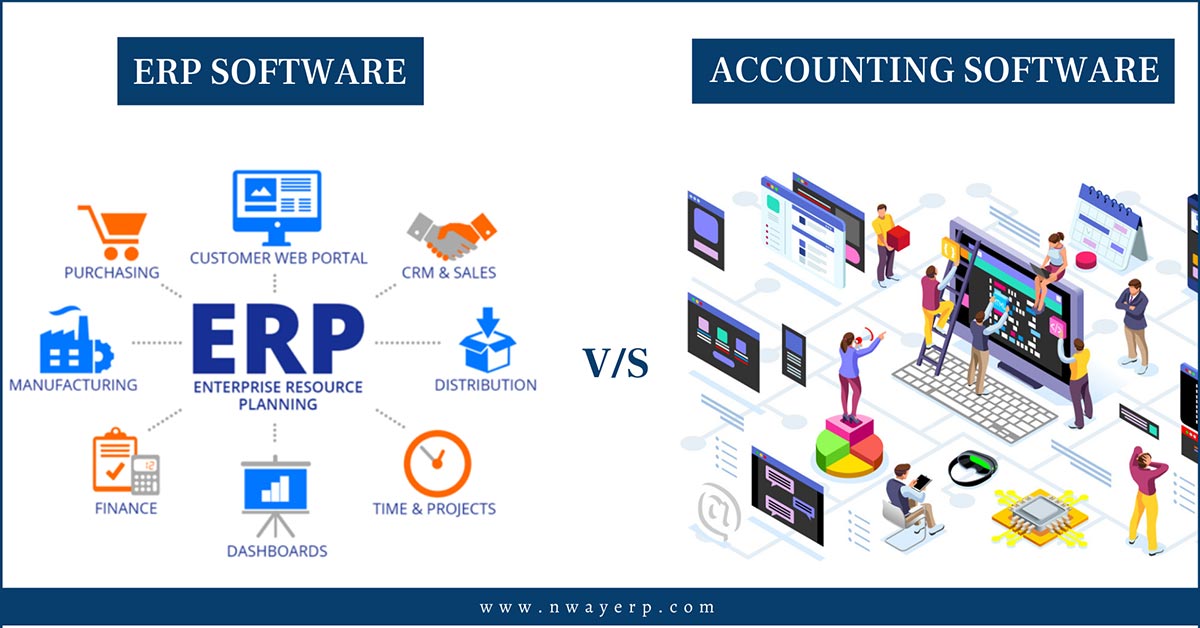
Accounting ERP software ERP is a common term for an ERP system that integrates financial and accounting functions, where data from purchasing, sales, inventory, assets, or payments can be linked to GL, AP, AR, and financial reporting. The core difference lies in the connection between operational and accounting functions.
So How do accountants use ERP? In daily operations, what steps are involved in processing a transaction from its inception to its entry into the ledger? And when a business already has its own accounting software, in what cases should it integrate with ERP? This article will guide you from the data source flow → subledger → General Ledger → reconciliation → closing period and reporting, helping the Finance team understand how ERP is used in accounting at the process level.
What is ERP accounting software? How is ERP understood in accounting?
Accounting ERP software ERP is a common term for an ERP system that integrates financial and accounting functions, where data from purchasing, sales, inventory, assets, or payments can be linked to GL, AP, AR, and financial reporting. The core difference lies in the connection between operational and accounting functions.
In other words, ERP is not just an extended version of accounting software. ERP is a broader enterprise management system, and Finance & Accounting is a key domain within that system. Depending on the product architecture, accounting data can be generated directly from business transactions or introduced into the system through integration mechanisms.
If you need to understand ERP at a general level before delving into accounting, you can refer to this article. What is ERP? – Bizzi.
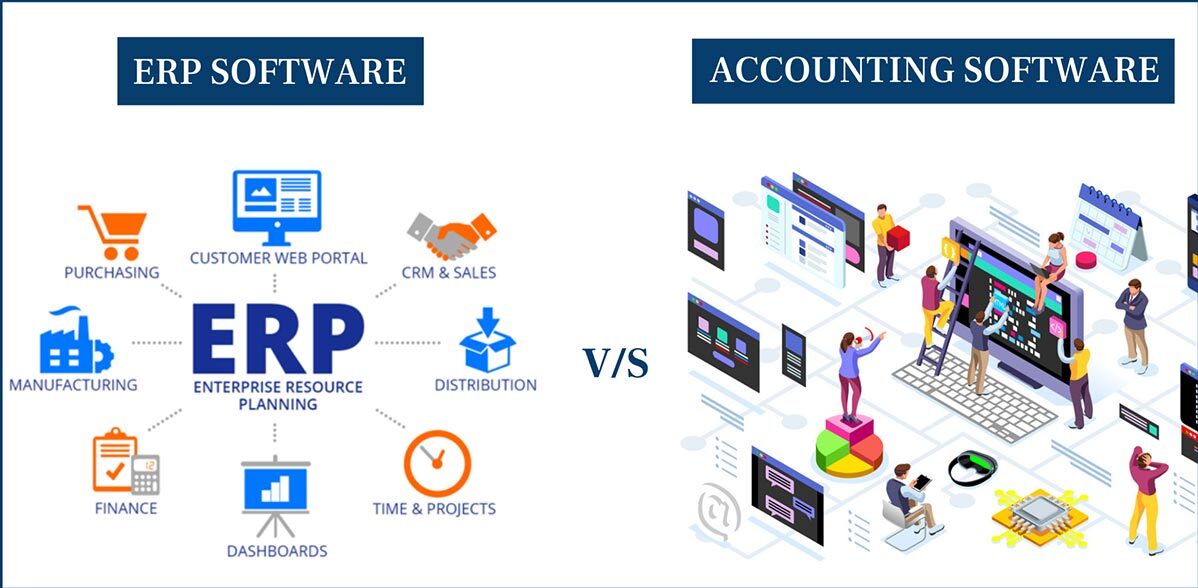
Where is the accounting ERP system located within the ERP system?
The relationship can be visualized as a chain:
ERP
→ Finance & Accounting
→ GL / AP / AR / Cash & Bank / Assets / Budget / Reporting
→ Accounting records & management reports
In there:
- General Ledger (GL): The general ledger, where accounting entries are collected and categorized according to the chart of accounts.
- Accounts Payable (AP): Manage accounts payable to suppliers.
- Accounts Receivable (AR): Manage accounts receivable from customers.
- Cash & Bank: Track money and banking transactions.
- Fixed Assets: Manage transactions related to assets.
- Budget/Cost: It supports budget management, cost analysis, or other analytical dimensions.
- Reporting/Close: To facilitate reconciliation, closing the books, and preparing reports.
Microsoft describes the General Ledger as the place where a legal entity's financial records are managed, with debits and credits categorized according to the accounting system; while Oracle Financials organizes functions such as General Ledger, Payables, Receivables, Payments, Cash Management, Tax, Expenses, and Assets within the financial system.
The point to note is It should not be understood that AP, AR, or Assets are always "independent modules" with the same structure in all ERP systems.. The naming convention, functional scope, data storage method, and posting timing depend on the vendor, version, configuration, and deployment architecture.
How does a transaction go through the ERP system and become accounting data?
This is the most important point to understand. How does ERP accounting work?.
In ERP, accountants don't necessarily have to re-enter all the data that other departments have already created. A transaction occurring in purchasing, sales, inventory, or asset management can become a separate entry. final event, The data is processed in a subledger or journal and then reflected in the General Ledger according to the system's rules and configuration.
The general data flow can be visualized as follows:
Original transaction
→ Accounting event
→ Subledger / journal
→ General Ledger
→ Reconciliation
→ Close & Reporting
The important point is Business transactions and accounting entries are not always the same step..
Example 1: Procure-to-Pay
A purchasing cycle can be modeled as follows:
Purchase Order
→ Receipt
→ Vendor Invoice
→ Accounts Payable
→ TQ
→ Bank/Cash
→ General Ledger
For example, when a business records a supplier invoice, the ERP system can use information such as vendor, posting profile, account, dimension, and related settings to determine how the transaction is reflected in the ledger.
In Dynamics 365 Finance, the vendor posting profile determines the aggregate account used when vendor balances are recorded in the General Ledger. The system can also use payment settings to determine how payments are reflected in the bank or ledger.
Another example illustrating how posting can occur at various times: in Dynamics 365 Finance, a product receipt can create an estimated expense entry into an accrual account; when the invoice is recorded, that accrual balance can be reversed and transferred to the accounts payable to the supplier according to the posting configuration.
Therefore, it should not be understood that Each step of the Purchase Order → Receipt → Invoice process generates the same type of journal entry across all ERP systems.. Trigger, timing, and account determination are system-dependent.
Example 2: Order-to-Cash
In the sales cycle, the general flow could be:
Sales Order / Delivery
→ Customer Invoice
→ Accounts Receivable
→ Receipt
→ Bank/Cash
→ General Ledger
When a sales invoice is issued, transaction data can be transferred to Finance to generate corresponding accounting entries according to account determination and system configuration.
This creates an important connection: Business operations are the source of data; the accounting system is where that data is classified, recorded, reconciled, and aggregated into financial information.
Why is reconciliation necessary?
When both the subledger and the General Ledger are involved in the data flow, accountants need to check for consistency between the data layers.
For example:
- AP ↔ GL
- AR ↔ GL
- Bank ↔ Ledger
- Fixed Assets ↔ Accounting
- Inventory ↔ Accounting when transactions are related
Oracle Financials provides reconciliation reports between subledger and General Ledger, such as Payables to Ledger and Cash to General Ledger, allowing for verification of balances and accounting transactions between data layers.
Therefore, a good ERP accounting system should not only answer this question. “"How many have been recorded?"”, and also need to support the Finance team in answering “"Where did this data come from, and does it match the relevant source?"”
How do accountants use ERP software in their work?
There isn't a single click-by-click workflow that applies to all ERP systems. Interfaces, menus, workflows, and access permissions vary. vendor, version, role and customization.
At the operational level, how accountants use ERP can be understood in the following order:
Master data → Source documents → Verification/Posting → AP/AR/Cash → Reconciliation → Close & Reporting
1. Check background data
Before processing a transaction, the Finance team needs to ensure that the relevant background data has been established and controlled, such as:
- Chart of Accounts;
- Vendor/Customer master;
- Accounting dimensions or cost center;
- Currency;
- Fiscal period;
- User rights;
- Approval authority.
This isn't a "secondary technical" aspect of ERP. The quality of the underlying data directly impacts how transactions are categorized and posted.
For example, Microsoft describes Financial Dimensions and Account Structures as components involved in determining valid account and dimension combinations when posting.
2. Receiving and checking source documents
Depending on their role, accountants may receive or check:
- Purchase/Receipt;
- Vendor Invoice;
- Sales/Customer Invoice;
- Asset transaction;
- Payment/Receipt;
- Bank transaction.
Here, ERP helps create a link between documents and accounting data instead of treating each document as a separate piece of data.
For example, in Dynamics 365 Finance's Accounts Payable, vendor invoices can be entered manually or received electronically, then reviewed and approved according to the appropriate workflow.
3. Verify accounting information before posting.
Before a transaction is recorded, the accountant needs to check the following information:
- Account;
- Dimensions;
- Posting date;
- Tax code, if applicable;
- Supporting document;
- Approval/status;
- Currency and exchange rates, if applicable.
The goal is not to "let ERP automatically handle accounting instead of human accountants," but to ensure... The rules and configuration data accurately reflect the company's accounting policies and control procedures..
This is also why you shouldn't judge an ERP system solely by the number of features. A feature might exist in the system but still produce unsuitable results if the master data, posting rules, or workflows aren't designed correctly.
4. Managing accounts receivable and accounts payable.
Depending on their role, accountants may work with:
- AP: supplier invoice, accounts payable, payment, settlement;
- AR customer invoice, accounts receivable, receipt, collection;
- Cash & Bank: Money and banking transactions;
- Open items;
- Payment/receipt status.
For example, Accounts Payable might include vendor management, profile posting, payment options, invoice processing, and settlement.
5. Comparison
After the data is recorded, the accountant needs to check for consistency across sources:
| Compare | Target |
| AP ↔ GL | Verify the accounts payable balance against the general ledger. |
| AR ↔ GL | Verify the accounts receivable balance against the general ledger. |
| Bank ↔ Ledger | Verify bank transactions against the ledger. |
| Assets ↔ Accounting | Verify property data against accounting records. |
| Inventory ↔ Accounting | Check when warehouse operations affect accounting. |
This is one of the key differences between “"Enter data into the software"” and “"Operating accounting on an integrated system"”.
6. Closing the period and reporting
At the end of the period, the Finance team usually needs to review:
- Open items;
- Amounts that need adjustment or accrual according to policy;
- Reconciliation;
- The transactions are not yet complete;
- Period close;
- Financial reports;
- Management reports.
ERP systems can provide centralized data to support these steps, but This does not mean the system automatically completes the entire closing process without accounting oversight..
What types of transactions does the accounting module in an ERP system typically manage?
Large ERP systems typically organize Finance around functional groups such as General Ledger, Payable Accounts, Receivable Accounts, Cash & Bank, Fixed Assets, Budget/Cost, and Reporting/Close. However, this The required module list does not have the same structure in all ERP systems..
| Group | Role | Typical data sources | Output |
| General Ledger | Summary of accounting entries | Subledger + journals | Trial balance / financial statements |
| Accounts Payable | Managing accounts payable to suppliers | Purchasing / vendor invoice | Payables / open items |
| Accounts Receivable | Managing customer accounts receivable | Sales / Customer Invoice | Receivables / open items |
| Cash & Bank | Money and banking management | Payment / receipt / bank statement | Cash position / reconciliation |
| Fixed Assets | Asset Management | Asset transactions | Asset values / depreciation |
| Budget / Cost | Plan and cost management | Budget + actual | Budget vs. actual / cost analysis |
| Reporting / Close | Summary and final control | Ledger + subledgers | Close / financial & management reports |
Microsoft currently categorizes Finance functions into General Ledger, Payable Accounts, Receivable Accounts, Budgeting, Cash and Bank, and many other financial operations; Oracle Financials also offers groups such as GL, Payables, Receivables, Cash Management, and Assets.
If you want to learn more about how ERP is divided into different domains beyond Finance, you can check out... ERP subsystems.
Notes on ERP accounting in Vietnam
ERP systems are not automatically "compliant with VAS" simply because they have an accounting module. Businesses must evaluate their compliance. Localization, account configuration, documents, accounting records, reports, and related legal requirements. on the specific ERP version.
In particular, businesses need to take note from 2026 onwards. Circular 99/2025/TT-BTC Regarding the accounting regime for enterprises, the Circular provides guidance on accounting documents, accounting accounts, bookkeeping, and the preparation and presentation of financial statements. The Ministry of Finance confirms that the Circular takes effect from January 1, 2026, and applies to fiscal years beginning on or after this date.
Therefore, when evaluating ERP systems for Vietnamese businesses, the requirement for "compliance with accounting regulations" needs to be translated into specific verification requirements on the system, instead of relying on a single overarching marketing claim.
How does an ERP accounting system differ from a standalone accounting software?
The key difference is not that “"ERP software has accounting functions, while accounting software does not."”. Both can be used for accounting purposes.
The difference lies more in the scope of the process and the degree of connection between Finance and other operational activities..
| Criteria | ERP with Finance/Accounting | Independent accounting software |
| Scope | Accounting is part of a broader management system. | Focus on Finance/Accounting |
| Source data | It is possible to receive native data from other ERP modules. | Import directly or integrate from another system. |
| Procedure | It can span multiple departments. | Usually focuses on Finance |
| Master data | Can be shared across the entire system. | Primarily for accounting purposes. |
| Joint | Native + external depending on the product | External integration varies depending on the product. |
| Automation | Module and configuration dependencies | Product and configuration dependent |
| TCO | Depends on scope, users, customization, integration | Product dependency and integration needs |
| Best fit | Complex interdepartmental process | A more independent accounting scope. |
Modern accounting software can fully support APIs, workflows, and integrations. Therefore, it shouldn't be assumed that standalone accounting software is a "silo" that's difficult to connect with.
Conversely, ERP systems are not necessarily the better choice in every situation.
The question that should be asked is: Does the business need to solve accounting problems independently, or does it need to connect accounting with purchasing, sales, inventory, assets, operations, and various other data sources?
When is it necessary to integrate separate accounting software with ERP?
There are cases where businesses maintain a separate accounting system alongside their ERP system. This model may occur when:
- The ERP system has not yet implemented Finance.;
- Businesses roll out ERP systems in stages;
- The current accounting system is a legacy system;
- Businesses that require localization or specific business processes;
- Some financial functions are maintained on a separate system.
In this case, the following needs to be clearly defined before integration:
- System of records: Which system is the primary data source?
- Master-data owner: Which system manages vendor/customer/account?
- Data directions: Is data flow one-way or two-way?
- Mapping: How are data objects linked?
- Posting timing: When is the data recorded?
- Reconciliation: How do I test the two systems?
- Error handling: When a transaction fails, who handles it and how is the data retried?
This is the problem. Solution architecture, There is no single, integrated model that works for every business.
What value does ERP bring to the accounting department?
The value of ERP for finance lies not in the "ERP" label, but in how the system works. Connecting data, standardizing workflows, and creating traceability from accounting records to source transactions..
| Problem | ERP mechanism | Potential value | Condition |
| Re-enter data from multiple departments | Link source transactions to Finance | Reduce the number of re-entry tasks. | Integration and workflows must be designed correctly. |
| The difference between operational data and accounting data. | Share or link master data | Increase data consistency | Master data must be controlled. |
| Data source is difficult to trace. | Transaction → subledger → GL | Increase traceability | Maritime trail and appropriate system configuration |
| AP/AR is difficult to control. | Subledger is linked to GL. | Support for debt tracking | Posting rules and reconciliation are correct. |
| Comparing the data requires a lot of effort. | Subledger reconciliation reports | Support for discrepancy detection | The reconciliation process must be designed. |
| Closing involves many manual steps. | Centralized data + workflow | It can support normalization closing. | Depending on the process and the level of automation |
| The report needs to compile information from multiple sources. | Centralized/connected financial data | Reporting support | Appropriate data model and reporting architecture |
For example, in Dynamics 365 Finance, the vendor posting profile is used to define the account under which vendor transactions are reflected in the General Ledger; the system also provides configurations related to payment, currency, and financial dimensions.
This shows that The value comes from the data connection mechanism and accounting rules., and not just from a business purchasing an ERP system.
When should businesses consider accounting ERP?
ERP systems deserve to be evaluated when a company's problems no longer lie solely within the accounting department, but extend to other areas as well. the connection between accounting and operational processes.
These are signs that ERP might be a good fit.
- Accountants have to receive and process files from many departments.
- Operational and accounting data often need to be reconciled manually.
- A business may have multiple branches or legal entities.
- The approval process has multiple levels.
- Management reporting must aggregate data from multiple systems.
- Finance relies heavily on separate software programs.
- Accountants need to trace back the data from the source transaction report.
- P2P, O2C, or interdepartmental processes are becoming increasingly complex.
For example, the The accountant has to receive Excel files from inventory, purchasing, and sales, then manually re-enter the data and reconcile it. That's a more valuable fit signal than simply saying "the business has over 100 employees".
When is ERP not absolutely necessary?
| Situation | Preliminary assessment |
| Simple accounting procedures | It is possible to continue with the current system. |
| The current system is working well. | There is no strong enough reason to change yet. |
| Master data is not yet accurate. | Background data should be processed first. |
| No process owner yet. | Risks when deploying a new system |
| Integration architecture is not yet defined. | It needs to be clarified before making a choice. |
| Insufficient resources for change management. | A readiness assessment is needed. |
Do not take number of employees or revenue This should not be the sole rule for deciding on an ERP system. The complexity of the process, data, and integration are the more important variables.
If the business has identified specific assessment needs and wants to move on to the next step... Comparing ERP solutions, you can refer to this popular ERP accounting software.

What preparations does the finance team need to make before implementing an accounting ERP system?
Before going live, the Finance team shouldn't just focus on learning the interface. Preparation is more important. master data, accounting rules, opening balance, roles, integration, reconciliation and test scenarios.
Checklist for preparing an accounting ERP system.
| Category | The finance team needs to check. |
| 1. Chart of Accounts | The account system and mapping are compatible. |
| 2. Vendor/Customer Master | The data is complete, consistent, and non-duplicate. |
| 3. Opening Balances | The opening balance is checked and reconciled. |
| 4. Dimensions/Cost Center/Project | The analytical dimensions are normalized. |
| 5. Fiscal Periods | Accounting period and opening/closing rules |
| 6. Currency | Currency and exchange rates, if applicable. |
| 7. Tax/Localization | Configuration complies with applicable legal requirements. |
| 8. Role & Approval | Access rights and approvals |
| 9. Segregation of Duties | Separating tasks when control is required. |
| 10. Integration Source | Data delivery systems for ERP |
| 11. Reconciliation Rules | How to compare Subledger, GL, and data sources. |
| 12. Test Cases | P2P, O2C, payment, asset, and specific cases. |
| 13. User Training | Role-based training |
| 14. Cutover Responsibility | Identify the person responsible at the time of system migration. |
| 15. Post-go-live Support | Error handling and post-operation support mechanisms |
For example, Microsoft requires several background configurations before setting up Accounts Payable, including General Ledger, currency, bank accounts, payment settings, vendor groups, posting profiles, financial dimensions, and tax-related settings depending on the deployment scope.
One particularly important point for Vietnamese businesses is Localization must be verified on the specific ERP system.. Circular 99/2025/TT-BTC currently provides guidance on documents, accounts, accounting books, and financial reports for businesses; therefore, when implementing ERP, the Finance team needs to determine whether the system and configuration meet the requirements applicable to the business, instead of just relying on the claim of "supporting Vietnamese accounting.".
If you need to delve into the entire project implementation, you can refer to the following. ERP implementation process. This article belongs to the implementation intent group, distinct from the accounting workflow guide in the current article.
Conclusion: The core of accounting ERP lies in the data flow, not the interface.
Accounting ERP software It's not simply another software program for accountants to enter journal entries. The core value lies in how business transactions—from purchasing, sales, inventory, assets, or payments—are connected. AP, AR, subledger, General Ledger, reconciliation and reporting within a unified governance architecture.
Therefore, when evaluating ERP, the Finance team should start from... actual data flow and workflowThis includes where transactions occur, how accounting events are created, how data enters the subledger/GL, where reconciliation takes place, and finally, how it is used for closing and reporting. The specific operations on the interface are only the last layer and depend on the vendor, version, role, and configuration.
ERP systems don't necessarily have to handle every financial workflow themselves. If a business has identified a specific process—such as processing incoming invoices or accounts payable—but wants to add a layer of advanced automation, it's possible to evaluate integration solutions based on the actual workflow, rather than assuming the ERP system is lacking functionality.
With this model, Finance and IT should determine the following beforehand:
- Which workflows need to be added?
- What system of records does the current ERP system use?
- What data needs to be exchanged?
- Which direction does the data flow?
- What is the integration method?
- How are exceptions checked and handled?
The Bizzi platform can integrate with ERP systems via Open API, connecting to the customer's system API, or File Integration, depending on the system type and connection requirements. Bizzi also publicly offers integration options with systems such as SAP, Oracle NetSuite, Microsoft Dynamics 365 Finance, and Odoo.
Therefore, if a business already has ERP but still has invoicing/accounts payable processes that need to be handled outside the system, it may be worth evaluating alternative options. Bizzi integrates with ERP systems. Based on the current architecture and workflow, Bizzi is positioned as a supplementary/integrated layer, not a replacement for ERP systems.
Book your appointment here: https://bizzi.vn/dang-ky-dung-thu/






