



In the context of increasingly expensive capital costs and growing pressure for financial transparency, investing in a order tracking software It's no longer simply about managing the status of purchase orders. For the CFO, this is a decision that directly impacts the ability to control cash flow, payment obligations, and input invoice risk. However, not everyone... purchasing management software The market meets the requirements for P2P (Procure-to-Pay) control at the financial level.
This article summarizes 11 popular solutions in 2026 by business segment, and provides an in-depth analysis from a CFO's perspective: pre-payment control capabilities, 3-way matching, cash flow visibility, and the level of accounting automation support.
11 order tracking and purchasing management software programs by segment
Below are common solutions, grouped by business size and needs.
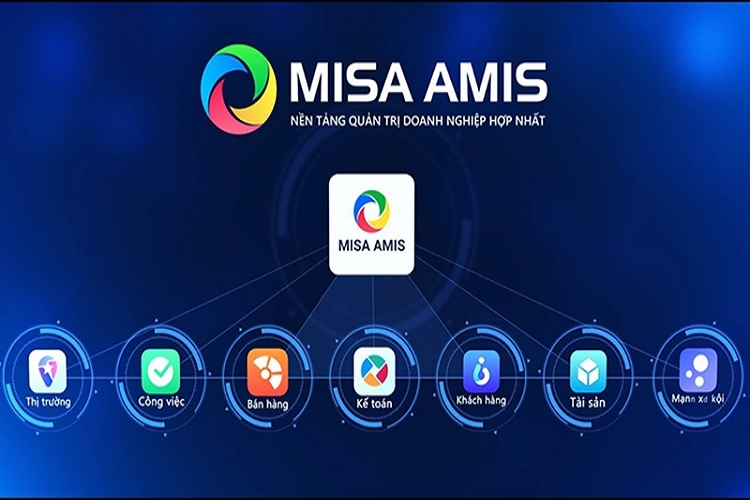
MISA AMIS is suitable for SMEs that need an accounting ecosystem.
MISA AMIS is an ERP solution for SMEs that needs to integrate accounting and purchasing. This is purchasing management software Suitable for small and medium-sized businesses that want to synchronize accounting, sales, and inventory data. Estimated cost: 80,000–120,000 VND/user/month.
The system supports automatic purchase order creation, invoice recording, and accounting. However, the CFO needs to carefully check the level of 3-way matching automation and the ability to perform detailed pre-payment controls.

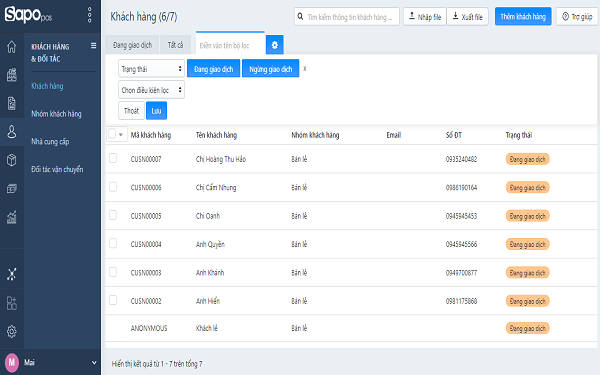
Sapo is suitable for multi-channel retailers that need to track orders and shipping.
Sapo stands out in the multi-channel retail sector. From an operational perspective, it is order tracking software Effective for retail and F&B. Expense: 170,000–599,000 VND/month.
However, the system focuses more on sales and inventory than on accounts payable control. The CFO needs to assess whether the system is adequate to support the management of supplier payment obligations.

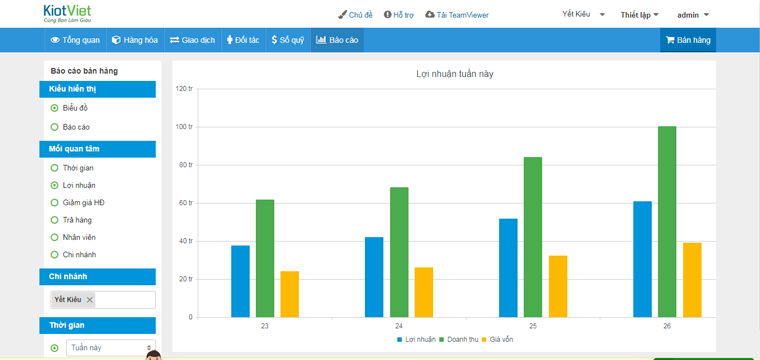
KiotViet is suitable for stores that need a simple POS system and inventory management.
KiotViet is suitable for small stores that need to track incoming goods and inventory. At the tracking level, the system meets basic needs. Expense: 200,000–490,000 VND/month.
However, as the business expands and needs a purchasing management software With budget control and task separation in place, the CFO may need a more advanced solution.

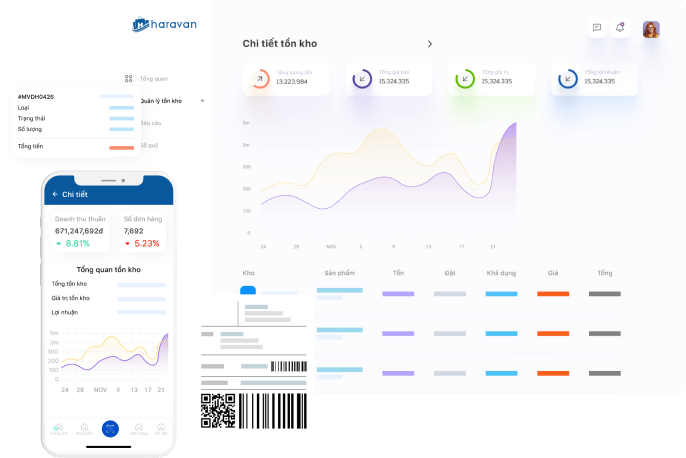
Haravan is suitable for e-commerce that requires platform and marketing synchronization.
Haravan focuses on e-commerce and sales order management. Although it has inventory management functionality, the system is primarily geared towards revenue management.
For B2B businesses or those with complex supply chains, CFOs should consider adding an AP (Access Control) layer if they want to use Haravan as part of their purchasing ecosystem.

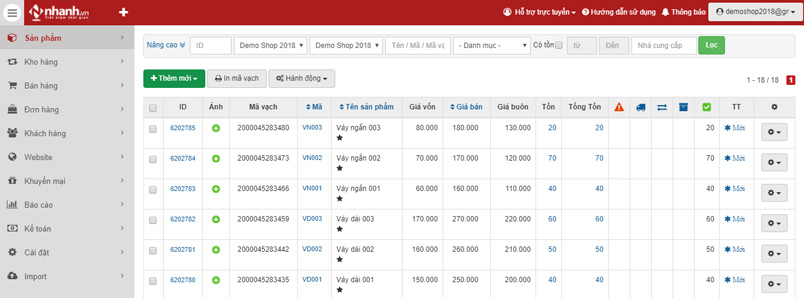
Nhanh.vn is suitable for medium-large shops that need to reconcile COD payments.
Nhanh.vn supports multi-channel order and inventory management. For medium-sized retail businesses, this is a flexible order tracking software. Cost: 150,000–750,000 VND/month.
However, when dealing with large transaction volumes and the need for control over incoming invoices, CFOs should consider integrating additional document automation tools.

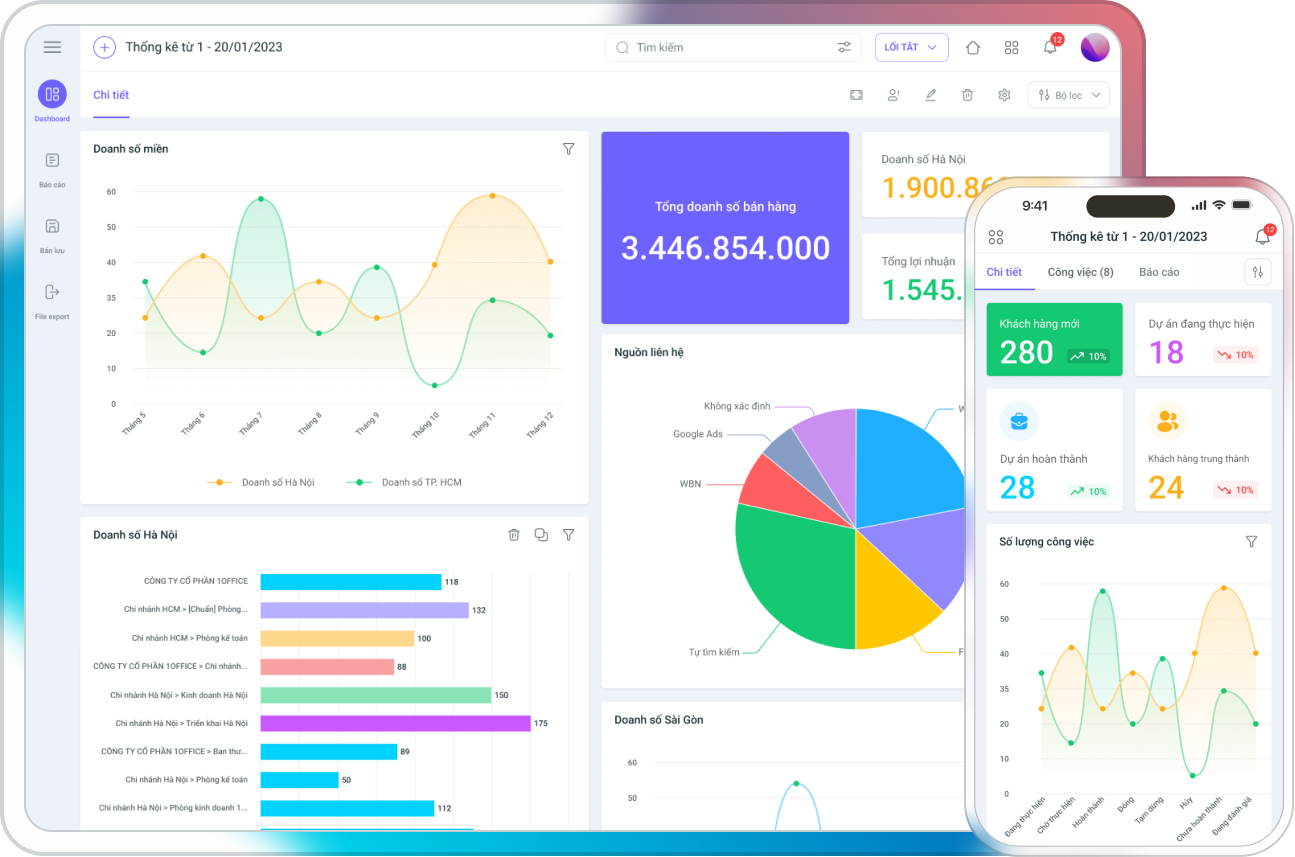
1Office is suitable for SMEs and B2B businesses requiring workflow approval.
1Office excels in approval workflows. The system is suitable for managing purchase proposals and internal approvals. Cost: from 500,000 VND/month.
To become a comprehensive purchasing management software, businesses may need to add an automatic invoice reconciliation feature to mitigate the risk of incorrect payments.

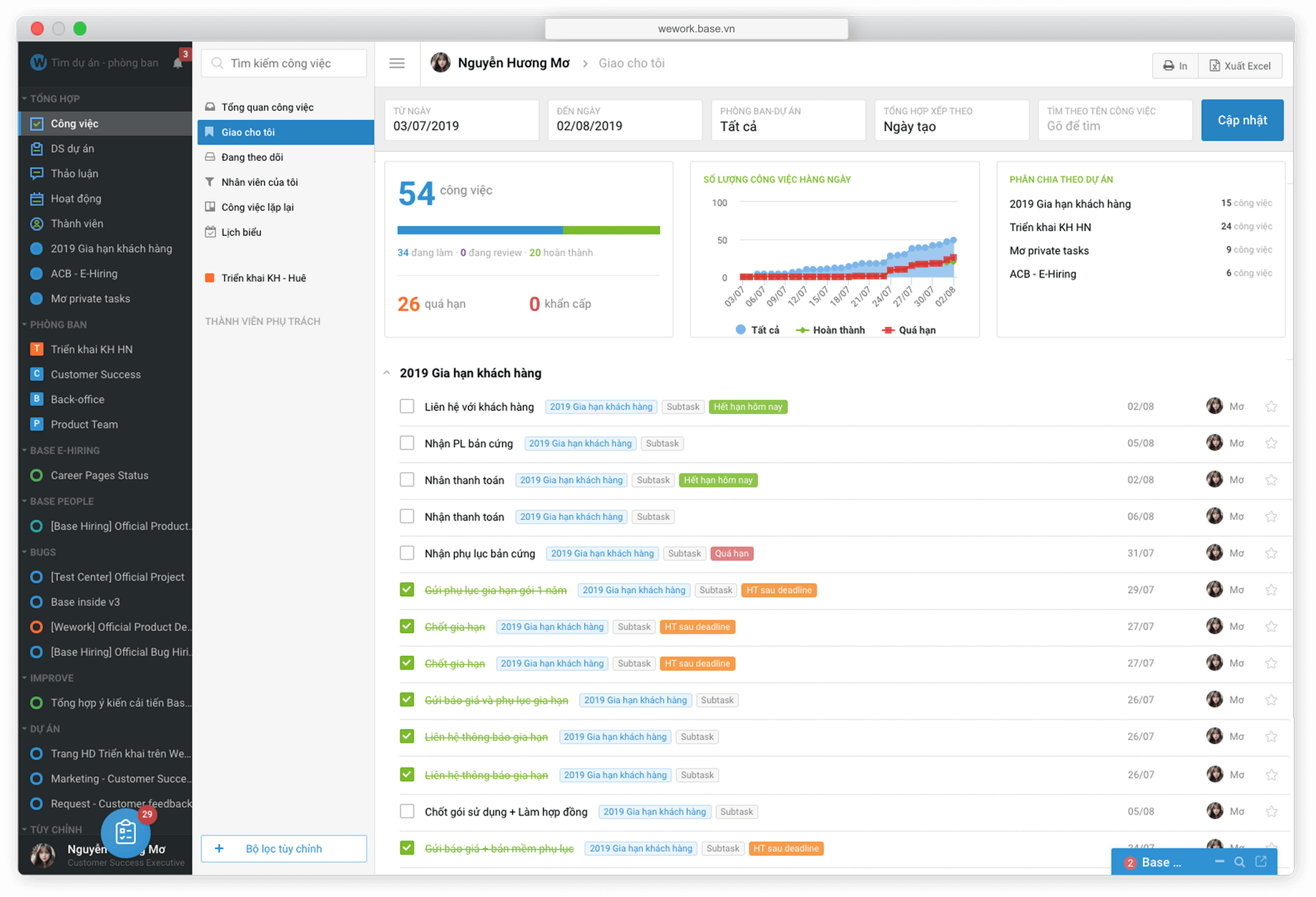
Base.vn is suitable for businesses focusing on digitizing their purchase request process.
Base.vn helps digitize the purchase request and approval process. For businesses undergoing digital transformation, this is a crucial first step. The cost of implementing Base is calculated based on the usage package.
However, the CFO should assess the ability to integrate with the accounting system and the level of control over accounts payable.

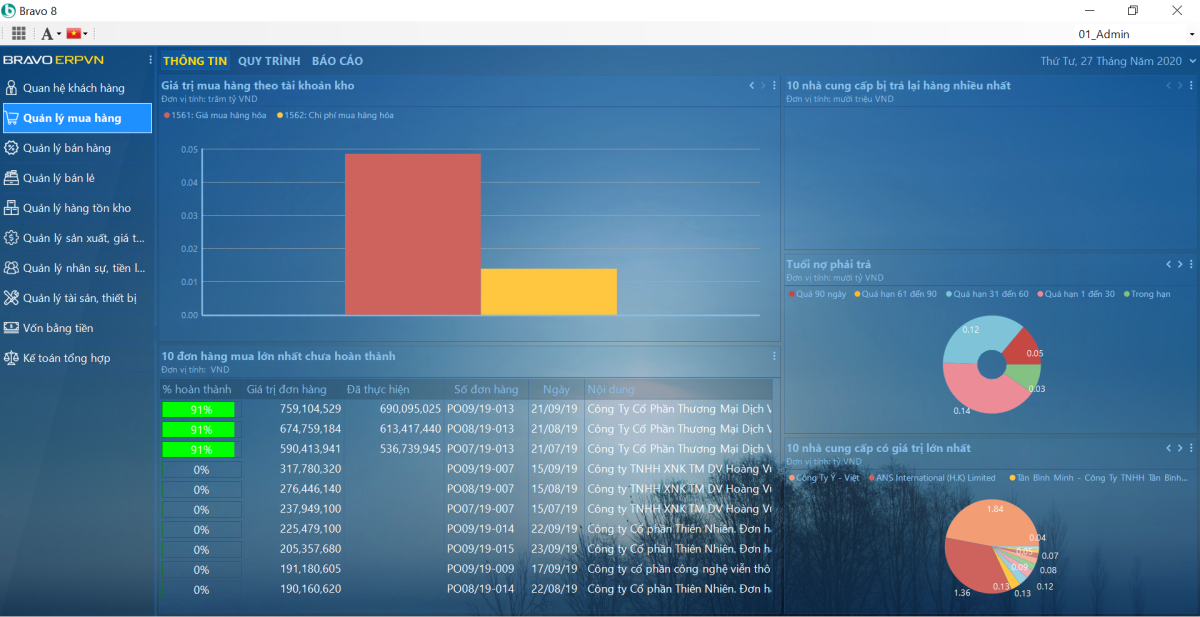
Bravo ERP is suitable for large businesses that need a "tailor-made" ERP system.
Bravo is suitable for large businesses requiring complex and highly customizable processes. It is a purchasing management software that can be deeply integrated into an overall ERP system.
The implementation costs are high, but in return, it offers enhanced process control and financial reporting capabilities.

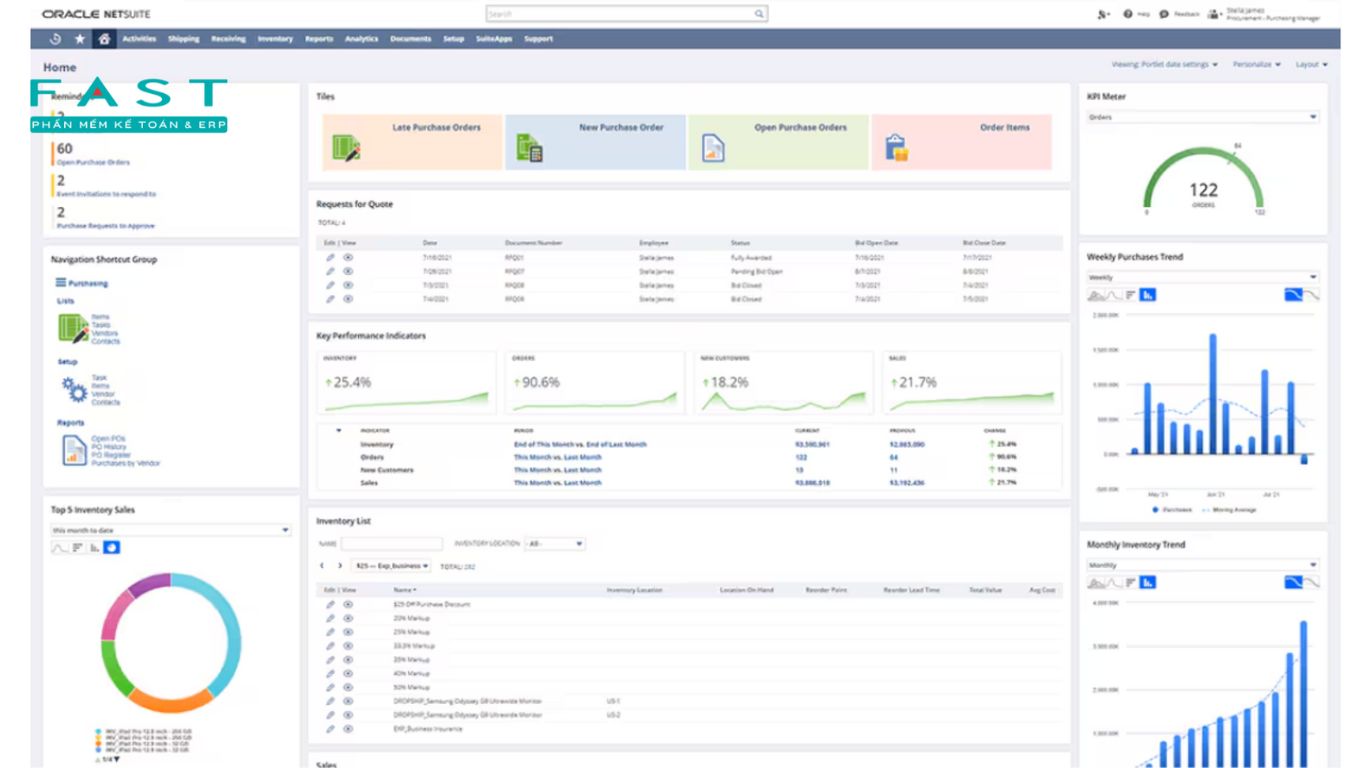
FAST Business Online is suitable for medium-to-large businesses needing accounting and management reporting services.
FAST supports purchasing, inventory, and accounting management. The system is suitable for medium to large businesses that need data synchronization. CFOs need to assess the automation capabilities and the extent to which manual operations in invoice processing can be reduced.

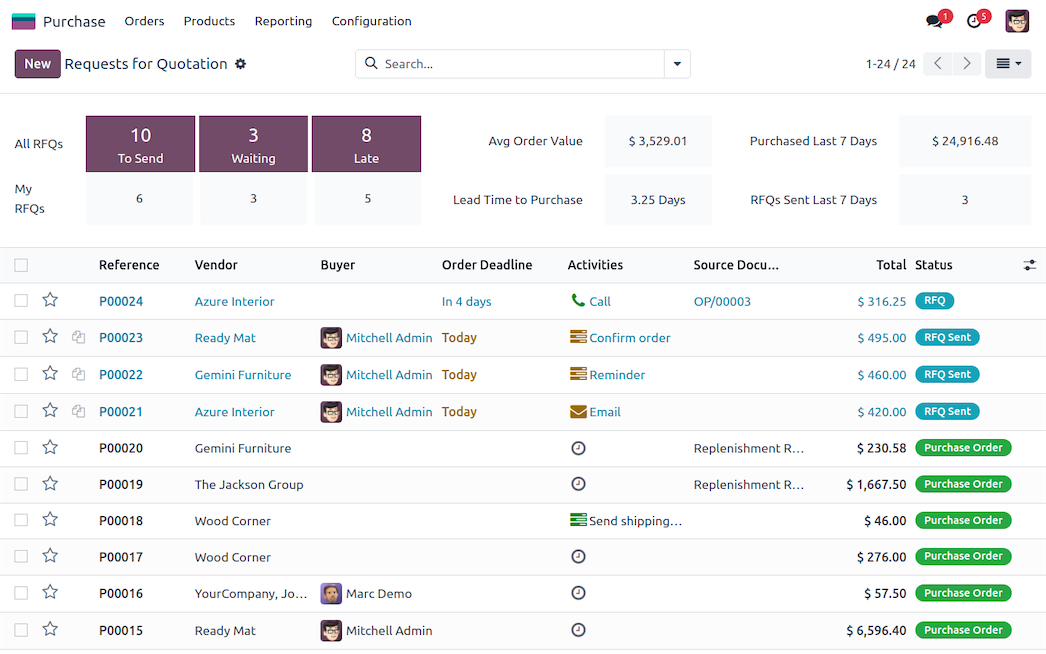
Odoo is suitable for businesses with IT departments who want to customize their purchasing module.
Odoo is a flexible ERP platform that is less expensive than enterprise systems. When configured correctly, Odoo can become a purchasing management software strong.
However, the risk lies in customization debt if the business does not have a sufficiently competent IT team.
Expense: $7.25–$10.9/user/month or free Community.

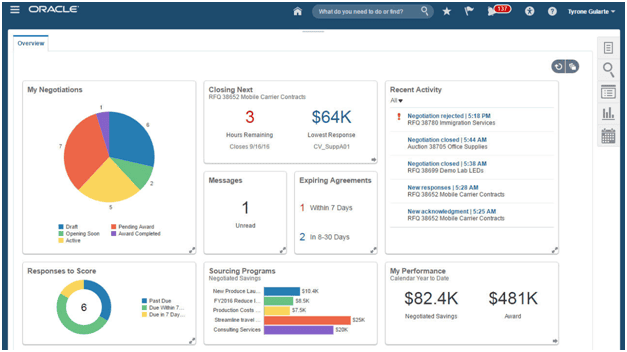
Oracle/SAP Ariba suitable for Enterprise procurement strategies
This is an enterprise solution for multinational corporations. The system provides comprehensive P2P control and high-level compliance.
The implementation costs are high, but it's suitable for businesses that need to standardize their processes globally.

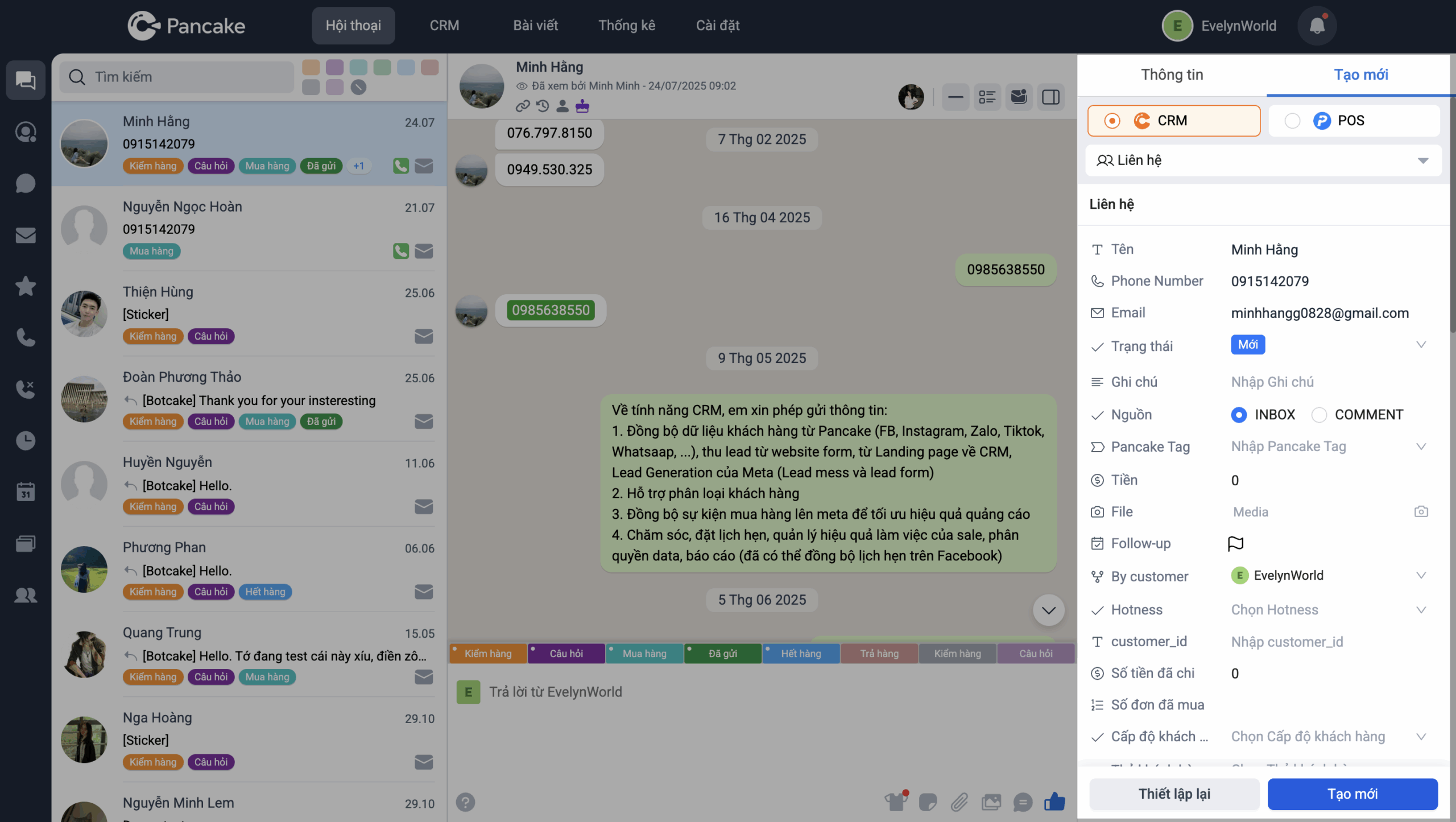
Pancakes are suitable for social commerce and require closing deals via chat.
With the model social commerce If you need to close deals directly on Messenger/Zalo/Instagram, Pancake is a suitable option because it optimizes the sales process via chat: consolidating conversations, managing orders, assigning staff, and automatically responding. However, the CFO should view Pancake as... front-end sales layer, not a financial management system.
Estimated cost 550,000 VND/6 monthsThis is suitable for SMEs or online sales teams that need to optimize order closing speed. But as scale increases, the issue is no longer "how many orders to close," but rather... Is the data normalized for management reporting?.

Two criteria for evaluating purchasing management software.
When comparing software, CFOs should score based on two criteria: (1) the ability to “prevent risk before paying” through 3-way matching and exception handling; (2) the ability to create “cashflow visibility” from AP aging and payment schedules. These are two points that competitors write very lightly about.
The ability to "mitigate risk before paying"
Khả năng “chặn rủi ro trước khi trả tiền” là một trong những giá trị cốt lõi của phần mềm quản lý mua hàng (E-procurement/P2P), giúp doanh nghiệp bảo vệ dòng tiền thông qua các cơ chế kiểm soát tự động và phân quyền chặt chẽ.
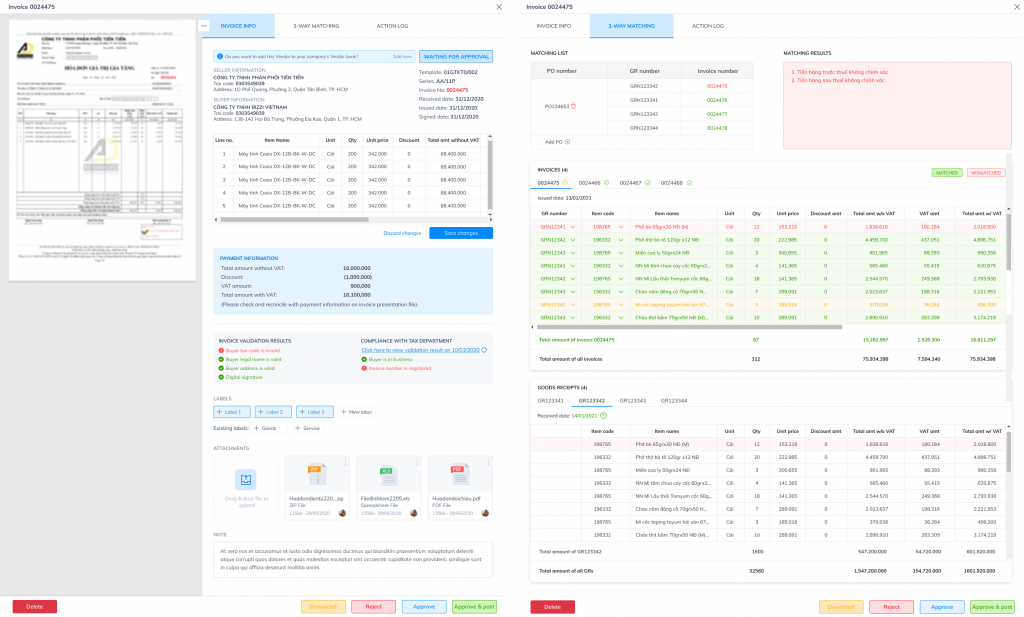
- WHAT: This is the core control criterion, completely different from superficial features like a beautiful dashboard or multi-step workflow. A standard system must have a 3-way matching mechanism between Purchase Order – Gross Order – Invoice and an exception handling process when discrepancies occur.
- 3-way matching ensures that invoices are only paid when they match the purchase order and delivery documents. Exception handling ensures that any discrepancies in price, quantity, or tax are clearly categorized and processed instead of being simply approved.
- WHY: Decisions to spend money depend on reliable data. If the data is not automatically verified, the CFO cannot be sure that the payment is valid.
- RISK: Without this criterion, businesses can easily mistakenly purchase systems that only track purchase order status but do not perform pre-payment checks. The consequence is duplicate payments, increased exception rates, and hidden costs.
- DECISION: When evaluating purchasing management software, the CFO should request a live demo of a discrepancy in documentation and see where the system "blocks" the process before approving the payment.
From a practical implementation perspective, some businesses use Bizzi Bridge in three steps. Step 1: Bizzi Bot automatically compares invoices with purchase orders/clearance items and alerts about discrepancies before proceeding to the payment step. This helps establish an additional layer of control even if the ERP system is not yet fully automated.
The ability to create cash flow visibility
While the first criterion helps with pre-payment control, the second helps the CFO optimize payment decisions.
- WHAT: Cashflow visibility refers to the ability to fully display payment obligations, debt aging, and future payment schedules. The system must provide real-time AP aging reports and allow viewing of payment obligations by period.
- WHY: CFOs need to know not only "whether to pay" but also "when to pay." AP aging data and payment schedules help optimize working capital and take advantage of early payment discounts.
- RISK: If the software lacks cash flow visibility, the finance department will have to manually compile data. This reduces accuracy and leads to inconsistent spending decisions based on inaccurate data.
- DECISION: When selecting a system, the CFO should request reports simulating payment obligations over the next 30–60–90 days and the ability to prioritize accounts receivable.
In practice, after the invoice control layer is established, Bizzi ARM can display the aging of APs and payment obligations by period. Step 2 is to aggregate the accounts payable data; step 3, the CFO uses that data to make payment decisions based on cash flow priorities, reducing discrepancies and avoiding double payments.
To understand why these two criteria are crucial, it's necessary to clarify the fundamental differences between "order tracking" and "purchasing management" in a B2B environment.
See more content about 10 sample order tracking files
"Monitor orderHow is "different from "purchasing management" in B2B?
In many marketing materials, these two concepts are often used interchangeably. However, for CFOs and Chief Accountants, the difference between order tracking and purchasing management in a B2B environment lies in the scope of financial control – not just in functionality.
Distinguishing by scope
Order tracking focuses on the status of purchase orders (POs) or orders: created, approved, sent to supplier, delivered, or not yet delivered. This system primarily serves operational and progress control purposes.
Meanwhile, purchasing management encompasses the entire P2P (Procure-to-Pay) cycle, consisting of 5 standard steps: PR → PO → GR → Invoice → Payment
This means not only tracking purchase orders (POs), but also managing purchase requests (PRs), goods receipts (GRs), invoice reconciliation, and payment control. This is what constitutes a complete financial control chain.
Many competitors define "purchasing management" quite vaguely, stating that "it's about tracking orders and inventory," but fail to clarify the P2P chain. Without this chain perspective, businesses can easily misunderstand the system's scope.
Why is it important to differentiate between them to avoid buying the wrong product?
If a B2B business chooses a system focused solely on tracking purchase orders (POs), the CFO will still need to manage the budget and reconcile documents using other tools (usually Excel or manual methods).
Confusing the two categories can lead to a situation where the system tracks the order status but fails to link PR, GR, and invoices. In this case, the financial process remains fragmented and lacks a clear "stopping point" before payment.
Clearly distinguishing between the two helps CFOs determine the correct software category to look for: tracking tool or P2P control system.
Risks of choosing the wrong system
If only tracking is available without document verification and budget control, CFOs still face the following risks:
- Incorrect payments due to lack of a mechanism for reconciling Purchase Order/Gr/Invoice.
- Expenses outside of the established process because PR is not budgeted.
- Increased exception rate due to manual error handling.
- Lack of audit trails for internal audits.
In other words, a system that only tracks status does not equate to financial control. In B2B, the risk doesn't lie in whether "the order has been delivered or not," but in whether "payment should be made or not."
Choose the correct category before choosing a vendor.
Before comparing features or price, CFOs should determine whether the business needs a simple tracking tool or a full-fledged P2P management system.
If the model only needs to track retail sales or simple incoming goods, a status tracking tool might suffice. But if the business operates in B2B, with contracts, budget limits, and multiple approval levels, the choice must be purchasing management software that follows the entire PR/PO/GR/Invoice/Payment chain.
Based on this definition, the CFO can map internal requirements to a standard 5-step P2P process and check if the system under consideration fully supports each step. If a link in the chain is missing or lacks consistent data linkage, the system is not a true purchasing management solution – it only serves as order tracking.
Hidden costs It's necessary to evaluate TCO before choosing software.
Before deciding to invest purchasing management softwareMany businesses often only compare license fees on a monthly or per-user basis. However, for CFOs, software costs are just the tip of the iceberg. Without a thorough assessment of TCO (Total Cost of Ownership), businesses can easily choose a "cheap" solution that consumes more operational resources and increases financial risk.
1. Software fees are only a part of TCO.
Total Cost of Ownership (TCO) doesn't stop at the monthly user fee. CFOs need to factor in additional costs such as system implementation, configuration, ERP/accounting integration, and user training. In particular, if the input data isn't standardized (master data, catalog, vendors), implementation time can be extended and additional costs may arise beyond the initial budget.
One often overlooked factor is the cost of manual entry. If order tracking software Without automatic synchronization of invoices and purchase orders, accountants still have to manually enter data. Manual entry is not only time-consuming but also increases the exception rate when discrepancies occur.
2. Costs of handling discrepancies and payment risks
Without a pre-payment control mechanism, businesses face the risk of duplicate payments or prolonged exception processing. Document discrepancies (incorrect unit prices, quantities, or taxes) lead to increased exception handling, slowing down the payment process and affecting relationships with suppliers.
RISK: Document discrepancies → duplicate payment, increased exception handling.
These costs are not included in the price list, but they directly impact the financial performance and reputation of the business.
3. Opportunity cost of capital and cash flow
Payment at the wrong time is also part of TCO. If payment is made too early, the business misses the opportunity to utilize capital. If payment is made too late due to manual processing, the business may lose discounts or incur contractual penalties.
Two basic formulas that CFOs should follow:
- After-tax cost = Cost × (1 – CIT rate)
- Budget Utilization (%) = Actual / Budget
These metrics help quantify the financial impact instead of just listening to vendors say "time savings" without quantifying it in terms of TCO or hidden costs.
4. When the vendor says "save time" but doesn't measure TCO (Time-to-Cost)
Many vendors emphasize reducing manual operations or increasing processing speed. However, CFOs need to ask them to translate this into specific costs: how many hours of manual entry are reduced each month, how many duplicate payment cases are reduced, and how many exceptions are reduced.
Unless measured in terms of TCO, benefits are purely subjective.
5. The role of automation in reducing TCO
One purchasing management software Modern systems should reduce manual entry and increase pre-payment control. Automation layers like Bizzi Bot, Bizzi Expense, or Bizzi ARM can assist in extracting invoice data, reconciling documents, and managing accounts receivable, thereby reducing manual operations and increasing accuracy.
The key point here isn't about advertising the technology, but about the potential for reducing actual TCO: less data entry, fewer duplicate payments, a lower exception rate, and better managed cash flow.
After understanding TCO, the CFO shouldn't stop at price comparison. The next step is to use a checklist of questions to evaluate the vendor. purchasing management software, ensuring the system is suitable for the business model, integrates well, and meets minimum control criteria.
Understanding TCO (Total Cost of Purchase) helps businesses avoid buying software simply because it's "cheap." An evaluation checklist ensures that the solution truly delivers sustainable financial value.
Checklist of 12 questions accountants should ask before signing off on purchasing management software.
This checklist helps CFOs choose the right purchasing management software by examining three groups: suitability for the business model, data and operational integration capabilities, and minimum control criteria to avoid mistakenly purchasing a "status-only" system.
Before signing a contract, many businesses are often persuaded by an attractive interface or low price. However, for CFOs, the decision to choose purchasing management software must be based on the ability to control risk and optimize cash flow. Below are 12 "essential" questions to avoid mistakenly purchasing a system that only serves as order tracking software.
Group 1 — Fit to business needs & scope (4 questions)
First, the CFO needs to determine if the system truly addresses the B2B purchasing problem. Does the software fully support the PR/PO/GR process and document linking, or does it only track orders, inventory, or sales? If it doesn't manage the end-to-end purchasing cycle, the business may be looking at order tracking software instead of true purchasing management software.
Next, what business model does your company belong to: retail/omnichannel, manufacturing, B2B contract trading, or project-based business? Each model has different control requirements. A system suitable for retail may not necessarily meet the needs of controlling project budgets or long-term contracts.
The CFO also needs to clarify how many units, branches, or subsidiaries the software supports. Is the role-based access control detailed enough to separate the creator, approver, and payer? This is fundamental to internal control and the Segregation of Duties.
Ultimately, is the order/purchase order (PO) status tracked throughout the entire process, from request creation, approval, sending to supplier, receiving goods, reconciliation, to payment, or does it simply stop at "created/delivered"? A standard purchasing management software must ensure control before money is spent.
Group 2 — Integration, Data, and Deployment (4 questions)
Even the most powerful system becomes disjointed if it's not integrated with accounting or ERP. The CFO needs to clarify whether the software integrates via API or simply imports Excel. Which data objects need to be synchronized: purchase orders (PO), general merchandise (GR), invoices, suppliers, and material lists? Without bidirectional synchronization, the risk of data discrepancies is very high.
What is the typical deployment time and what underlying data does it depend on? Master data, catalogs, vendor codes, and permissions are often bottlenecks that prolong projects. CFOs should request a clear deployment roadmap and defined responsibilities for each party.
Additionally, does the software have a mobile app or support multiple devices? In practice, managers often review purchase orders on their phones. Modern order tracking software should support this use case, rather than just running on a desktop.
More importantly, when discrepancies in price, quantity, or tax arise, how does the system handle exceptions? Is there a process for handling and assigning specific responsibilities, or is it simply a matter of manual note-taking? The ability to manage exceptions determines the practicality of purchasing management software in a complex operating environment.
Group 3 — Minimum controls to avoid making the wrong purchase (4 sentences)
The CFO needs to check if the system has a “pre-payment control lock.” At a minimum, there must be a reconciliation of purchase orders (PO) – goods received – invoices or an automated discrepancy checking mechanism. Otherwise, the software only serves as a recording tool, not a controller.
Does the audit trail provide sufficient detail for internal auditing? The system must record who created, modified, and approved the work, when, and why. More importantly, can it generate control evidence when needed? This is a key factor in helping the finance department avoid risks during audits.
Next is budget management. Workflow approval is only meaningful when it's tied to limits or budgets by department/project. If it's just "approved to get it over with" without budget control, the risk of overspending still exists.
Finally, there's the total cost of ownership (TCO). The CFO needs to request a full breakdown of monthly user fees, deployment fees, integration fees, customization fees, and post-go-live support fees. What causes the most cost overruns: requirements changes, integrations, or user expansion? Many businesses underestimate the initial integration and data processing costs.
Using this checklist helps businesses avoid mistakenly purchasing order tracking software when the real goal is to control the P2P cycle. In many cases, businesses can integrate an existing ERP system or workflow with an invoicing and reconciliation automation layer like Bizzi to increase pre-payment control, reduce manual data entry, and shorten the closing cycle.
Ultimately, choosing purchasing management software is not just an investment in technology, but an investment in financial control. The CFO should ask: Does this system help me see my payment obligations before the money leaves the account? If the answer is unclear, the decision to sign the contract should be reconsidered.

Frequently Asked Questions (FAQ) about Purchasing Management Software
The section below summarizes common questions asked by CFOs and Chief Accountants during performance reviews. purchasing management software and order tracking softwareInstead of looking at it from a perspective of isolated features, the responses focused on pre-payment control, integration, and impact on cash flow.
What features does purchasing management software need to avoid mistakenly buying "order tracking software"?
This is the most common mistake businesses make when searching for solutions. One purchasing management software A proper accounting process should cover PR → PO → receiving goods → invoice → payment, and link documents throughout the process for control before disbursing funds.
If the system only has single-state, inventory management, and shipping, then it is essentially... order tracking softwareThis is more suitable for retail or operations than for B2B purchasing control. The CFO should request a demo of the 3-way matching process and discrepancy handling mechanism, rather than just viewing a single-state dashboard.
Should SMEs choose SaaS or ERP for their project implementation?
The choice between SaaS and ERP projects depends on the complexity of the process and the growth strategy. SaaS is suitable when businesses need rapid deployment, relatively standardized processes, and want to predict costs on a monthly basis. This approach helps SMEs adopt the technology early. purchasing management software without a large initial investment.
Conversely, project-based ERP implementations are suitable for businesses with many modules, requiring deep customization, or operating across multiple companies. However, CFOs need to calculate the full Total Cost of Goods of Service (TCO), including implementation, integration, maintenance, and change requirements over 12–24 months. In many cases, the actual costs are significantly higher than the initial estimates.
When comparing purchasing management software, which criteria should be prioritized over "price"?
Price is the most visible factor, but it's not the deciding factor in financial performance. CFOs should prioritize the degree of "fit" with the business model and the ability to integrate data with existing accounting/ERP systems.
Only then should minimum control mechanisms such as document reconciliation, audit trail, budget management, and task separation be evaluated. purchasing management software Cheap options, but lacking integration or control over discrepancies in documentation, will force businesses to use Excel to "fix errors," increasing hidden costs.
What order tracking statuses are sufficient for order tracking software?
For businesses that require basic order tracking, order tracking software At a minimum, the following states need to be managed: creating a request/order, approval, sending to the supplier, confirmation from the supplier, receiving goods (complete or incomplete), and the status of related documents.
However, from a CFO's perspective, the system should include SLA delay alerts and a list of "risk orders" instead of just displaying a timeline. This tracking helps detect delayed deliveries or orders without valid invoices early, thereby minimizing the impact on cash flow plans.
Does purchasing management software need to integrate with accounting/ERP software?
The answer is yes, if the business wants to reduce data entry and avoid discrepancies between purchasing and accounting figures. purchasing management software Without integration, accountants often have to re-enter purchase orders and invoices into the accounting system, increasing the risk of errors.
The CFO should clearly specify the data synchronization mechanism: integration via API or intermediate files, and which objects should be synchronized (suppliers, categories, purchase orders, product catalogs, invoices). Additionally, it's necessary to clearly define whether the data flow is bidirectional or one-way to avoid information conflicts.
Is a software with an approval workflow sufficient?
Workflow approval is a necessary condition, but not sufficient to be considered complete. purchasing management software Complete. The CFO needs to check if the workflow has budget limits and if there are controls by department or project.
More importantly, the system must create audit trail evidence for each approval step. If the approval process is merely "to get it over with" and the data remains fragmented and unlinked to invoices and payments, then financial risks still exist.
Why do many businesses that have software still use Excel to track purchases?
This phenomenon often stems from the system lacking standardized data fields, integration issues, or exception handling mechanisms. When prices are incorrect, items are out of stock, or invoices contain wrong information, users don't know how to handle it and revert to Excel to "make up" for the errors.
The CFO should check during the demo phase: which data is required, which reports are available, and how the process handles operational deviations. If the system doesn't handle exceptions well, Excel will always be running in parallel, reducing efficiency. order tracking software and poses a risk to control.
Choosing between Odoo and packaged SaaS: What are the biggest risks of open-source?
Open-source platforms like Odoo excel in customization and flexibility to fit various business models. However, their biggest risk is "customization debt"—the cost of maintaining and upgrading over time, especially when relying on a dedicated implementation team.
CFOs should request a 12–24 month TCO plan, including maintenance costs, upgrades, and post-go-live support SLAs. Without a clear plan, hidden costs can far exceed those of a standardized SaaS solution from the outset.
In short, the choice between order tracking software and purchasing management software It's not just about features, but about cash flow control strategy. CFOs should evaluate systems based on their pre-payment control capabilities, data integration, and the degree of manual operation reduction – rather than just looking at the price list.
Conclude
List Top 11 Purchasing Management Software Programs in 2026 This shows a thriving market, with many options ranging from order tracking tools to comprehensive ERP integration systems. However, from the Chief Accountant's perspective, the criteria for selecting purchasing management software should not be limited to interface, price, or number of features, but should revolve around two core elements: pre-payment control and cash flow visibility.
A truly effective purchasing management solution must cover the entire P2P process (PR → PO → GR → Invoice → Payment), ensuring 3-way matching, clear exception handling, and providing real-time AP aging reporting. Without these layers of control, businesses still face the risks of incorrect payments, overspending, and a lack of data for accurate financial decision-making.
In this context, Bizzi is not just a supplementary tool but a financial control layer that complements the purchasing management system. From automatically reconciling invoices with purchase orders/grocery receipts, alerting to discrepancies before approving payments, to displaying payment obligations and the aging of accounts payable, Bizzi helps Chief Accountants and CFOs make decisions based on standardized data, rather than processing information manually in a fragmented manner.
Therefore, when reviewing the Top 11 Purchasing Management Software of 2026, businesses should ask themselves: which solution helps them control risk before money leaves the account? If the goal is to raise financial control standards and optimize long-term cash flow, choosing a platform like Bizzi would be a strategic move, not just a technological decision.
To experience Bizzi's features and receive a one-on-one consultation on a customized solution for your business, schedule an appointment here: https://bizzi.vn/dang-ky-dung-thu/