


Managing finances with ERP helps businesses centralize accounting data, budgets, accounts receivable, cash flow, and reports on a unified system instead of processing them separately across multiple software programs. ERP financial solutions ERP not only supports business transaction recording but also connects financial data with purchasing, sales, inventory, human resources, and operational activities, thereby helping businesses control costs and make faster decisions. This article will explain what financial management with ERP is, common financial modules, benefits, implementation models, and points businesses need to consider when choosing and implementing ERP.
What is ERP financial management?
ERP financial management involves using the financial functions within an ERP system to record transactions, manage accounts receivable and payable, cash flow, assets, budgets, control operations, and aggregate data for financial and management reporting. Unlike accounting software that focuses solely on accounting data, ERP Finance can connect data from purchasing, sales, inventory, assets, banking, and other operational activities. This allows an operational transaction to simultaneously generate both financial and accounting entries within the same data architecture. The actual scope depends on the ERP system, modules, license, and how the business configures the system.
To better understand this platform, you can read more about what ERP is before delving into the financial management section.
How does ERP Finance differ from standalone accounting software?
The difference doesn't lie in whether or not ERP Finance includes accounting functionality. Both can support accounting transaction recording, but ERP Finance places financial data within a broader management system where data from purchasing, sales, inventory, assets, and operational processes can be directly linked to financial data.
| Criteria | ERP Finance | Independent accounting software |
| Focus | Financial management in an integrated management system. | Focus on accounting |
| Management | It is possible to link native with procurement. | Integration is often required. |
| Sales | It can be directly linked to AR. | Data can be received via integration. |
| Inventory | Inventory transactions can have a financial impact. | Depending on the integration method |
| man | Have | Have |
| Sunday | Module dependency | Product dependence |
| Controls | Workflow, role, audit depends on ERP | Product dependence |
| Data model | Linking multiple departments | Usually leans towards accounting |
| Extend | Modules, configuration, extensions, integration | Integration or add-on |
Therefore, it should not be set as the default. ERP is always better than accounting software.. The appropriate choice depends on the scale of transactions, the level of inter-departmental connectivity, control requirements, and the scalability that the business actually needs.
What functions does the ERP financial module include?
ERP Finance systems are typically composed of multiple interconnected functional groups rather than a single integrated accounting module. The names and scope of each module may vary between vendors, but a common Finance architecture might include:
| Functional group | Role |
| General Ledger (GL) | Recording and compiling financial data |
| Accounts Payable (AP) | Managing accounts payable to suppliers |
| Accounts Receivable (AR) | Managing accounts receivable |
| Cash & Bank | Cash management, banking, and reconciliation. |
| Fixed Assets | Asset management and depreciation |
| Cost/Financial Dimensions | Cost analysis by management objects |
| Budget & Planning | Budgeting, forecasting, and gap analysis |
| Reporting | Financial statements and management reports |
| Controls | Delegation of authority, approval, and audit trail |
The actual scope depends on the specific ERP, module, and business configuration. Major ERP platforms today also integrate many capabilities within this group; for example, Oracle Financials provides functionalities related to General Ledger, Payables, Receivables, Payments, Cash Management, and Assets.
General Ledger and Financial Close
General Ledger (GL) is a layer that aggregates financial entries from other subsystems and data sources within the system.
Input data This may include:
- Accounts Payable;
- Accounts Receivable;
- Cash & Bank;
- Fixed Assets;
- Inventory;
- Payroll or other system if integrated;
- Manual adjusting entries.
The core functions typically include:
- Create and register journals;
- posting;
- Monitor account balances;
- managing the accounting period;
- adjust;
- compare;
- Lock and close the term.
The output of the General Ledger can be used for trial balance generation, financial reporting, and management reporting. In modern ERP systems, data from the subledger can be fed into the General Ledger for aggregation and reconciliation; Oracle also maintains a mechanism to separate subledgers and general ledgers in its Financials architecture.
To delve deeper into the process from recording to reporting, you can refer to the Record-to-Report (R2R) process.
Accounts Payable — Manage your accounts payable
Accounts Payable (AP) manages a business's financial obligations to suppliers, from the inception of the purchase transaction to the completion of payment.
Input data It usually includes:
- Supplier information;
- Purchase Order (PO);
- Goods Receipt (GR) or delivery information;
- Supplier invoice.
The functions may include:
- Enter or receive invoices;
- Check the invoice;
- compare;
- Monitor outstanding debts;
- Manage payment terms;
- Create and process payments.
ERP systems can also implement control mechanisms such as workflow approval, tolerance, duplicate invoice checking, mismatch detection, and payment authorization control.
Notably, ERP should not be described as a system that merely records invoices after manual accounting entry. Some modern ERPs already support invoice matching and AP automation at a deeper level. For example, Dynamics 365 Finance supports matching between invoices, purchase orders, and product receipts, including three-way matching.
Accounts Receivable
Accounts Receivable (AR) manages customer accounts receivable and the collection process.
Input data may include:
- customer master;
- Sales invoice;
- payment terms;
- Customer payment.
Common functions:
- Record the sales invoice;
- Monitor accounts receivable balances;
- debt aging analysis;
- Track collection;
- settlement of accounts receivable;
- Credit management or debt collection, depending on the ERP system.
The basic data flow can be visualized as follows:
Sales → AR → Cash → GL
When these steps are linked within the same system, Finance can track the relationship between revenue, accounts payable, cash flow, and accounting data instead of processing each data source separately.
Cash & Bank Management
The Cash & Bank module doesn't just manage cash balances. Depending on the ERP system, this functional group may include:
- cash position;
- bank account;
- Description;
- bank statement;
- Cash forecasting;
- Bank reconciliation;
- settlement.
Some systems also support automated rules for bank reconciliation or cash transaction allocation. For example, Oracle Financials describes Cash Management as combining data from GL, payables, and receivables to support cash flow management, bank reconciliation, and cash forecasting.
Fixed Assets
The Fixed Assets module manages the asset lifecycle from creation to disposal.
Typical operations include:
- Create an asset master;
- Record the purchase of the property;
- capitalization;
- calculate depreciation;
- transfer;
- liquidation;
- Create the relevant accounting entries.
Therefore, Fixed Assets should not be viewed as a separate silo. The data flow can be linked:
AP / Purchasing → Fixed Asset → GL
This helps to ensure that data on asset purchases, recognition value, depreciation, and ledger entries are consistently linked.
Cost Center, Financial Dimension and Management Accounting
ERP Finance doesn't just answer the question "Which accounts are debited, and which accounts are credited?". With a system that has corresponding financial dimensions or management models, businesses can analyze data from multiple perspectives, such as:
- department;
- cost center;
- project;
- business unit;
- school;
- profit center;
- location.
The names and organization of different data dimensions vary depending on the ERP system. The main goal is to add a layer of management analytics to accounting data, helping businesses understand... Where do the costs or revenues originate, to which entity do they belong, and what activity do they support?.
Budget, Planning, and Forecast
ERP Finance can support the management chain:
Plan → Budget → Actual → Variance → Forecast → Management Decision
In there:
- Plan: Define your financial goals;
- Budget: budget allocation;
- Actual: Record the actual data;
- Variance: Analyze the discrepancies between the plan and the actual results;
- Forecast: The forecast has been updated based on new data.
ERP Finance should not be understood as solely serving the purpose of recording historical data. Some ERP systems have dedicated modules or capabilities for budgeting and forecasting, helping to connect actual data with planning activities.
Financial Reporting and Management Reporting
These two sets of reports are related but not identical.
Financial reporting Focus on financial and accounting data, such as:
- balance sheet;
- business performance report;
- Perspectives on cash flow;
- Account balance and transactions.
Management reporting Addressing analytical and operational needs, which may include:
- cost analysis;
- variance;
- Revenue by unit;
- efficiency according to cost center;
- administration dashboard.
It shouldn't be assumed that all ERP systems provide real-time reporting or the same level of analytics. This capability depends on the product, module, data, and implementation. Oracle Financials currently offers predefined analytics tools, dashboards, and reports for many financial modules.
Authorization, Approval, and Audit Trail
ERP Finance is also a layer financial control, It's not just a place to store data.
Businesses need to clearly define:
- Who initiated the transaction?;
- Who will check?;
- Who approved it?;
- Who recorded/posted it?;
- Who made the payment?;
- Who is allowed to change the master data?;
- Who has the right to pay the installment?.
Commonly used mechanisms include:
- Segregation of duties;
- Role-based permission;
- Advancement workflow;
- audit trail;
- exception escalation.
The goal is to create the ability to trace and separate responsibility throughout the transaction lifecycle.
How does financial data integrate with other ERP modules?
The value of ERP Finance lies not only in its list of features but also in... data flow. Finance doesn't generate all financial data itself; much of the underlying data is generated from procurement, sales, warehousing, and operations, which then create the financial impact within the system.
From purchase to payment — Procure-to-Pay
A P2P flow can be modeled as follows:
Purchase Requisition → Purchase Order → Goods Receipt → Supplier Invoice → Validation/Matching → Approval → Payment Proposal/Payment → Accounts Payable → General Ledger → Reporting
The key point is that Finance is dependent on operational data upfront.
For example, if the purchase order (PO) has an incorrect quantity or price, or the gross receipt (GR) doesn't accurately reflect the goods received, mismatches may occur in the procurement and receiving data. Therefore, financial control depends not only on the accounting step of recording invoices but also on the quality of procurement and receiving data.
ERP systems can handle many steps within the system itself. It's not advisable to define purchase orders (PO), general manager (GR), or approvals as default processes that always operate outside of the ERP system.
Modern ERP systems can also automate matching. Dynamics 365 Finance, for example, supports two-way and three-way matching policies between invoices, purchase orders, and product receipts.
From sales to cash collection — Order-to-Cash
The O2C flow can be modeled as follows:
Sales Order → Delivery → Customer Invoice → Accounts Receivable → Collection → Customer Payment → Bank/Cash → Reconciliation → General Ledger → Reporting
The relationships between the classes can be visualized as follows:
Sales ↔ AR ↔ Cash ↔ Accounting
When data is linked, Finance can track everything from sales transactions to accounts receivable and ultimately cash inflows.
From transactions to reports — Record-to-Report
At the aggregation layer, the data can go in the following direction:
AP + AR + Cash + Asset + Inventory + Other Entries → GL → Reconciliation → Adjustment → Close → Financial & Management Reporting
This is why the Record-to-Report (R2R) process plays a crucial role in connecting transactions occurring across multiple modules with the end-of-period report.
How does ERP Finance help businesses control their finances?
ERP Finance shouldn't be evaluated based on a list of generic "benefits." More importantly, consider... What control mechanisms are being implemented by the system and where is the data being controlled?.
| Capability | Mechanism | Management values |
| Integrated face | Share operational data | Reduce re-entry and mismatch. |
| Workflow | Transactions follow the configured rules. | Standardize the process |
| Automation | Handle some tasks yourself. | Reduce manual workload. |
| Approval | Approval by role/rule | Accountability control |
| Reconciliation | Comparing multiple data sources | Increase accuracy |
| Ocean | Record transaction traces | Increase traceability |
| Budget | Compare the plan with the actual | Cost Control |
| Reporting | Data synthesis | Increase visibility |
However, ERP systems only provide control when processes, data, and configurations are properly designed. A misconfigured workflow or inaccurate master data can still produce incorrect results even if the system is fully functional.
What factors determine the level of automation in ERP Finance?
There is no single level of automation for all ERP systems. Actual capability depends on the ERP product, the business modules used, the license, the configuration, the data quality, business rules, and the integrated systems.
ERP vendor/product
SAP, Oracle, Microsoft Dynamics, Odoo, and other platforms have different architectures and capabilities. Therefore, the features of one ERP system cannot be used to generalize about the entire market.
Module
Having an ERP system doesn't mean a business has implemented its full Finance capability. A business might only be using certain modules like GL, AP, or AR.
License
A capability may exist within the product but not yet be included in the license the business is using.
Configuration
Workflows, approvals, tolerances, posting rules, or business rules that are not properly configured can render available capabilities ineffective.
Master data
If vendor, customer, item, account, or other background data is inaccurate, automation can make the process run faster but will not make the data more accurate.
Joint
Some data may remain outside the ERP system. In that case, the ability to automate depends on the quality of the connection between the systems.
Localization
Local tax, accounting, and regulatory requirements may necessitate a localization module or additional solution tailored to the market in which the business operates.
Exception mechanism
Happy Path can be automated effectively, but exceptions may still require human intervention. For example:
- The invoice does not include a purchase order (PO).;
- The invoice does not match the GR (Gross Value).;
- Incorrect price;
- Duplicate invoices;
- Master data is incorrect;
- The approval was denied;
- Integration failed;
- Payment not yet verified;
- The transaction falls within a closed accounting period.
Modern ERP systems also design tolerances and workflows to handle discrepancies instead of assuming every invoice matches perfectly.
Process quality
Software cannot automatically fix a poorly designed process. If approvals overlap, the owner is unclear, or exceptions lack rules, adding automation may only lead to the digitization of a flawed process.
Therefore, the question should not be "Can ERP do it?", but rather: What capabilities does the specific ERP system being implemented have, how well has it been configured, and what actual gaps remain?
How do ERP finance, accounting software, and other specialized financial solutions differ?
These three groups of solutions may coexist in financial architecture, but they are not necessarily interchangeable.
| Criteria | ERP Finance | Accounting Software | Specialized financial solutions |
| Role | Integrated financial system | Accounting-centric | In-depth Workflow |
| Scope | Wide | Narrower | Narrow but deep |
| Operational data | Linking multiple modules | Integration is often required. | Typically receives data from ERP/other systems. |
| GL/AP/AR | Have | Common | It doesn't necessarily have to be a system of records. |
| Automation | Depending on ERP/configuration | Depending on the product | Focus on the use case. |
| Joint | It is the core architecture. | A connector may be needed. | It usually needs to be integrated with ERP/accounting systems. |
| Fit | Cross-functional management | Accounting needs | specific workflow gap |
The question shouldn't be "which solution is best?". A more appropriate question would be... Businesses need a core financial recording system, accounting software, or a layer of automation for a specific workflow..
See more: Top 10 best business financial management software 2025
When there is a capability gap, should businesses use a native ERP, configure it, customize it, or integrate it?
When a Finance process isn't meeting expectations, buying additional software shouldn't be the first response. Finance and IT need to identify where the gap lies. capability, configuration, process or integration.
Stage 1 — ERP Native
Prioritize native capability when:
- ERP systems already have the necessary functionality;
- The workflow is relatively standardized;
- The data is already in the ERP system;
- The requirement does not need specialized processing.
For example:
- GL standard;
- AP/AR standard;
- fixed assets;
- Standard reporting.
Stage 2 — Configure ERP
This should be a preliminary check before purchasing additional software.
The configurations may include:
- workflow;
- approval;
- role;
- tolerance;
- account mapping;
- financial codes;
- report;
- payment term;
- Posting rule.
A capability exists but has not yet been configured. That doesn't mean ERP doesn't have that capability..
Stage 3 — Extend / Customize
Customization can be considered when:
- requirement is in strategic ERP scope;
- The standard configuration is insufficient;
- The company has the IT capabilities to maintain it;
- The risks and costs of customization are acceptable.
However, customization should not be automatically considered a better option than integration.
Stage 4 — Integrate Specialist Solution
A specialized solution may be suitable when:
- in-depth workflow;
- large transaction volume;
- The data comes from multiple sources;
- high exception complexity;
- Source data is outside of ERP;
- specific reconciliation requirements;
- Invoice processing is complex;
- separate expenses workflow;
- AR collection is unique.
You shouldn't write "ERP can't do it". A more accurate way to express it is:
Current capacity does not meet the desired level for the actual workflow.
Stage 5 — Fix Process First
Before investing in additional technology, businesses should review their processes if:
- The process has an unknown owner.;
- Overlapping approvals;
- The master data is not clean;
- Exception has no rule;
- Users have to use workarounds too much.
In this case, purchasing additional software might just be the solution. Digitizing is not a good process..
Decision Matrix
| Question | If any | Otherwise |
| Does the ERP system have the capability? | Check configuration | Module/integration evaluation |
| What is a standard workflow? | Native speakers preferred. | Review bill |
| Is the data stored in the ERP system? | Native advantage | Consider integration |
| Fewer exceptions? | Original automation | Specialized handling |
| Does the configuration meet the requirements? | Configure | Extension/integration |
| Can IT maintain customization? | Customizable | Consider specialist solution |
ERP Financial Management Implementation Checklist
Step 1 — Define goals and KPIs
The overarching goal shouldn't be simply "implement ERP for digital transformation." Goals should be linked to measurable results, such as:
- Reduce manual entry;
- shorten the processing cycle;
- reduce reconciliation backlog;
- Improve the closing process;
- Reduce overdue receivables;
- Increase financial control;
- Improve reporting.
Step 2 — Mapping the financial process
Each process should be mapped as follows:
Process Owner → Input → Control → Approval → Exception → Output
Priority processes may include:
- AP/P2P;
- AR/O2C;
- Cash;
- R2R;
- Fixed Assets;
- Budget.
Step 3 — Normalize Master Data
Data groups need to be checked, such as:
- Chart of Accounts;
- document sizes;
- vendor;
- customer;
- lock;
- bank;
- asset class;
- cost center;
- business unit;
- Tax code, if applicable.
Master data is the foundation of automation. If the input data is not standardized, workflow automation cannot solve the root problem on its own.
Step 4 — Design Controls and Assign Permissions
Clearly define:
- Who created it?;
- Who reviewed it?;
- AI approve;
- Who posted this?;
- Who pays?;
- Who changed the master data?;
- Who pays the installment?.
Simultaneously check the principles. Segregation of Duties To avoid concentrating too much power in one role.
Step 5 — Mapping Integration
Businesses should create a mapping table between the source system and the ERP system:
| Source System | Data Object | ERP | frequency | Validation | Exception | Original |
| Procurement | PO | PO/AP | According to the transaction | Check the data. | PO error | Procurement |
| Bank | Bank statement | Cash/Bank | By period | Compare | Not a match | Treasury |
| Specialist Solution | Invoice data | AP | According to the transaction | Validation | Invoice exception | Finance |
Step 6 — Test Happy Path and Exception
Testing for a happy path isn't enough. You also need to check:
- Valid transaction;
- Insufficient data;
- duplicate;
- mismatch;
- The approval was denied;
- Integration failure;
- Master data is incorrect;
- The transaction belongs to an accounting period that has been closed.
This step is particularly important because the actual effectiveness of finance automation often depends on how the system handles exceptions, not just the number of transactions that run smoothly.
Step 7 — Go live and measure KPIs
Go-live is not the end.
After commissioning, the following steps should be taken:
- monitor;
- Review exception;
- Collect user feedback;
- Refine the process;
- Check data quality;
- Monitor KPIs.
What KPIs are used to measure the effectiveness of ERP financial management?
A single benchmark for all businesses should not be implemented without appropriate data sources or comparative context. Instead, businesses can track KPIs by process group:
| Drain | Suggested KPIs |
| AP | Invoice processing cycle time |
| Automation | Automation rate |
| Exception | Exception rate |
| Supplier payment | DPO |
| AR | DSO |
| Cash/Reconciliation | Open reconciliation items |
| R2R | Days to Close |
| man | Manual journal rate |
| Budgeting | Budget variance |
| Joint | Failed/suspended transactions |
These metrics should be monitored before and after implementation to assess changes within the business itself, rather than applying a single threshold of "good KPIs must be below X" to all industries and sizes.
How does Bizzi integrate ERP to automate certain financial workflows?
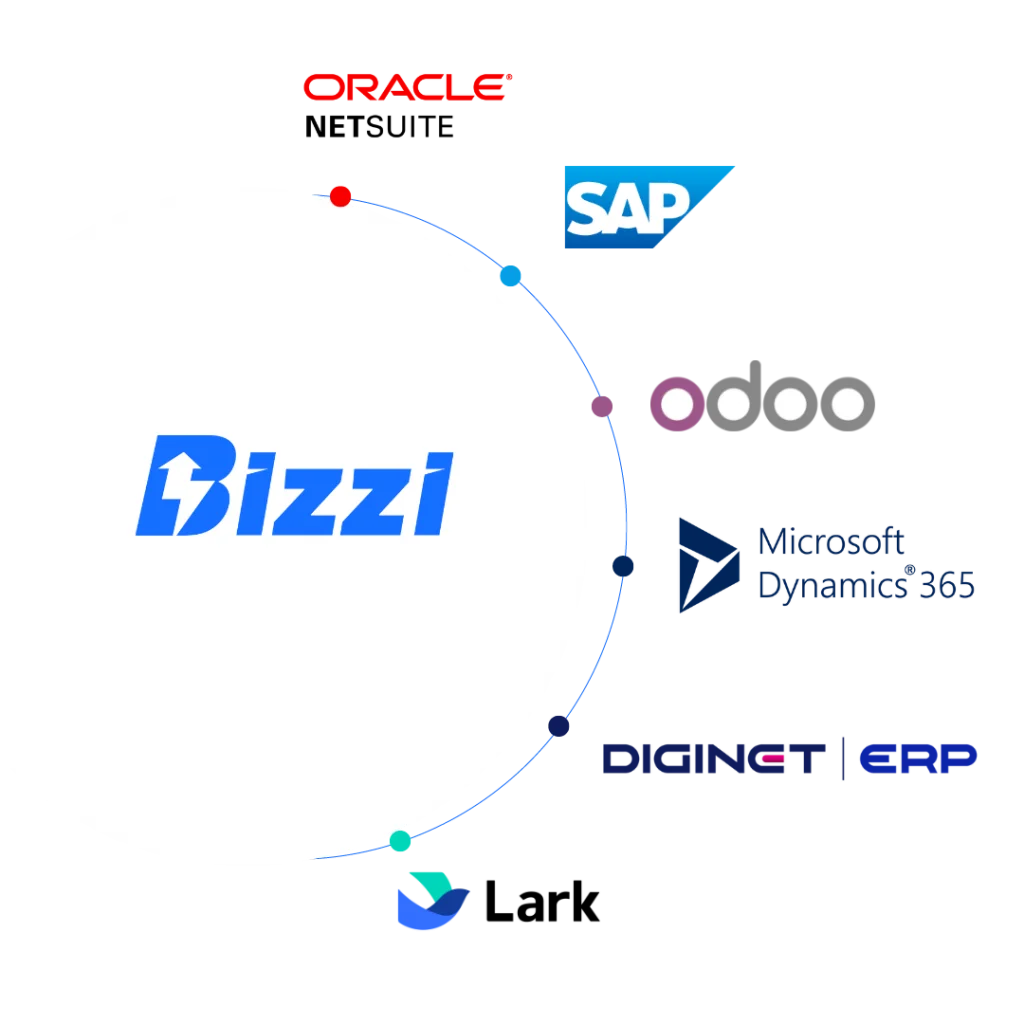
Bizzi is not a replacement for ERP. ERP can still serve as the core financial management system and data source; Bizzi can be used as a specialized automation layer in certain workflows and connect data with existing ERP.
According to information released by Bizzi, the platform supports three main integration methods:
- Open API: Suitable for cloud applications;
- Customer-side API: Connecting APIs and data from the client-side system;
- File Integration: Suitable for some on-premise systems or architectures that exchange data via files.
The architecture can be envisioned in the following way:
Operational / ERP Data
↕
Joint
↕
Bizzi Specialist Automation
↕
Validated / Processed Data
↕
ERP Finance / Accounting / Reporting
The goal is not to replace ERP with Bizzi, but to create a specialized processing layer once the business has identified a specific workflow gap.
| Workflow | ERP still plays a role. | Bizzi can provide support. |
| AP / Invoice | Vendor, PO, GR, AP, accounting | Collect, extract, validate, match |
| AR | Customer, AR, invoice, accounting | AR management/collection/reconciliation capabilities are confirmed. |
| Expense | Finance master, budget, accounting | Request, approval, expense workflow, documents |
| Joint | System of records | Data exchange via API/File |
Examples: Invoice Processing and 3-Way Matching
ERP systems may already include AP and invoice matching. However, businesses may still need a specialized layer if the actual workflow requires it to handle:
- The invoices come from multiple sources;
- extraction and standardization;
- validation;
- document matching;
- Forced processing;
- Connect the results back to the ERP system.
Bizzi can be evaluated within this use case group once the business has clearly identified the gap and a suitable integration plan. Further details on automated invoice processing and reconciliation can be found here.
Notably, the coexistence of ERP and a specialized automation solution is not an unusual model. Bizzi currently offers ERP/SAP integration options and various connection mechanisms.
Example: AR / Cash Reconciliation
If the actual collection or reconciliation process still involves many manual operations, or data comes from multiple sources, businesses may consider using a specialist automation layer instead of completely overhauling the ERP system.
Example: Expense Workflow
In cost workflows, the automation layer can be considered around steps such as:
Request → Approval → Budget/Policy → Supporting Documents → Expense Processing
However, the scope of functionality should be defined according to the actual capability of each solution; a product should not be assumed to have all the functions of an ERP system.
ERP and Bizzi can coexist.
Several implementation cases published by Bizzi demonstrate that ERP models and specialized automation layers can coexist, for example:
- La Vie: Microsoft AX integrates with the invoice automation/integration layer;
- Guardian: Processing invoices in large volumes;
- Imexpharm: SAP ERP in conjunction with Bizzi's invoicing automation project.
These examples should be understood as evidence of capability. Combining ERP with specialized solutions.
Learn how Bizzi integrates with existing ERP systems at This
Frequently Asked Questions about ERP Financial Management
ERP financial management involves applying financial modules to an enterprise resource planning (ERP) system to automate, synchronize data, and optimize economic decisions.
Below are the most frequently asked questions when learning about and implementing this solution.
Is ERP financial management the same as accounting software?
Not entirely. Accounting is an important part of ERP Finance, but ERP Finance can also link financial data with purchasing, sales, assets, cash, budget, and other operational processes.
What does the financial module of an ERP system typically include?
Common groups include:
- GL;
- AP;
- AR;
- cash/bank;
- assets;
- Budgeting/planning;
- reporting;
- controls.
The specific scope depends on the ERP system and modules that the business implements.
Can ERP systems automatically reconcile invoices?
Yes. Some modern ERP systems support invoice matching at various levels, including two-way and three-way matching. For example, Dynamics 365 Finance supports matching invoices with purchase orders and product receipts according to a configured matching policy.
However, it should not be assumed that all ERP systems have the same capabilities or level of automation.
Do small businesses necessarily need ERP Finance?
No. Businesses should evaluate based on:
- complexity of the operation;
- transaction volume;
- The level of interconnectedness between departments;
- Request for reporting;
- vehicle control;
- origin;
- Scalability.
A rigid threshold based on the number of employees or revenue should not be used to conclude that a business "must" use ERP Finance.
When should you integrate additional specialized solutions with your ERP system?
Consider this after the business has clearly defined its objectives:
- actual capability/workflow gap;
- The native ERP or configuration is not suitable;
- Integration offers clear advantages over customization or manual workaround.
Can Bizzi replace ERP?
No. Bizzi should be described as a specialized financial automation solution class that can integrate with existing ERP systems in appropriate use cases, rather than as an ERP replacement system.
Conclude
ERP financial management is a layer of financial management directly linked to a company's operational data, and can cover a range of areas. GL, AP, AR, money and banking to assets, budgeting, controls and reporting. The value of ERP Finance therefore lies not only in accounting recording but also in its ability to connect transactions, data, and controls throughout the entire process.
However, one should not judge a ERP financial solutions This is just a list of features. Actual capabilities depend on the ERP system being used, modules and licenses, configuration, quality of master data, internal processes, integration, and how the business handles exceptions.
When a capability gap arises, businesses should follow this order: Check native capability → review configuration → consider extensions/customization → integrate specialized solutions if needed → simultaneously fix the process if the cause lies within the process.. This approach helps avoid purchasing additional software just to digitize a workflow that wasn't designed to be suitable.
For specialized financial workflows such as invoice processing and reconciliation, businesses may consider an automation layer integrated with their existing ERP system. In this model, Bizzi complements ERP, rather than replacing it., This helps businesses keep ERP as their core financial management and data system, while automating relevant workflows at the specialized layer.
Sign up for a free trial now to discover the ultimate cost management solution for your business, designing fast, transparent, and efficient task approval processes.
- Register now: https://bizzi.vn/dang-ky-dung-thu/






