


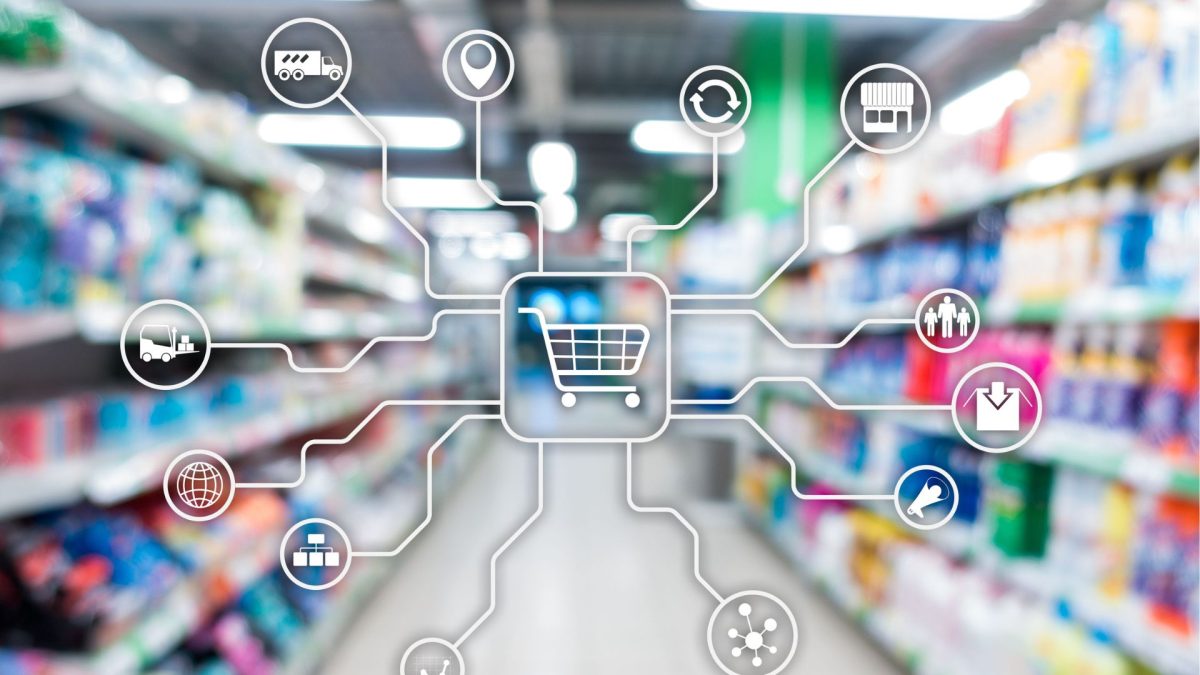
What is ERP for the retail industry and how does it differ from POS?
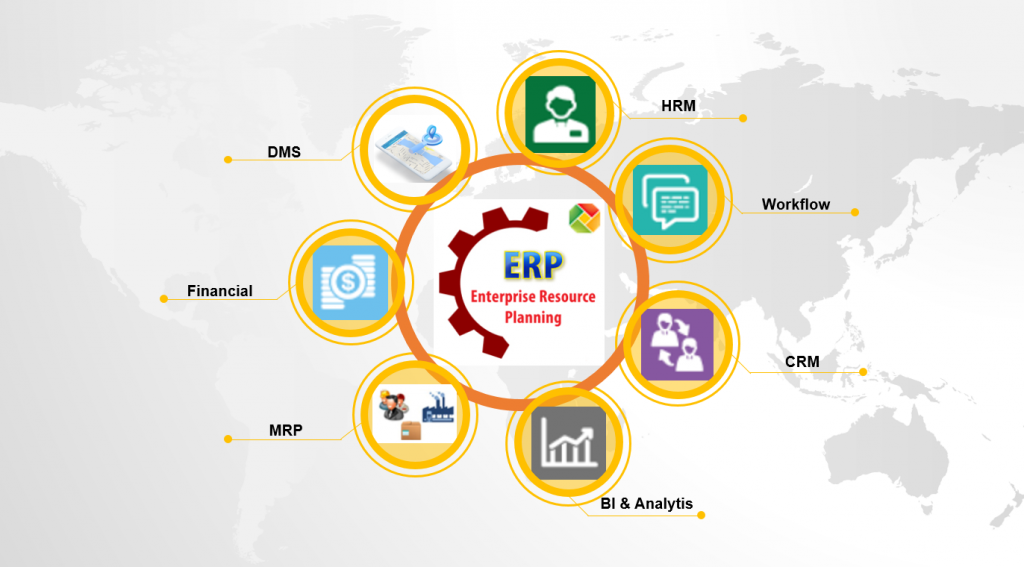
ERP for the retail industry is a system that connects sales, inventory, purchasing, order, and financial data on a common management platform. While POS systems focus on recording transactions at the point of sale, ERP systems link that data across enterprise processes and data, from inventory management and procurement to finance and reporting.
For a retailer, data doesn't just originate in the store. Transactions can come from POS terminals, websites, apps, marketplaces, or other sales channels; inventory is distributed across multiple stores and warehouses; purchasing activities create obligations to suppliers; and ultimately, all of this needs to be reflected in the financial system.
Therefore, one ERP systems and automation for the retail industry This doesn't necessarily mean consolidating all business processes into a single software program. The value lies in defining which systems own each type of data, how the systems exchange data, and how operational events are translated into controllable financial information.
If the POS (Point of Sale) is where a sales transaction is recorded, the ERP system typically connects that transaction to inventory, procurement, finance, and reporting. Depending on the architecture, businesses may still use separate WMS (Workshop Management System), OMS (Operating Management System), CRM (Credit Card Management System), or other specialized systems.
To understand the concept of a platform, you can refer to [what is an ERP system].
Once the distinction between ERP and POS is clear, the next step is to see how an actual sales transaction goes through the system.
ERP, POS, WMS, OMS, and CRM play different roles.
Retail systems may have overlapping functional areas, but are typically designed around core areas. business object They are different. Defining object ownership helps businesses understand where data is created, processed, and used.
| System | Main Object | Role | Financial Impact |
| POS | large | Checkout | Revenue/Tender |
| OMS | order | Order lifecycle | Receivable/Refund |
| WMS | Inventory | Lace execution | Inventory value |
| CRM | Personality | error | reverse context |
| ERP | Transaction | Integrated control | Accounting/Reporting |
POS They are typically responsible for recording sales transactions at the checkout point. WMS Focus on warehouse operations. OMS Managing the order lifecycle and coordinating fulfillment in these demand-driven models. CRM Focus on data and customer relationships.
ERP, on the other hand, has a broader scope at the enterprise management level, connecting transactions with finance, procurement, inventory, reporting, and back-office processes.
Therefore, businesses should not assume that one system must completely replace all the others. A good retail architecture can include many specialized systems, as long as ownership, integration, and control are clearly defined.

Retail chains need ERP when their data starts to become fragmented.
ERP becomes a viable option when businesses need to manage multiple stores, SKUs, warehouses, suppliers, or sales channels and can no longer maintain a consistent data source. This need arises from... operational complexity and control requirements, not just in terms of revenue scale.
Some common signs include:
- multiple locations with different data structures;
- multiple warehouses and shipping lanes;
- omnichannel sales;
- Finance must be verified using Excel.;
- Duplicate master data between systems;
- The closing and reporting periods are prolonged;
- The same transaction may need to be entered or checked in multiple places.
For example, a chain of stores might simultaneously manage SKUs, pricing, inventory, online orders, POS transactions, purchase orders, supplier receipts, and accounts payable. If each operation resides in a separate system but lacks a clear integration architecture, the Finance department might have to manually compile data to answer very basic questions such as which store generated which revenue, whether all goods have been received, or whether accounts payable have been reconciled.
Therefore, a threshold like "if you have more than X stores, you must use ERP" should not be imposed. Businesses should evaluate based on complexity, transaction volume, the number of systems to be connected, and the level of financial control required.
How does retail ERP data flow from POS to Finance?
A sales transaction does not end at the POS. It can alter inventory, revenue, and payment data; inventory data, in turn, affects replenishment and procurement; purchases create obligations to suppliers; and ultimately, these events become data used in finance and reporting.
The data sequence at the business event level can be visualized as follows:
POS
↓
Sales
↓
Inventory
↓
Retail Planning
↓
Procurement
↓
Finance
↓
Reporting
This is the difference between the ERP perspective and the other perspective. module and how to view ERP business event. A POS transaction doesn't just generate one revenue stream. Depending on the architecture, it can involve inventory movement, tender data, settlement, reporting, and related financial operations.
POS transactions affect revenue and inventory.
A POS transaction typically contains data such as SKU, quantity, selling price, discount, tax, and payment method. When synchronized with an ERP system, this data can be used to update inventory, sales, and other financial information.
However, POS data should not be synchronized by default. real-time in all models. The frequency can be real-time, near-real-time or batch, depending on the system architecture, transaction volume, and operational requirements.
In terms of data, Finance typically needs to be able to see the relationships between:
Sales transaction → Tender → Inventory movement → Financial posting
In there:
- SKU Identify the product;
- sales transaction Reflects sales transactions;
- tender reflects the method of payment;
- inventory Reflects changes in inventory;
- posting Feed data into the finance layer according to the configured rules.
It is crucial that operational transactions are complete and correctly mapped before they become data for financial reporting.
Omnichannel requires synchronizing orders and inventory across channels.
In an omnichannel model, customers can purchase goods from websites, stores, apps, or marketplaces. Therefore, businesses need to maintain consistent inventory data across channels to prevent overselling or inaccurate inventory allocation.
Some concepts that need to be managed include:
- ATP – Available to Promise;
- available inventory;
- Built-in inventory;
- Tube;
- return.
ERP systems can hold the core data of a business, while OMS or WMS handles more in-depth order coordination and warehouse execution.
For example, a product might have 100 physical units in stock, but 20 units have been reserved for unfulfilled orders. The number of units available for sale isn't simply 100; it depends on how the business defines available inventory.
This is why order and inventory integration is crucial in retail: Sales data should reflect inventory commitments, not just the amount of goods currently on shelves or in stock.
Inventory leads to restocking and purchasing processes.
When inventory and demand data indicate the need for replenishment, the system can switch to replenishment and procurement.
The business process sequence can be described as follows:
Demand → Replenishment → PO → GR → Invoice → AP
In there:
- given generate demand signals;
- Replenishment Identify additional needs;
- PO Create a purchase order;
- GR – Goods Receipt Record that the goods have been received;
- Invoice This is a document from the supplier;
- AP – Accounts Payable It reflects the obligation to pay.
Depending on the retail model, replenishment may be based on projected demand, current inventory, available inventory, lead time, or other rules.
This is also where the purchasing process begins to link directly with Finance. When the purchase order (PO), gross receipt (GR), and invoice don't match, businesses need a verification mechanism before accounts payable are processed.
You can learn more about [3-way reconciliation process of PO–GR–Invoice] in the specialized article on 3-way matching.
Operational data is converted into financial data.
ERP translates sales, purchases, receipts, and payments events into data for APs, ARs, ledgers, and reports according to configured accounting rules.
The key difference is:
Operational completeness ≠ Accounting completeness.
A transaction may be complete from an operational standpoint but still lack sufficient information for proper accounting or reporting by Finance. For example, a POS transaction might have an SKU and amount but lack the appropriate store mapping, revenue category, or account.
Therefore, before data is used for Finance, businesses need to control:
- source data;
- master data;
- Mounting;
- transaction status;
- Except;
- Time of recording.
The goal is not to manually turn every transaction into an accounting entry, but rather to build an architecture where operational data is structured enough for the financial system to process it according to controlled rules.
How does retail ERP support inventory planning?
Retail planning helps businesses decide what to buy, in what quantities, where to allocate those goods, and when to resupply them. This planning layer uses information about revenue, margin, and inventory to translate business objectives into specific product decisions.
For the retail industry, this is where ERP or related planning systems not only serve finance but also connect directly with merchandising and the supply chain.
From a CFO's perspective, the question isn't just: "How much did the store sell?"“
But it also includes the question: "To generate that revenue, how much capital must the business invest in goods, and how efficiently is this capital utilized?"“
Merchandise Financial Planning links sales and inventory.
Merchandise Financial Planning (MFP) Translate business objectives into plans for revenue, margin, inventory, and purchasing needs.
Commonly encountered concepts include:
- MFP;
- gross margin;
- Inventory investment;
- Open-to-Buy (OTB).
OTB can be simply understood as a mechanism for controlling the amount of inventory that can be purchased in a period based on revenue plans, inventory levels, and related assumptions.
For the CFO, the value of an MFP lies in bringing commodity decision-making to the forefront of the problem. capital allocation. A high revenue plan that requires excessive inventory investment can put pressure on cash flow; conversely, drastic inventory cuts can impact availability and revenue.
Assortment Planning determines the SKU for each group of stores.
Assortment Planning This helps businesses identify the appropriate SKU groups for each store cluster or sales channel.
Not all stores need the same product catalog. Differences in location, size, customer group, and sales channel can lead to different SKU requirements.
A portfolio that is too broad can disperse inventory and increase slow-moving stock. Conversely, a portfolio that is too narrow can reduce the ability to meet demand.
From a financial perspective:
Assortment → Inventory Investment → Margin
Therefore, assortment is not only a decision of the merchandising team but also directly affects the amount of capital allocated to goods and the ability to generate gross margin.
Allocation and Replenishment determine where inventory is stored.
Allocation determine the quantity of goods allocated to each point of sale, while replenishment Maintain stock levels based on demand and actual inventory.
These two decisions have an impact on:
- stock-out;
- overstock;
- markdown;
- Inventory turnover;
- The amount of capital that needs to be kept in inventory.
A single SKU that sells well but is misallocated across stores can still create a situation where some stores have excess stock while others have insufficient stock. Therefore, optimizing inventory is not just about reducing total inventory, but also about... Order the right product in the right location at the right time..
It is here that inventory transforms from an operational indicator into a problem. working capital.
What metrics should CFOs use to evaluate retail ERP systems?
CFOs should not evaluate ERP systems based solely on the number of modules or transactions that have been digitized. Efficiency should be linked to inventory, margin, cash, and process control through KPIs appropriate to the business case, with a baseline before implementation and measured using the same methodology after go-live.
A CFO scorecard can start from:
| Business problem | Key KPIs |
| Excess inventory | DIO |
| Turnover rate | Inventory Turnover |
| Efficiency of commodity capital | GMROI |
| Supplier payment | DPO |
| Receivable | DSO |
| Cash movement | CCC |
| AP bottleneck | AP cycle time |
| Reconciliation | Exception rate |
| Press | Close cycle |
There isn't a single set of KPIs that suits every retailer. It's crucial that KPIs are aligned with the ERP project's business case and have consistent definitions before and after implementation.
DIO and Inventory Turnover measure inventory turnover rate.
Inventory Turnover It indicates how many times inventory is turned over during a period, while DIO – Days Inventory Outstanding Estimate the number of days the capital will remain in inventory.
Commonly used formula:
Inventory Turnover = COGS / Average Inventory
DIO = Average Inventory / COGS × Number of Days
When implementing this, businesses need to clearly define:
- measurement period;
- How to calculate dynamic inventory;
- The denominator uses COGS or another variable depending on the internal framework;
- scope category/store/channel.
CFOs should also consider these two metrics along with seasonality, category, and service level. High Inventory Turnover or low DIO isn't always good if the business has to trade it off with stock-out or lost revenue.
GMROI indicates how much gross margin inventory generates.
GMROI – Gross Margin Return on Inventory Investment Link the gross margin to the average capital invested in the commodity.
Recipe:
GMROI = Gross Margin / Average Inventory Cost
This metric helps CFOs and the merchandising team look beyond mere revenue.
A product might sell with high volume but have a low gross margin or require a large inventory. In that case, high revenue doesn't necessarily mean high efficiency in using inventory capital.
GMROI is therefore particularly useful when businesses need to compare performance across different SKU groups, categories, or assortments.
DIO, DSO, and DPO help CFOs view cash flow.
DIO, DSO, and DPO connect the three key components of working capital: inventory, receivable and payable.
- DIO reflects the time that capital spends in inventory;
- DSO reflects the speed of accounts receivable collection;
- DPO It reflects the timeframe in which a business pays its suppliers.
Here's an overview:
CCC = DIO + DSO – DPO
However, the weight of DSO in retail depends on the collection model. B2C, marketplace, and B2B can have very different receivable structures, so a single DSO reading should not be applied to every retailer.
CFOs can refer to additional information [on calculating DSO and evaluating collection speed] when building a financial KPI framework.
When does ERP need Financial Operations Automation?
ERP systems can manage core transactions and financial data, but not every workflow is deeply automated. When Finance still has to download documents, reconcile, approve, track accounts receivable, or handle exceptions using email and Excel, businesses may want to consider adding a layer of Financial Operations Automation.
It is possible to distinguish:
| ERP Core | Financial Automation |
| PO | Invoice capture |
| GR | Matching |
| AP | Exception |
| Budget | Share approval |
| AR | Collection |
| GL | Reconciliation |
This doesn't mean ERP systems "can't do" these tasks. Many ERP systems have some or all of the functionality built-in. The real question is... Does the current functionality meet the workflow and level of automation that the business requires?.
ERP doesn't always replace specialist Financial Operations software. When the core ERP is suitable but a specific workflow still involves many manual operations, a specialized automation layer can be added to the existing architecture instead of replacing the entire system.
Invoice automation adds post-purchase order (PO) and goods receiving control.
Even after the ERP system has Purchase Orders and Goods Receipts, the Finance department still needs to check the invoices and handle any discrepancies before making payments.
Invoice Automation We can assist:
PO → GR → Invoice → Matching → Exception → Approval
The goal is to reduce repetitive data entry, support matching, and move mismatched transactions to the exception workflow.
For retail chains with multiple suppliers and a large number of invoices, this problem is particularly noteworthy because the Finance department may have to simultaneously handle cases of incorrect pricing, incorrect quantities, incorrect taxes, or discrepancies between purchase orders (POs) and invoices.
Bizzi Bot This can be considered as a supplementary layer to this workflow, depending on the specific architecture and use case. Within the scope of the solution, the bot supports handling input invoices/OCR and 3-way matching, allowing Finance to focus more on invoices with mismatches instead of manually checking the entire system.
A workflow might include:
- Processing incoming invoice data.
- Compare the Purchase Order (PO), Gross Mass (GR), and Invoice according to the rules.
- Misclassification.
- Send the exception to Finance for handling.
- Return the results to the ERP system based on the designed integration.
For retail, the issues that need attention may include:
- Incorrect price;
- Incorrect quantity;
- Tax violations;
- discount;
- promotion;
- Mismatch between purchase order (PO) and invoice.
If ERP and Bizzi are bidirectionally integrated, PO, GR, and master data can be transmitted to the processing layer as designed, while AP invoice results can be sent back to the ERP.
Figures representing time savings, cost reductions, or improved accuracy, if used in marketing content, should be presented as follows: solution claim, It has a clear source and timeframe; it should not be turned into a general benchmark for the retail industry.
Expense Automation controls costs before accounting.
ERP systems can record expenses after they occur, but CFOs still need to control the expense request, budget, approver, and documentation.
So:
Recording expense ≠ Controlling expense
Expense automation adds control points before or during the spending process, instead of only detecting budget overruns after the final accounting summary at the end of the period.
Bizzi Expense It may be suitable for use cases such as:
- Manage requests and approvals.
- Track budget and spending status according to workflow.
- Collect the documents.
- Finance support helps control spending according to policy.
This is especially relevant for retail chains with multiple stores, numerous employees, and small, incidental expenses such as store operations, local marketing, transportation, or other costs incurred at the point of sale.
Instead of having all the paperwork and expense requests centralized in the Finance department after the money has been disbursed, businesses can incorporate approval and budget control into the workflow before or during the spending process.
You can find more content about [controlling business costs and budgets] to further evaluate this problem.
AR Automation supports accounts receivable, collection, and cash flow.
ERP systems can record accounts receivable, but AR managers also need to know:
- Which bills are due?;
- age of debt;
- Collection status;
- Which amounts have not yet been collected?;
- owner of each account receivable.
CFOs need this visibility to manage DSO and cash collection, rather than just tracking accounting balances.
Bizzi ARM It can act as a support layer for tracking receivable, aging, and collection status depending on the deployment use case.
A workflow that can help Finance transition from:
Track your balance →
luxurious:
Track accounts receivable → due → overdue → owner → collection action → collection status.
This is how AR data can become a tool to support cash flow management, rather than just a balance on a financial report.
You can find more information about [Accounts receivable and DSO management] when building the AR process.
POS revenue needs to be reconciled with the actual cash received.
Revenue recorded on the POS system does not always equal the amount of money that has been deposited into the bank.
Cards, e-wallets, marketplaces, refunds, or payment fees can create discrepancies between gross sales and expected settlement.
Finance, therefore, needs to be distinguished:
- Gross sales;
- tender;
- expected settlement;
- payment fee;
- actual cash;
- exception.
A tender reconciliation process can help determine which funds have been received, which are pending settlement, and which require verification.
However, it should not be assumed that all ERP systems have the same reconciliation capabilities or that every marketplace has a built-in connector. Automation needs to be based on real-world data, payment references, settlement statements, and the integration capabilities of each system.
If an additional reconciliation layer is needed, businesses should evaluate the use case, connector, and input data separately before selecting a solution.
OCR, RPA, and AI should only be implemented after the process is clearly defined.
OCR, RPA, and AI can create significant value in Financial Operations, but these technologies cannot replace process design.
An effective automation workflow needs at least:
Clean data → Clear rules → Automation → Exceptions → Owner handles
If the master data is inconsistent, the workflow is undefined, or exceptions go unaccounted for, automation can only lead to errors occurring faster and on a larger scale.
In the invoice use case, OCR can assist in extracting document data; rule-based automation can support matching; and AI can be used in appropriate steps. However, the final result still needs to be within a controlled workflow.
For Bizzi, OCR should be placed in the correct context. input invoice processing, Instead of turning into a single AI narrative for the entire retail industry.
How should a CFO evaluate and implement a retail ERP system?
ERP evaluations should begin with a fit-gap assessment between current processes and the target architecture, then examine integration, data ownership, compliance, TCO, and KPIs. The goal is not to choose the system with the most features, but to select an architecture that addresses the right business gap with acceptable risk and cost.
Fit-Gap Analysis determines whether ERP needs to be configured or integrated.
Fit-Gap Analysis compares a company's process and control requirements with the standard capabilities of an ERP system.
A non-default gap is equivalent to custom code. Businesses can:
- Change the process;
- ERP configuration;
- Integrated with specialized systems;
- Or custom when the business case is clear enough.
A basic matrix might include:
| Requirement | Fit | Configure | Integrate | Custom |
| POS | ||||
| Inventory | ||||
| Sunday | ||||
| Procurement | ||||
| Finance | ||||
| AP | ||||
| Expense | ||||
| AR |
The key point is that each gap needs to be evaluated in terms of business impact, compliance, cost, and long-term sustainability.
The source of truth must be determined before integration.
Each business object requires a primary system responsible for it. Simultaneously, businesses must identify which systems are responsible for creating, modifying, and distributing data.
Two-way synchronization without clear ownership can create conflicts and cause the same transaction to be modified across multiple systems.
A framework can begin as follows:
| Object | Origin | Consumer | Update rule |
| SKU | According to architecture | POS/WMS | Defined |
| Price | According to architecture | POS/ecommerce | Defined |
| order | According to architecture | Fulfillment | Defined |
| Inventory | According to architecture | Channel | Defined |
| GL entry | ERP/Finance | BI | Controlled |
For example, an SKU might be mastered in an ERP or a specialized product management system depending on the architecture. The important thing isn't which system is "always" the source of truth, but the business itself. Define ownership before building integration..
You can find more information about [Integrating ERP with financial systems]] when designing data architecture.
Accounting and invoicing mapping needs to be checked before going live.
Compliance needs to be incorporated into requirements and UAT before the ERP system goes live.
Finance needs to review:
- Accounting mapping;
- document;
- bill;
- POS flow – eInvoice;
- tax data;
- time of recording;
- Access and audit trail rights.
Regarding corporate accounting practices, Circular 99/2025/TT-BTC This document needs to be reviewed by businesses within its scope of application; the Circular takes effect from January 1, 2026 and regulations on corporate accounting.
Regarding invoices, businesses need to consider... Decree 123/2020/ND-CP has been amended and supplemented by Decree 70/2025/ND-CP., along with current guidelines, including Circular 32/2025/TT-BTC.
Therefore, it's inappropriate to state that an ERP system "complies with Circular 99" or "complies with Decree 70" in an absolute sense. A more accurate way to express it is:
Businesses need to review system configurations, processes, and document flows according to the applicable legal scope at the time of implementation.
Especially in retail, it's necessary to check the entire data flow from POS/ecommerce to invoices and finance, instead of just checking the accounting software at the end of the process.
Total Cost of Contribution (TCO) must include integration, migration, and internal resources.
The total cost of ownership for ERP is not just the license.
The CFO should consider:
TCO = Software + Implementation + Integration + Migration + Infrastructure + Internal Resources + Support
In reality, further consideration is needed:
- configuration;
- fabrication;
- data cleansing;
- training;
- Change management;
- upgrade;
- vendor add.
An ERP system with a low license but requiring extensive customization and complex integration can generate a higher-than-expected total cost of ownership (TCO).
Therefore, when comparing solutions, CFOs should look at the cost over the entire lifecycle rather than just the software purchase price.
KPIs must be baselined before ERP goes live.
ERP can only prove effective when the business knows the state of the system before implementation.
Depending on the business case, the baseline may include:
- DIO;
- Inventory Turnover;
- GMROI;
- AP cycle time;
- exception rate;
- DSO;
- Compulsory;
- Close cycle.
After going live, KPIs need to be measured again using co-method To avoid a situation where the calculation method is changed and then the system is concluded to have improved efficiency.
A possible implementation framework might follow these steps:
Data → UAT → Rollout → KPI
Specifically, data needs to be normalized beforehand; UAT must include both normal transactions and exceptions; rollout requires an owner; and KPIs are monitored after go-live.
What checklist helps CFOs evaluate retail ERP before investment?
ERP checklists should be checked simultaneously. retail process, data, Finance control, integration, compliance and KPI Before comparing vendors.
If a business hasn't identified the source of truth, process owner, or financial control gap, requests sent to vendors are likely to reflect the current system rather than the target architecture.
retail
- How are POS and ERP responsibilities currently divided?
- Which system owns the SKU/store master?
- Where is inventory availability calculated?
- Which demand signal is the starting point for a renewal?
Finance Control
- Where are the Purchase Order (PO), Gross Order (GR), and Invoice matching?
- Are store expenses controlled before or after spending?
- Does AR have an aging and collection owner?
- Is revenue reconciled with settlement/cash?
Implementation
- Is the integration map complete yet?
- Has the legal/accounting requirement been reviewed?
- Do you already have a KPI baseline?
- Which gaps truly require specialist automation?
A business can develop this checklist into Retail ERP & Financial Automation Readiness Checklist For use during the investment preparation phase. This is also a more suitable lead magnet format compared to a document that only explains the ERP concept.
Frequently asked questions
1. Can retail ERP replace POS systems?
Not necessarily. POS handles transactions at the point of sale, while ERP connects sales data with inventory, procurement, finance, and reporting. Businesses should define system boundaries and integration rather than assuming the two systems must replace each other.
2. Are ERP systems for supermarkets and ERP systems for chain stores the same?
The core architecture may be similar, but requirements will vary depending on the number of SKUs, stores, warehouses, pricing, promotions, and fulfillment. Therefore, it's better to use Fit-Gap Analysis instead of assuming a single configuration that fits all retailers.
3. If the ERP system already includes Finance, is Financial Automation still necessary?
It's not always necessary. If the current ERP system already adequately handles the Finance workflow, the business can continue using it. Conversely, if invoice processing, matching, spend approval, collection, or reconciliation still rely heavily on email and Excel, specialist automation can be a good addition to the ERP system instead of replacing the entire system.
4. Does retail ERP help reduce inventory?
ERP systems don't automatically guarantee inventory reduction. They can provide better data and visibility to help businesses make decisions about assortment, allocation, replenishment, and procurement. These results need to be verified through KPIs such as DIO, Inventory Turnover, stock-out, and GMROI.
5. Which ERP KPIs should a CFO monitor?
Depending on the business case, the CFO may consider DIO, Inventory Turnover, GMROI, AP cycle time, exception rate, DSO, reconciliation, and financial close. KPIs should have baselines before implementation to measure their actual impact.
6. What is the Source of Truth in ERP?
The Source of Truth is a system that identifies the authoritative data source for a specific business object or field. Defining the Source of Truth helps avoid conflicts when POS, ERP, OMS, or WMS systems use and update data simultaneously.
7. What is the role of 3-way matching?
3-way matching is a process of comparing between Purchase Order, Goods Receipt and Supplier Invoice Before the invoice is further processed in the AP workflow, the goal is to detect discrepancies in goods, quantity, value, or related data fields before payment is processed.
8. Should ERP be implemented first, or should Finance Automation be implemented first?
There is no mandatory order. If the ERP core and master data are not yet stable, the business should address the foundation first. If the ERP is working well but some finance workflows are still manual, specialist automation can be evaluated without necessarily replacing the ERP.
9. What invoicing regulations should be considered when implementing a retail ERP system?
Businesses need to review the currently effective regulations on electronic invoices and their scope of application to their business model, including Decree 123/2020/ND-CP, which has been amended by Decree 70/2025/ND-CP, and current guiding documents such as Circular 32/2025/TT-BTC.
Conclude
Retail ERP is not simply a software program that combines POS, inventory, and accounting in one place. The value of the system lies in its ability to connect business events throughout the chain:
POS → Sales → Inventory → Planning → Procurement → Finance → Reporting.
When the architecture is designed correctly, a sales transaction not only generates revenue data but can also signal inventory, replenishment, procurement, and ultimately service data. financial management in ERP.
However, businesses don't necessarily need to integrate every operation into a single system. The POS system can continue to handle checkout, the WMS for warehouse execution, the OMS for order coordination, and the ERP system for back-office management, finance, and enterprise resources. The important thing is... Identify the correct Source of Truth, map it correctly, integrate it properly, and control exceptions..
Similarly, ERP with a Finance function doesn't mean all Financial Operations are automated. If the Finance department still has to process large volumes of invoices manually, check purchase orders (POs), gross receipts (GRs), and invoices, approve expenses via email, manually track AR (Audit Access), or reconcile revenue with settlements using Excel, the business may consider adding a specialized layer of automation.
In this architecture, Bizzi is not a replacement for ERP or POS systems.. Bizzi can be considered as an add-on layer for specific financial workflows, for example Automate input invoice processing and 3-way matching with Bizzi Bot, expense control with Bizzi Expense, AR management support with Bizzi ARM, or reconciliation use cases depending on the data and actual integration capabilities.
The appropriate approach is not to "replace ERP to automate," but rather:
Retain the core system that is performing well → identify manual financial workflows → measure business gaps → evaluate configuration/integration → only add specialized automation when truly necessary.
That's also a practical approach when building. ERP and automation systems for the retail industry.It's not about optimizing the number of software programs, but about optimizing performance. data flow, control capabilities, and capital efficiency..
Sign up for a free trial now to discover the ultimate cost management solution for your business, designing fast, transparent, and efficient task approval processes.
- Register now: https://bizzi.vn/dang-ky-dung-thu






