


There isn't one public website that contains the financial reports of every business. If you want to... Search for financial reports of companies Specifically, the searcher needs to identify the type of business, whether the report is publicly available, the reporting period, and the purpose of use.
This article by Bizzi will guide you on how to find, view, download, and verify financial reports from appropriate sources, and also provide tips on managing the data after collection.
Is it possible to view the financial reports of every business?
Not all companies' financial reports are made public to outsiders. The obligation of businesses to prepare and submit financial reports does not mean that all submitted documents can be accessed by just anyone.
According to the Accounting Law, financial statements are prepared to summarize and explain the economic and financial situation of an accounting entity; for business entities, the set of financial statements includes the balance sheet, income statement, cash flow statement, and notes to the financial statements. The law also stipulates the public disclosure of financial statements according to different groups of entities.
Therefore, before searching for reports, you should determine which category you fall into:
| Case | Search capability | Priority source |
| Report from the company itself | Yes, if you have the appropriate account/permissions. | The current tax/public service system |
| Public company | Information is usually published. | Information disclosure portal, company website |
| Listed company | There is a system for periodic publication. | Stock exchange, announcement portal, and company website. |
| Non-public companies | It doesn't necessarily have to be made public. | Business website or direct request |
| Need quick reference data | It can be searched on the data platform. | This is a compilation of sources, but the source needs to be verified. |
Special, The tax identification number primarily helps to correctly identify the legal entity., This does not automatically mean access to other businesses' tax records or submitted financial reports. This is an important point when searching for companies' financial reports.
Identify the case in 30 seconds.
- Here's our company report: Check system access permissions.
- Public/listed companies: Find the information in official sources.
- The company did not disclose: Check their website or ask the business to provide the information.
- For reference only: A comprehensive platform can be used, but it needs to be traced back to the source.
Note: The absence of publicly available reports does not constitute sufficient grounds to conclude that a business has failed to prepare or submit reports, or has violated the law.
Where should I look for financial reports?
The appropriate source of information depends on the type of business and the purpose of the report. If the documents are used for comparison, evaluation, or decision-making, priority should be given to those published from official sources rather than relying solely on aggregated data.
Source selection table
| Demand | Sources should be checked first. | Access rights | Could it be used as a source? |
| View the company's own financial statements. | Current tax/public service system | Have | Yes, if you upload the correct file. |
| Find the financial statements of a public company. | Official Information Portal | Usually not | Have |
| Find the financial statements of a listed company. | Stock exchange + company website | Not necessarily | Have |
| Find the financial statements of a typical business. | Business website/direct request | Depending on the circumstances | Depending on the document |
| Find data quickly | Aggregate data platform | Not necessarily | It shouldn't be set to default. |
For public companies and listed businesses, regulations on information disclosure in the securities market are currently governed by Circular 96/2020/TT-BTC and its amendments, including Circulars 68/2024, 18/2025, and 08/2026/TT-BTC. The State Securities Commission has published Consolidated Document No. 10/VBHN-BTC in 2026 to consolidate these amendments.
The following principles should be applied: Official source → company's official website → aggregation platform.
Aggregation platforms can help with faster searching but may have the potential for slow updates, data reprocessing, or missing original files, explanatory notes, and audit reports.
How to look up financial reports of public companies and listed companies.
For public companies and listed businesses, priority should be given to the official information disclosure portal, the stock exchange website, and the company's investor relations website.
This is usually the easiest group. Search for financial reports of companies This is especially true because the company is required to disclose information on the stock market.
Prepare information before you start searching.
Things to prepare:
- Full legal name.
- Stock ticker symbol, if applicable.
- The year or quarter you need to search for.
- Separate or consolidated financial statements.
- Unaudited, reviewed, or audited financial statements.
- Purpose of use.
Stock ticker symbols often help narrow down the results more accurately than brand names. A conglomerate may have a parent company, subsidiaries, and various other legal entities, but all share similar brands.
Search on the information disclosure portal.
General procedure:
- Access the official information release portal.
- Search by stock ticker symbol or legal name.
- Select the business you want to search for.
- Select the relevant publication group financial report is gì.
- Filter by time range.
- Find the correct quarter/year you want to view.
- Open the announcement title.
- Please check all attachments.
- Compare the publication date and version.
- Download the original file and save the source information.
For listed companies, stock exchange websites are also a useful resource. For example, the data published by HNX currently shows separate documents such as quarterly financial statements, semi-annual financial statements, annual financial statements, and annual reports for each company.
Search on the company's website.
If the publication portal is not convenient, you can find it in the following sections:
- Investor relations.
- Information disclosure.
- Financial report.
- Annual report.
- Documents for the Shareholders' General Meeting.
When downloading files from a company website, you need to check them. correct official domain name and compare it with other published sources if the document is used for important purposes.
How to find reports from companies that are not publicly available.
For a typical business, outsiders might not be able to find it. Full financial statements available online.. In that case, instead of speculating from unofficial sources, the proper approach is to verify the legal entity and request the business to provide documentation directly.
1. Check the legal name and tax identification number.
Before searching for reports, it's necessary to determine precisely... legal name and tax identification number of the business. This is an important step to avoid confusion between companies with similar or identical trade names.
Further verification of the registered office address, legal representative, or business registration information may be necessary to correctly identify the legal entity.
2. Identify the official website and publication channel.
After identifying the correct business, check its official website and the channels through which the business proactively publishes information.
Some possible locations to search include:
- Company profile or a business introduction document.
- Item Shareholders/Investor Relations if the company makes a disclosure.
- Annual Report.
- Corporate documents published during the participation process. bidding, cooperation, or service provision.
- Financial documents are proactively uploaded by businesses.
However, it is necessary to distinguish between a business introduction document and Official financial statements. A file containing revenue or profit figures does not necessarily mean it is a complete set of financial statements.
3. Verify that the documents are from the correct legal entity.
When you find a report file, don't use it immediately; check it first:
- The company name appears on the report.
- Tax identification number or legal entity identification information.
- Reporting period.
- Report type: individually or collectively.
- The unit that prepares and publishes the document.
- The report includes explanation or not.
- Have audit report whether or not the business is subject to auditing.
- Source of materials.
In particular, when evaluating a partner, mistaking the financial statements of the parent company, subsidiary, or another legal entity can lead to incorrect conclusions about their financial situation.
4. Not found on the Internet: request the business to provide it.
If a business does not publicly disclose its financial statements on its website or other accessible channels, the most practical option is to... Request businesses to provide directly..
Businesses can agree in advance on the scope of documents that need to be provided, for example:
| Demand | Documents should be requested. |
| Assessing the financial situation | most recent annual financial statements |
| More up-to-date data is needed. | most recent financial statements |
| Analyzing corporate financial statements detail | Financial statements + Notes to financial statements |
| Assessing data quality | Audit report, if applicable. |
| Explain the unusual fluctuations. | A document/explanation of major changes, if necessary. |
| Source control | Confirm the supplier |
5. Agree on requirements before using the report.
If financial statements are used for Evaluating partners, suppliers, or customers., Therefore, at least 5 factors should be agreed upon beforehand:
- Reporting period: Which year or which period?
- Scope: Separate or consolidated financial statements?
- Auditing: Is an audited report required?
- Explanation: Is a full explanatory note to the financial statements necessary, or are only the main reports required?
- Source verification: Who or which department within the company is responsible for verifying the documents?
This approach helps to prevent different parties from using different versions or reporting periods when evaluating the same business.
Does the inability to find publicly available financial statements mean the company has a problem?
Are not. The inability to find financial statements online is not sufficient grounds to conclude that the company is not legitimate. prepare financial reportsIf you haven't submitted your report or are experiencing legal or financial issues.
The level of information disclosure depends on the type of business, its disclosure obligations, and its information disclosure policies. Therefore, The inability to find publicly available documents should simply be considered as the lack of suitable data sources., not evidence of risk.
Risks to avoid when using financial statements from unknown sources.
When reviewing companies' financial reports to evaluate potential partners, avoid using files with unknown sources to draw strong conclusions about:
- Payment capacity of the business.
- Tax compliance.
- Creditworthiness.
- Operating status.
- The ability to fulfill a contract or financial obligation.
If the data is obtained from unofficial sources, it is necessary to verify it with the business before including the data in evaluation reports or business decisions.
Quick checklist: Legal entity compliance → compliance with reporting period → individual/consolidated identification → source verification → audit/disclosure verification → confirmation with the business if necessary.
In cases where the accountant needs to review the company's own records., Instead of searching from public sources, you need to use valid account and access rights To retrieve data according to the correct internal systems and procedures.
How to review your company's submitted financial reports.
If a review is needed types financial report submitted by the business itself, Users need to have a valid account and access rights on the system receiving the documents. This method of searching differs from finding a company's financial statements online, as the data is retrieved from the company's own records using an authorized account.
Prepare before logging in.
Before conducting a search, businesses should prepare the following information:
- Tax code: Ensure that the information being searched is from the correct legal entity.
- Login account: The account must be appropriately authorized by the business.
- Reporting period: Specify the year or period you wish to view.
- Type of document: Determine whether you need financial statements or related documents/declarations.
- Profile version: Check if this is an initial submission or a supplementary submission.
- Authentication device: Prepare authentication information or equipment if the system requires it.
Having this information readily available helps reduce errors. branch, reporting year, or version of record.
Note: When conducting a search, you shouldn't just look at a single file. A complete set of documents may include the main report, appendices, and related notices. If you only download the declaration or a component of the file, your business may be missing the necessary data for verification.
Procedure for searching for submitted financial statements
Menu names and the layout of functions on the system may change from time to time. Therefore, when publishing the guide, it should be described accordingly. practical function And please update the screenshots of the interface at the time the article is published.
The general process can be carried out as follows:
Step 1: Access the correct official portal.
Use the correct website of the agency receiving your application. Do not log in through unknown links or intermediary websites.
Step 2: Select the correct module for your business.
Identify the correct service area for managing, registering, and retrieving business records.
Step 3: Log in using your authorized account.
Use a valid business account. Do not share login information or credentials with unauthorized individuals.
Step 4: Open the file/application lookup function.
Find the function that allows you to review business profiles that have been submitted and received by the system.
Step 5: Select the time range you want to search.
Set the year or time period corresponding to the financial statements you need to review. If you are reviewing data for settlement or internal reconciliation purposes, you should determine the exact reporting period from the outset.
Step 6: Select the type of document related to the financial statements.
Filter by document type to narrow down results and avoid confusion with other tax returns or records.
Step 7: Check the sending and receiving status.
It's not enough to just check if the application appears in the system; you also need to check its status, the submission date, and any receipt information.
Step 8: Open profile details
Check the components of the file to ensure you are viewing the correct financial statements, for the correct period, and in the correct version.
Step 9: Download the relevant documents and notification.
If archiving or comparison purposes are required, it is advisable to upload all relevant documents instead of saving only a single report file.
Step 10: Record the submission number and download date.
When a business submits or supplements documents multiple times, this should be noted. Date of submission, submission number, and version of the application To avoid mistakenly using outdated documents.
3 important points to note when reviewing submitted financial statements.
- Don't default to the latest profile just because it was uploaded the latest day.
If the business has ever updated or amended its records, this needs to be checked. Submission number and application status before using the data.
- “"Received" does not mean the tax authority confirms the accuracy of the report's contents.
The receipt status reflects whether the file has been received by the system/authorized agency according to the procedure. This status should not be interpreted as meaning that the entire content of the financial statements has been verified as correct by the tax authority.
- Do not use access to view other businesses' profiles.
This guide is for informational purposes only. The business itself using a valid authorized account.. It should not be assumed that a business's account can be used to access the financial statements of another legal entity.
Checklist before downloading: Correct tax identification number → correct period → correct document type → correct submission/supplementation date → check status → download complete documents → save date and version.
After obtaining the file, the most important step is Verify the correct business, period, and version. before using the data for financial analysis, accounting reconciliation, or business valuation.
Check if the downloaded report is the correct document for your needs.
The file name and reporting year are not enough to confirm you've uploaded the correct document. An accountant needs to verify it directly. Information contained within the report and accompanying documents. To correctly identify the business, period, scope, and version of the data before using it.
Verify the correct business and reporting period.
First, you need to compare the identifying information directly on the document instead of relying solely on the file name. The information to check includes:
- Legal name of the business.
- Tax identification number or stock code if any.
- Address or other identifying information if required.
- Reporting period start and end dates.
- Fiscal year.
- Currency unit.
- Comparison period.
- The data currently shows that Quarterly, mid-year, or cumulative data.
For example, the accountant needs Financial statements for 2025 but they uploaded a Q4/2025 report. The Q4 report may show cumulative figures up to the end of the year, but It does not automatically replace a full set of annual financial statements., This is especially important when businesses require both explanatory notes and accompanying audit documentation.
So, The filename should not be used as the sole basis for reference.. Businesses may use their own naming conventions for files, resulting in file names that do not fully reflect the scope or status of the document.
Distinguishing between separate and consolidated financial statements.
Individual financial statements reflect the financial position and operating results of a company. a legal entity or parent company in its own reporting scope, while consolidated financial statements reflect the information of group of companies within the scope of consolidation.
| Criteria | Individual reports | Consolidated report |
| Scope | A legal entity or parent company | Group of companies within the consolidation |
| Identifying signs | “"Individual" or "parent company"” | “"Unification"” |
| Easy to use incorrectly when | We want to evaluate the entire corporation. | We only need the data for one legal entity. |
| The question to ask | Which legal entity's data is needed? | Do we need data for the entire group? |
For example: If you are assessing the solvency of the company contracting with the business, the consolidated financial statements of the group will be used. not automatically replaceable Separate financial statements of the legal entity that signed the contract.
Therefore, before analyzing indicators such as revenue, profit, assets, or liabilities, it is necessary to clearly define them. the subject that the report is reflecting.
Distinguish between unaudited, reviewed, and audited documents.
Financial documents may have varying degrees of assurance. Therefore, it should not be assumed that all financial statements have the same value when used for business analysis or evaluation purposes.
Some common cases include:
- Financial statements prepared by the company itself: Data is prepared and presented by the business in accordance with applicable regulations.
- The interim financial statements have been reviewed: This involves the participation of an auditing firm within the scope of a review.
- Audited annual financial statements: accompanied by an independent audit report.
- Independent audit report: Expresses the auditor's/auditing firm's opinion on the financial statements within the scope of the audit.
- Review report: This reflects the conclusions of the reviewing entity within the scope of the review procedure.
- Accompanying comments or conclusions: It needs to be read along with the report, rather than just looking at the phrase "audited" or "reviewed".
Note: “"Audited" does not mean that every indicator is guaranteed to be error-free or that the business is risk-free. When using audited financial statements, it is necessary to read them all. Audit opinions and related matters in the audit report.
Check the revised version and accompanying documentation.
A business may have multiple documents from the same period but published at different times. In this case, you shouldn't select a file based solely on the download date.
The following steps can be taken:
Step 1: Compare the publication dates.
If multiple versions are published concurrently, note the publication date of each document.
Step 2: Find information about the version.
Check for phrases such as:
- “"Adjust".
- “"Replace".
- “"Correction.".
- “"Re-publishing.".
Step 3: Read the reason for the adjustment.
It's not enough to just identify which file is newer; you need to understand... Why were the documents modified or replaced?.
Step 4: Review the financial statement notes.
Some changes or important information are only fully explained in the explanatory notes.
Step 5: Review the audit or review report.
If the financial statements include audit/review documents, it is necessary to check which version of the financial statements those documents correspond to.
Step 6: Review the explanatory document, if any.
Particularly in cases of adjustments or re-publications, explanatory documents can help identify the nature of the changes.
Step 7: Record the version used.
When including data in analysis or internal records, it is advisable to record the document name, reporting period, publication date, and version status for future retrieval.
For example: A company may have two financial statement files for the same period but with different publication dates. Accountants should not choose the file simply because it was downloaded later. It is necessary to determine which file is more appropriate. Which file is the replacement, what content has been adjusted, and why the replacement? Before use.
Checklist for verification before using financial statements.
You can take a quick test with 6 questions:
- ☐ Correct legal name and tax identification number?
- ☐ Correct reporting year/period?
- ☐ Correct quarterly, mid-year, or annual?
- ☐ Correct Separate or consolidated financial statements?
- ☐ Confirmed audit/review status?
- ☐ Checked Revised version, explanation and accompanying documents?
If no matching documents are found or conflicting results appear, the word verification process should be repeated. Legal entity → Reporting period → Report type → Version → Source of document, Instead of selecting by file name or download date.

What should be done if no report is found or there are multiple reports?
Please double-check. Company information, filters, report types, and publication history. Before concluding that the document does not exist, the failure to find financial statements in a single search may result from incorrect identification information, incorrect reporting scope selection, the document having been replaced, or the company not belonging to the group obligated to publicly disclose the information.
Procedure for checking when no result is found or when there are multiple results.
- Verify the legal name of the business.
Don't just search by brand name or abbreviation. Check the full legal name on the official website, company profile, or published documents.
- Verify tax identification number and securities code.
If a business has a stock code, it should be cross-referenced simultaneously. tax identification number and stock code To avoid confusion with businesses that have similar names.
- Search by code instead of brand name
When the search tool supports searching by code, prioritize the tax identification number or stock code. This is often the best way to narrow down the results and identify the correct legal entity.
- Extend the publication date range.
If you only search within a short timeframe, you might miss reports published before or after the expected date. Expand the date range and double-check.
- Review both the individual and consolidated reports.
A business group with subsidiaries may have both separate and consolidated financial statements. It's necessary to determine the intended use to select the correct type of report, rather than defaulting to one or the other.
- Review quarterly, semi-annual, and annual reports.
You shouldn't look for "annual financial statements" if your actual need is for interim data. Conversely, quarterly or semi-annual reports don't automatically replace the annual financial statements when a complete assessment of the financial situation is required.
- Look in the corrections or unusual announcements section.
If a report has been found but shows signs of alteration, check the relevant documents. Correction, adjustment, replacement, or re-publication.
- Compare the published portal and the company's website.
A document may be published on an official portal but no longer be in an easily accessible location on the company's website. In that case, it's advisable to cross-reference official sources instead of relying solely on aggregated sources.
- Check if the file has been replaced.
If there are multiple files from the same period, check the publication date and content of the announcement to determine which is the current version. Do not choose based solely on which file was downloaded later.
- Determine whether the business belongs to the group that requires public disclosure.
Not all businesses have their financial statements publicly available on the internet. The scope of information may depend on the type of business, disclosure obligations, and data source.
- Request the business to provide full documentation if the intended use requires it.
If financial statements are used to evaluate partners, assess suppliers, grant internal credit, or serve a business process requiring formal documentation, the company may be required to provide them directly.
It's best to agree in advance on what the business needs to provide:
- Reporting period.
- Separate or consolidated financial statements.
- Unaudited, unreviewed, or unreviewed version.
- Explanatory notes to the financial statements.
- Audit/review report, if applicable.
- The current version or any updated version.
- Record the search results.
Even if no report is found, the process should be documented: the source of the search, the time, identifying information, the scope of the search, and the results. This allows others to review the information instead of having to start from scratch.
Quick Diagnosis Table
| Situation | Possible causes | Act |
| No results | Incorrect name or code | Re-verify the legal entity |
| There are multiple files from the same period. | Individually, collectively, or in combination | Compare report types and publication dates. |
| Annual report only | The financial statements are located in another section. | Find the section on Financial Statements/Periodic Disclosures. |
| I have the data but not the original PDF. | Compilation of sources | Go back to the official source. |
| The company website doesn't have the previous year. | Hosting policy or business website changes | Check the publishing portal or other official source. |
Note: Financial statements not found results of the search process, This is not a basis for concluding that a business has failed to prepare or submit reports, or has violated the law. If an assessment of a business's financial status or compliance is needed, additional sources and appropriate evidence are required.
The checklist is used to save reports for easy comparison and handover.
Financial reports should not be kept in isolation. They should be accessible to subsequent recipients for identification. What report is this, which company is it from, where did you get it from, and which version are you using?, Therefore, it's advisable to save the document along with its source information and metadata.
Checklist of information to save
- ☐ Legal name of the business.
- ☐ Tax identification number or stock code.
- ☐ Reporting period.
- ☐ Quarterly, semi-annual, or annual report.
- ☐ Individual or consolidated reports.
- ☐ Not yet audited, reviewed, or inspected.
- ☐ Original version or revised version.
- ☐ Source page URL.
- ☐ Date and time of download.
- ☐ Original file name.
- ☐ Performed by.
- ☐ Purpose of use.
- ☐ Explanation included.
- ☐ Accompanying audit or review report.
- ☐ Explanatory or corrective document, if any.
- ☐ Note the limitations of the source if the material is compiled from multiple sources.
Reference file naming conventions
Businesses can establish a consistent naming convention, for example:
[MST-MCK]_[BCTC]_[Ky]_[Rieng-le-Hop-nhat]_[Trang-thai]_[Date-tai]
For example:
0123456789_ABC_BCTC_2025_Hop-nhat_Kiem-toan_20260415
This is just Suggestions for managing internal records., there are no mandatory rules regarding file names.
This storage method is particularly useful when the Finance and Accounting department needs to hand over documents, update analytical data, or re-examine data sources after a period of time.
Only after the document has been verified and properly sourced should readers use the data to analyze or evaluate the business.
Frequently Asked Questions about Searching for Company Financial Reports
Is it possible to look up financial statements using the tax identification number?
It can be used Tax identification number to correctly identify the legal entity. While a tax identification number can be used for searching, it does not automatically grant access to all of a company's submitted financial statements. The ability to view these documents depends on the type of business, disclosure obligations, and the source of the information.
Is it possible to view the financial statements of other businesses on the tax system?
The tax system should not be assumed to be a public repository of financial statements for all businesses. Submitted records are usually linked to the taxpayer's account and valid access rights. For other businesses, prioritize official public sources or request the complete set of records from the business if necessary.
Where can I view the financial reports of a listed company?
Possible priorities:
- The official portal for publishing information is authorized.
- The website of the relevant stock exchange.
- Item Shareholder relations/Investor relations on the company's official website.
When using the report, it is still necessary to check the correct stock code, reporting period, type of financial statement, and document version.
Why are there multiple financial reports in the same year?
A business may have many different types of documents in the same year, for example, Individual financial statements, consolidated financial statements, quarterly, semi-annual, annual financial statements, reviewed, audited, or adjusted financial statements.. Therefore, it is necessary to determine the purpose of use before selecting a report.
Can an annual report replace a financial statement?
Not by default. Annual reports contain a broader range of information and may present or refer to a number of financial figures. If full figures are needed for analysis, direct verification is recommended. financial statements and accompanying documents, instead of just using the annual report.
Does the inability to find financial statements mean the company hasn't submitted them?
Are not. The inability to find the information could stem from several reasons: incorrect identification information, incorrect period or report type selection, documents not being publicly available, documents being replaced, or the searcher lacking access rights. Therefore, further verification is needed before drawing conclusions about the company's status.
Conclude
Searching and downloading corporate financial reports is more than just finding the right PDF file. For the data to be valuable, the user needs to identify... correct legal entity, correct reporting period, correct report type, and correct version., and also check the source of publication and accompanying documents such as explanatory notes, audit reports, or amendments.
With Search for financial reports of companies, Businesses should prioritize official sources and record information about the source, download time, and version of the document. If publicly available financial statements cannot be found, do not hastily conclude that the business has not prepared or submitted them; consider the scope of disclosure and access rights before making an assessment.
For the Finance and Accounting department, searching for financial statements is often only one part of the financial data management process. When a business has many records, documents, and data to compile, manual storage becomes increasingly difficult. Excel file for managing business finances This can lead to scattered data, difficulty in version control, and time-consuming reconciliation.
From financial data to centralized management with Bizzi
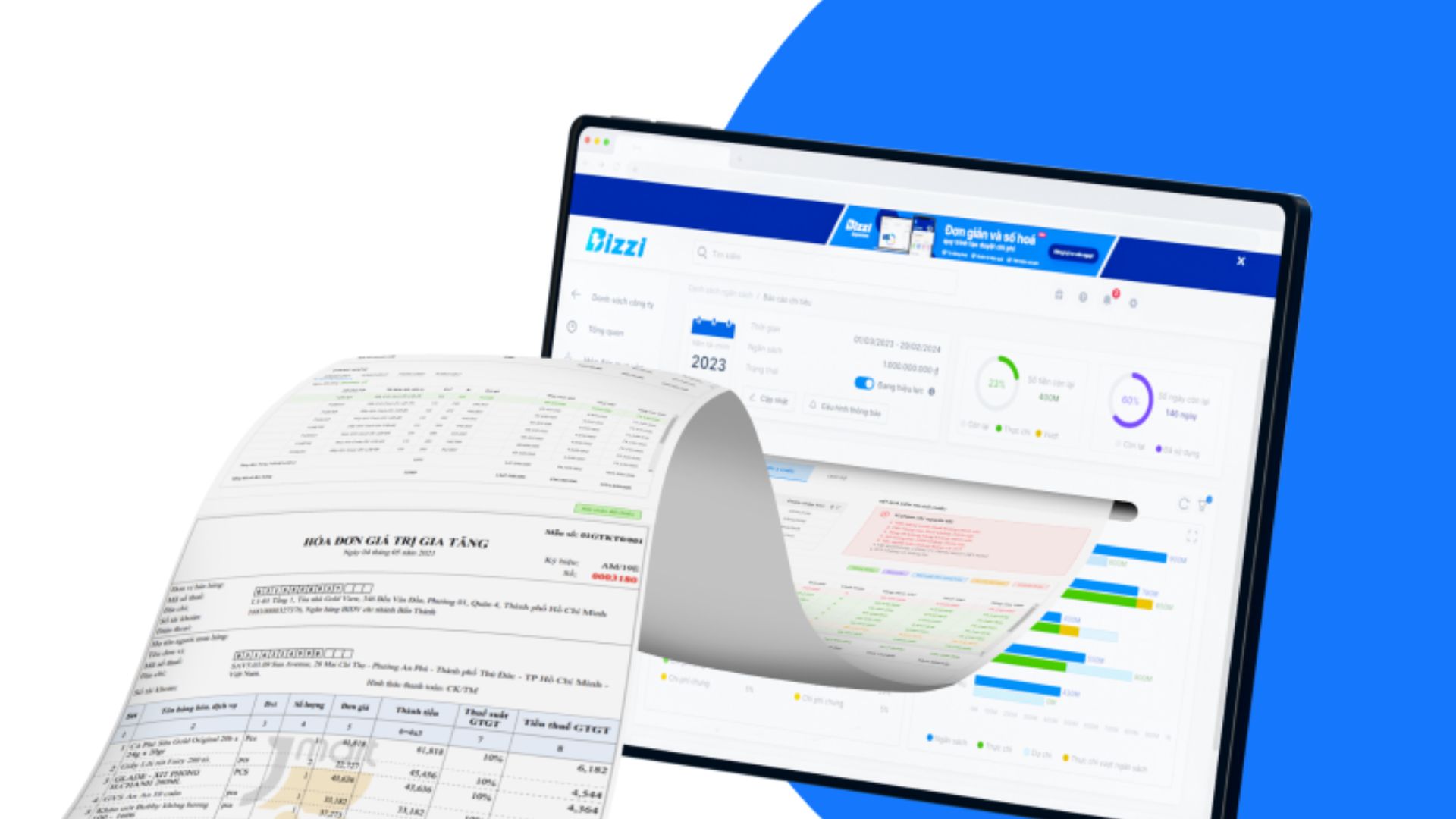
Instead of simply storing and aggregating data manually, businesses can gradually digitize their financial and accounting processes with Bizzi, especially in operations related to invoices, documents, and expenses.
Bizzi Expense It supports businesses in managing payment requests, advances, reimbursements, approvals, and expense tracking through a centralized process. Meanwhile, automated invoice processing solutions reduce data entry, centralize documentation, and facilitate data reconciliation.
This approach helps businesses shift from “"Find - download - save - aggregate" data manually This leads to more systematic financial data management, creating a foundation for accountants and CFOs to more effectively control costs, documentation, and financial data flows.
Book your appointment here: https://bizzi.vn/dang-ky-dung-thu/






