


Updated August 19, 2026: Bizzi added 2 new comprehensive management workbooks This allows users to start from a complete file instead of assembling multiple separate templates. The following remains unchanged. 18 specialized template groups with 21 downloadable files are available.. Total information provided in this article 23 files downloaded; The formatting is clearly specified to avoid confusion between Excel and Word.
If you use the file for internal management For example, files such as forecasts, budgets, accounts receivable tracking, or profit and loss analysis can be customized to meet management needs. If the file is used as accounting records or financial statements, It is necessary to correctly identify the accounting system and fiscal year before use; the files containing Circular 200 in the old set should not be defaulted to the current forms for fiscal year 2026.
Download 2 workbooks on business financial management 2026 compiled by Bizzi.
If you don't already have your own file system, you should start with one of the two workbooks below. Both are Internal management template, It has basic formulas and dashboards, and is not a mandatory accounting form as required by Circulars 99, 133, or 58.
Business Financial Management Template 2026 – Master Workbook
Suitable when: Small businesses or finance teams need a common file to start managing income and expenses, revenue, costs, profits, accounts receivable, cash flow, and budgets.
- 8 sheets: Guide, Categories, Revenue-Expenses, Revenue-Cost-Profit, Accounts Payable, Cash Flow, Budget vs. Actual, and Dashboard.
- There are formulas to automatically calculate profit, outstanding debt, overdue debt, net cash flow, ending balance, and budget difference.
- There is a dashboard that summarizes revenue, expenses, profit, cash, accounts receivable, accounts payable, and budget.
This file should be used if the goal is to manage finances comprehensively within a workbook.
Internal Financial Management Report Template 2026
Suitable when: CFOs, finance managers, or business owners need a monthly management review that compares P&L, cash flow, budget against actual figures, and AR/AP (Average Annual Values/Average Amounts).
- 6 sheets: Guide, Monthly Data, P&L, Cash Flow, Budget vs. Actual, AR-AP, and Dashboard.
- Data is entered only once in the monthly sheet; the remaining reports are automatically read and calculated.
- The dashboard summarizes revenue, gross profit, profit before tax, cash balance, AR, and AP.
This is an internal management report and does not replace B01-DN, B02-DN, B03-DN, or B09-DN under applicable accounting regulations.
Quickly select a financial management Excel template to suit your needs.
If you want to use a combined file, start with the two new workbooks above. If you only need a specific business process, select the specialized template directly from the table below.
| Demand | Sample to preview | Nature |
|---|---|---|
| Comprehensive financial management in a single file. | Master Workbook 2026 | Integrated internal management |
| Monthly management reporting | Management Reporting Workbook | P&L, cash flow, budget, AR/AP |
| Create a comprehensive financial plan. | Form 01 – Financial Plan | Internal management |
| Forecast revenue, costs, and results. | Form 02 – Financial Forecast | Internal management |
| Track profit/loss over 12 months | Form 04 – Profit/Loss Forecast | Internal management |
| Calculate the break-even point. | Form 05 – Break-even Analysis | Internal management |
| Construction cost management | Form 08 – Construction Costs | Project tracking |
| Track accounts receivable that are due/overdue. | Form 09 – Overdue Debts | Accounts Receivable Management |
| Tracking business income and expenses. | Template 11 – Income and Expense Statement | Internal management |
| Track cash funds | Form 14 – Cash Register | The accounting system needs to be checked. |
| Prepare financial statements | Form 15 – Financial Statement | The current form needs to be compared. |
Sample financial plan, forecast, and profit analysis
Excel file for business financial planning
Suitable when: Small businesses or startups need a workbook to create a business plan and connect financial assumptions in a single file.
The existing file has been checked directly and includes 13 sheets, This includes market research, planning milestones, 12-month/3-year sales forecasts, profit and loss statements, balance sheets, cash flow statements, budgets, and break-even analysis. The file has pre-set formulas in multiple sheets; before using it with real data, you should replace the sample data, check the formula cells, and lock the areas you don't want to edit.
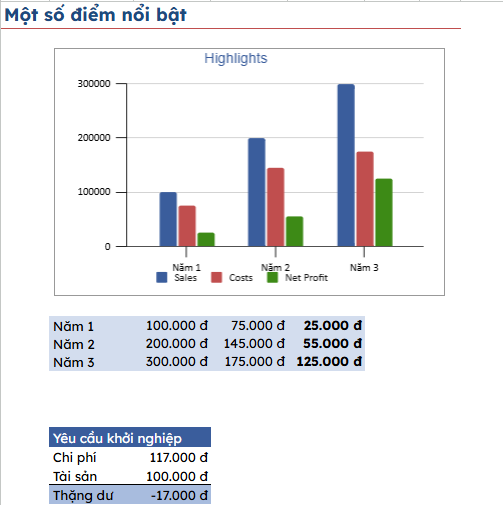
Excel file for financial forecasting and cost analysis.
Suitable when: It is necessary to monitor revenue assumptions, costs, and projected results to compare business scenarios. Forecasts should not be considered certain figures; assumptions, forecast periods, and the person responsible for updating them should be clearly stated.
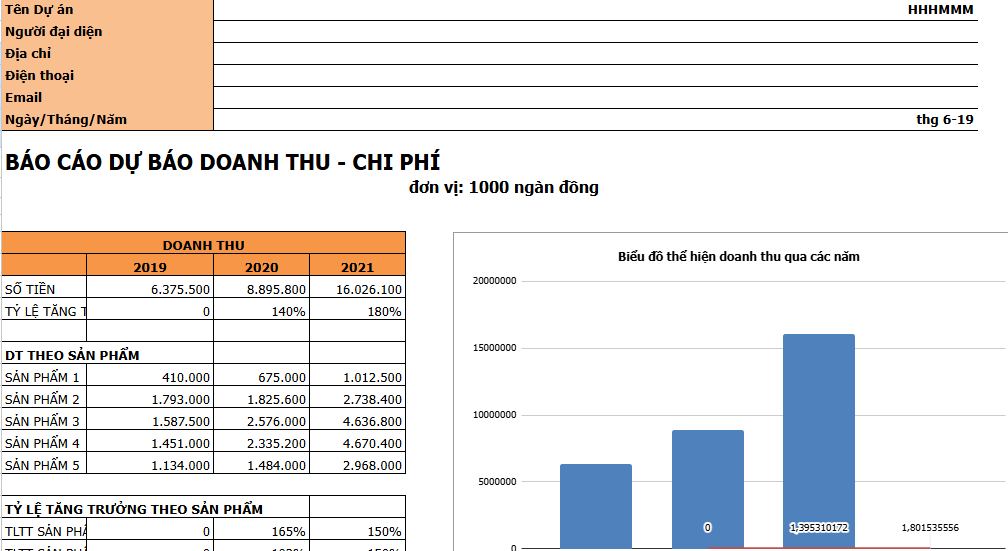
Excel file for contingency planning of capital and cash flow.
Suitable when: Businesses need to estimate cash shortfalls, reserve levels, and the timing of capital replenishment. It's important to clearly separate opening balances, projected cash flows, mandatory expenses, and capital replenishment plans to avoid confusing accounting profit with available cash.
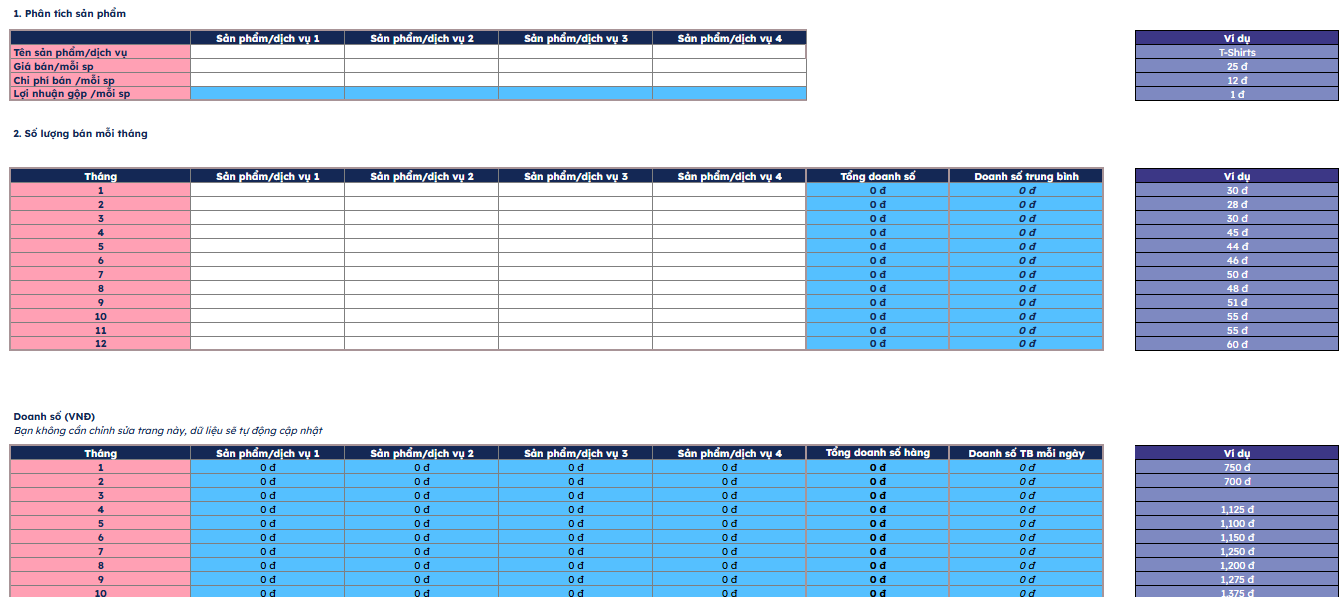
Excel file predicting profit and loss for 12 months
Suitable when: It's necessary to compare plans with actual results on a monthly basis and anticipate early changes in revenue, cost of goods sold, operating expenses, or profit. When used internally, businesses can design P&L reports by product, project, or cost center instead of being forced to copy an entire financial report template.
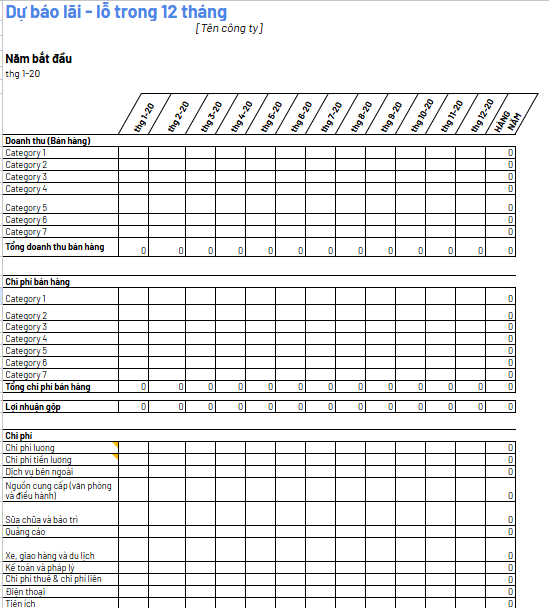
Excel file for break-even analysis
Suitable when: It is necessary to determine the revenue or output threshold that fully covers costs. Before using the results, it is necessary to consistently classify fixed costs, variable costs, and contribution margins; if the business has multiple products, assumptions about the sales structure must be clearly stated.
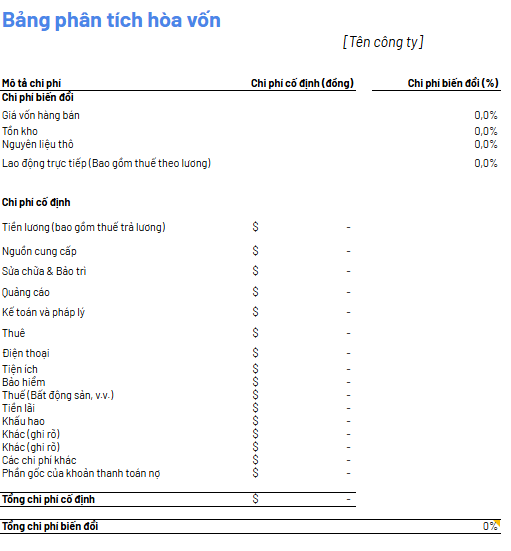
Revenue and expense management template based on business model
Excel file for managing sales revenue and expenses.
Suitable when: It's necessary to track sales revenue along with related direct expenses. It's advisable to standardize the recording period, sales channel, payment method, and expense category so that monthly summaries can be compiled without having to revise the source data.

Excel file for managing the income and expenses of a coffee shop.
Suitable when: The business owner needs a basic tracking sheet for cash inflows, outflows, and balances. For models with multiple shifts or payment channels, it's advisable to add details about work shifts, sales channels, payment methods, and the person responsible for recording transactions to ensure clearer reconciliation at the end of the day.
Excel file for managing construction project costs.
Suitable when: Income and expenses need to be tracked for each project or item. Project code, cost group, supplier, performer, relevant documents, and payment status should be added; if a cost is shared across multiple projects, allocation criteria should be defined before aggregation.
Accounts Payable, Revenue and Expenses, and Internal Accounting Template
Excel file for tracking accounts receivable, due, and overdue.
Suitable when: Accountants need a list of accounts receivable/payable categorized by recipient, date of occurrence, and payment deadline. It's necessary to separate the amount paid, the remaining balance, and the due/overdue status to avoid misrepresenting sales figures instead of the actual amount due.
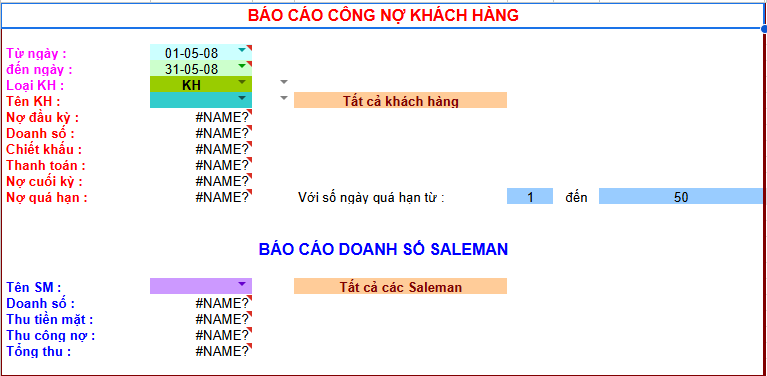
Excel file for tracking accounts receivable and accounts payable.
Suitable when: It's necessary to manage the customer/supplier list and accounts payable balances. If accounts payable arise from multiple contracts or orders, it's advisable to keep records of transaction codes and original documents for reconciliation in case of discrepancies between the two parties.
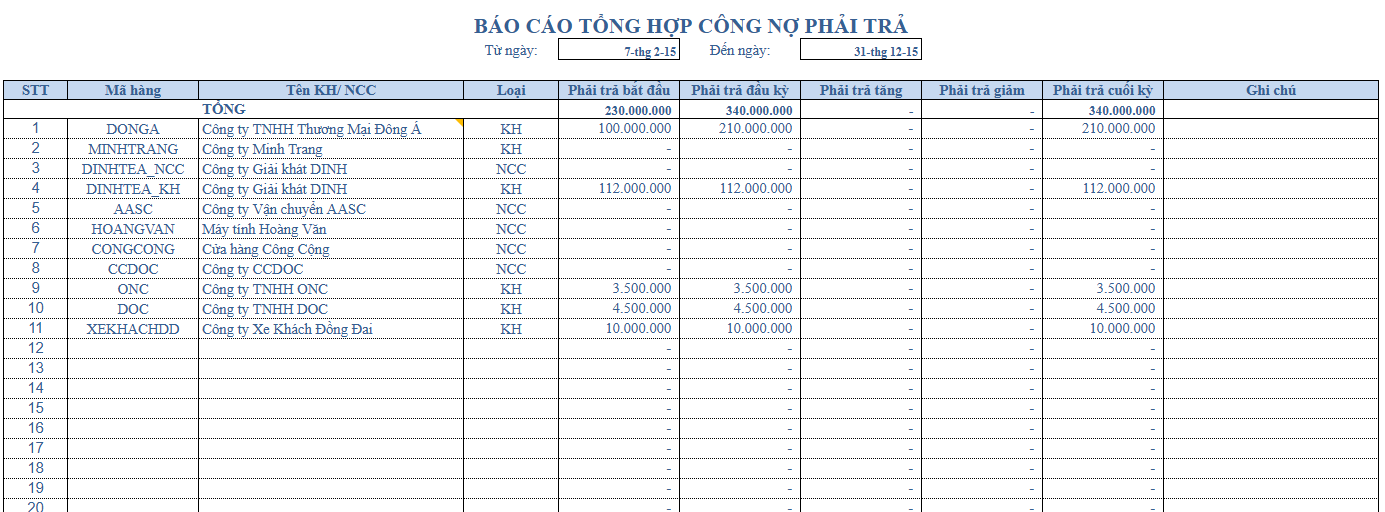
Excel file for managing business income and expenses.
Suitable when: Businesses need to record revenue and expenditure transactions by day, month, or management period. It's advisable to define revenue/expenditure categories from the outset; if each person uses a different terminology, the consolidated report will quickly become fragmented.
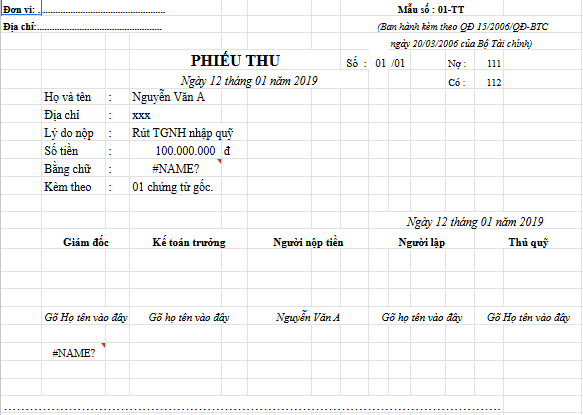
Excel file to manage store income and expenses
Suitable when: The store has many transactions throughout the day and needs to reconcile them by shift/person. The current system has two files: one for managing daily expenses and one for tracking company income and expenses.
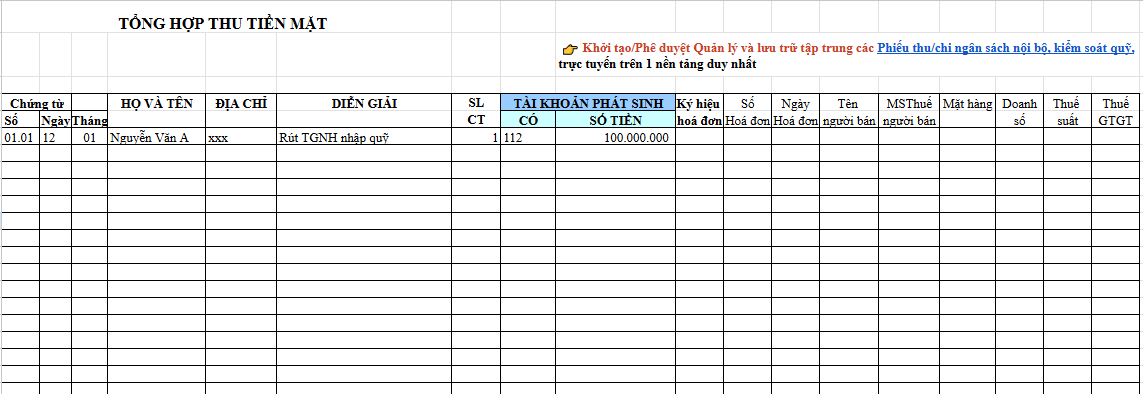
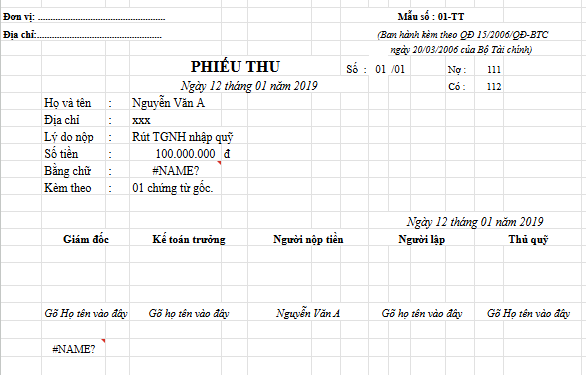
Internal accounting Excel file and receipts/payment vouchers
Suitable when: Internal income and expenses need to be tracked and data stored for reconciliation purposes. Internal forms can be customized according to business processes, but if a form is also used as a document or accounting ledger, the information fields and requirements of the applicable accounting system must be checked.
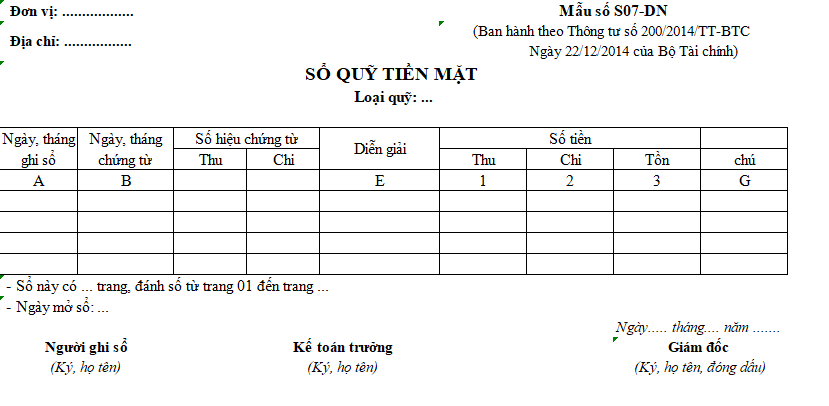
Cash book template: old TT200 file and current TT133 file
The cash register is used to track actual cash receipts, disbursements, and balances. The two files below are kept intact to avoid losing existing documents, but their usage in 2026 will be different.
Sample financial statements and income statements
The files in this group need to be distinguished from management reports. If the business uses them to submit or prepare financial reports according to accounting standards, the old file names or layouts should not be used as the sole basis.
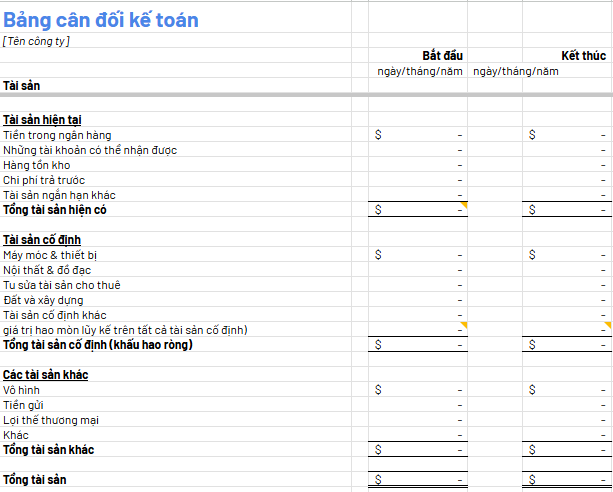
Old Excel "balance sheet" file: use as a reference template.
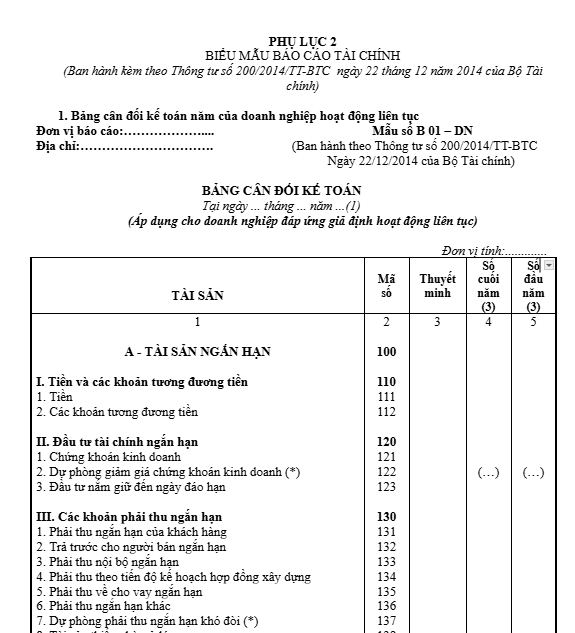
The file is included in the document set titled "Balance Sheet". According to the accounting regulations for enterprises under Circular 99, the corresponding report is called... Financial Statement Report – Form B01-DN For businesses that meet the going concern assumption, the old file is suitable for data/structure reference or comparison with the previous period; however, the current form should be checked before use in the period applying Circular 99.
Sample Direct and Indirect Cash Flow Statement
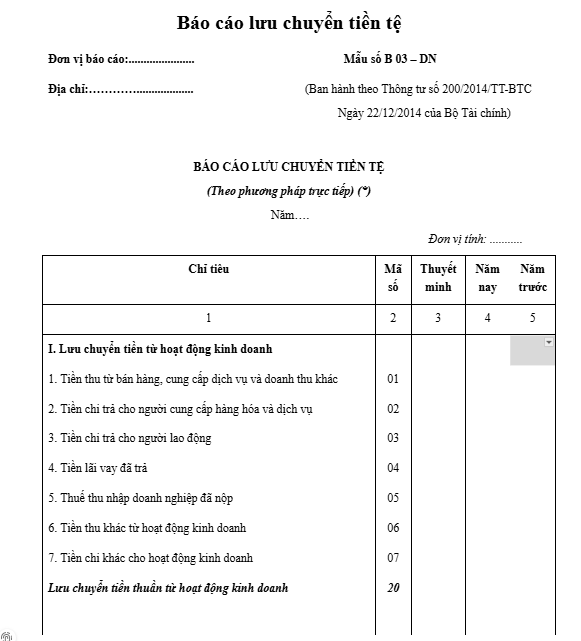
The set currently has two files. Word Attach the TT200 file, not the Excel file. These are retained for the purpose of comparing old records. For businesses applying TT99, the annual financial reporting system includes... Cash Flow Statement B03-DN; It is necessary to compare the new form and instructions instead of renaming the old file and using it.
Sample business performance report and internal profit and loss report
The current set includes a Word file containing Circular 200 and a Word file reporting internal business results. With Circular 99, the annual business performance report is used. Form B02-DN Within the scope of application, internal management profit and loss reports can be designed more flexibly, provided the business clearly understands its objectives and data sources.
Personal finance tracking template in the reference set.
Structure of an Excel file for managing personal income and expenses.
A personal income and expense sheet typically only needs the date, source of income, expense category, amount, payment method, savings goal, and notes. The current set does not have a separate download file for this group., Therefore, you should not display fake download buttons or mistakenly attach a business file to a personal template.
Financial Excel template for 2026: When should you refer to Circulars 99, 133, and 58?
Most of the forecast, budget, break-even point, accounts payable, or management report files in this article are internal tools. The law does not mandate a single Excel workbook for all financial management activities. Legal requirements become important when businesses use files like these. documents, accounting records, or financial statements.
| Case | Text to note | How to handle files in this article |
|---|---|---|
| The fiscal year begins on or after January 1, 2026, and the business applies the corporate accounting system. | Circular 99/2025/TT-BTC | Do not use the TT200 file as the default template; compare the system of documents, ledgers, and financial statements according to Circular 99. |
| The fiscal year began before January 1, 2026. | Check the financial regime that is applicable for that fiscal year. | Do not change the accounting method mid-term simply because it's January 1, 2026; determine the start date of the fiscal year beforehand. |
| Small and medium-sized enterprises are applying Circular 133. | Circular 133/2016/TT-BTC and Circular 46/2025/TT-BTC | Circular 133 is currently partially expired; please read the content that is still in effect along with the amendments. |
| Micro-enterprises have a fiscal year beginning on or after July 1, 2026. | Circular 58/2026/TT-BTC | Compare the accounting/financial statement system for micro-enterprises; do not use Circular 200 or Circular 133 as the default template. |
To view the accounting document groups under the new regulations, please refer to: Accounting document templates according to Circular 99.
How to use Excel files for financial management to reduce data errors.
Template files only help shorten the time spent designing tables. The quality of the report still depends on the input data, formulas, classification methods, and validation procedures.
- Make a copy before entering the actual data. Keep the original file so you can go back and compare it if the formulas or formatting are modified.
- Determine the purpose of the file. Clearly distinguish between internal monitoring, forecasting, accounts payable, cash book, and financial reporting.
- Standardize the catalog. Use consistent customer, supplier, project, expense item, and reporting period codes.
- Check the formula before dragging or copying. Pay particular attention to relative/absolute references, expanded data ranges, and cells where formulas are overwritten.
- Compare with the source documents. Income and expenses, accounts payable and receivable, and cash balances must be traced back to the relevant transaction or record.
- Version management. Specify who updates, the closing time, and the location where the locked version is saved to avoid having multiple different "final" files.
- Verify the accounting settings if using for official reports/records. Legal validity cannot be inferred solely from the file name or year in the document title.
| Check | The question needs to be answered. |
|---|---|
| Input data | Which fields can be entered manually, and which must be retrieved from the system/documents? |
| Recipe | Are there any error cells, incorrect references, overwritten formulas, or missing newlines in the aggregate area? |
| Category | Have the item name, object code, project, and reporting period been agreed upon? |
| Compare | Is it possible to trace back data related to invoices, contracts, receipts/payments, or transactions? |
| Version | Who is allowed to edit the file, what is the final version, and is there a change history? |
| Legal | If used as ledgers/financial statements, are the forms and accounting methods correct for the business and the fiscal year? |
When is Excel still suitable, and when should you switch to a different system?
Excel remains suitable when the number of people updating the data is small, the data is not too large, the calculation rules are relatively stable, and the business can control the version. Problems usually arise when a file begins to handle data entry, approval, payment, document storage, budget tracking, and reporting simultaneously.
| Situation | Excel might be suitable. | The system should be considered. |
|---|---|---|
| Number of participants | One or more people have the right to make corrections. | Multiple departments create, approve, and track requests together. |
| Procedure | Mainly recording/summarizing | There are limits, budgets, multiple levels of approval, payment, and reconciliation. |
| Document | Small file size, with a unified storage folder. | Each expenditure needs to be linked to an invoice/receipt/approval history. |
| Version | There is a file manager and closing rules. | Frequent overwriting, file sharing, or difficulty in identifying the final version. |
| Report | We can wait for the summary to be compiled periodically. | Continuous monitoring of expenditures and budgets is necessary. |
Where does Bizzi fit in when the spending process extends beyond the scope of an Excel file?
Bizzi Expense Pay This is more suitable at the expense lifecycle management level: budgeting/limits, advance or expenditure requests, approvals, payments, and document reconciliation. Transactions can be linked to requests, invoices, receipts, and approval history to support auditing.
Bizzi This should not be interpreted as a replacement for all files in this suite.. Tasks such as financial forecasting, break-even analysis, management P&L, or financial statement preparation still require processes and data systems tailored to their specific purposes.
| Step | Bizzi provides support based on the current product source. |
|---|---|
| Budget & Limits | Set spending limits and track usage according to configured policies/regulations. |
| Request & Approval | Record payment/advance requests and the approval process before disbursing. |
| Pay | Support payment methods within the Expense Pay ecosystem, as per the deployment scope. |
| Reconciliation | Link transactions to invoices, receipts, and approval history to support post-auditing. |
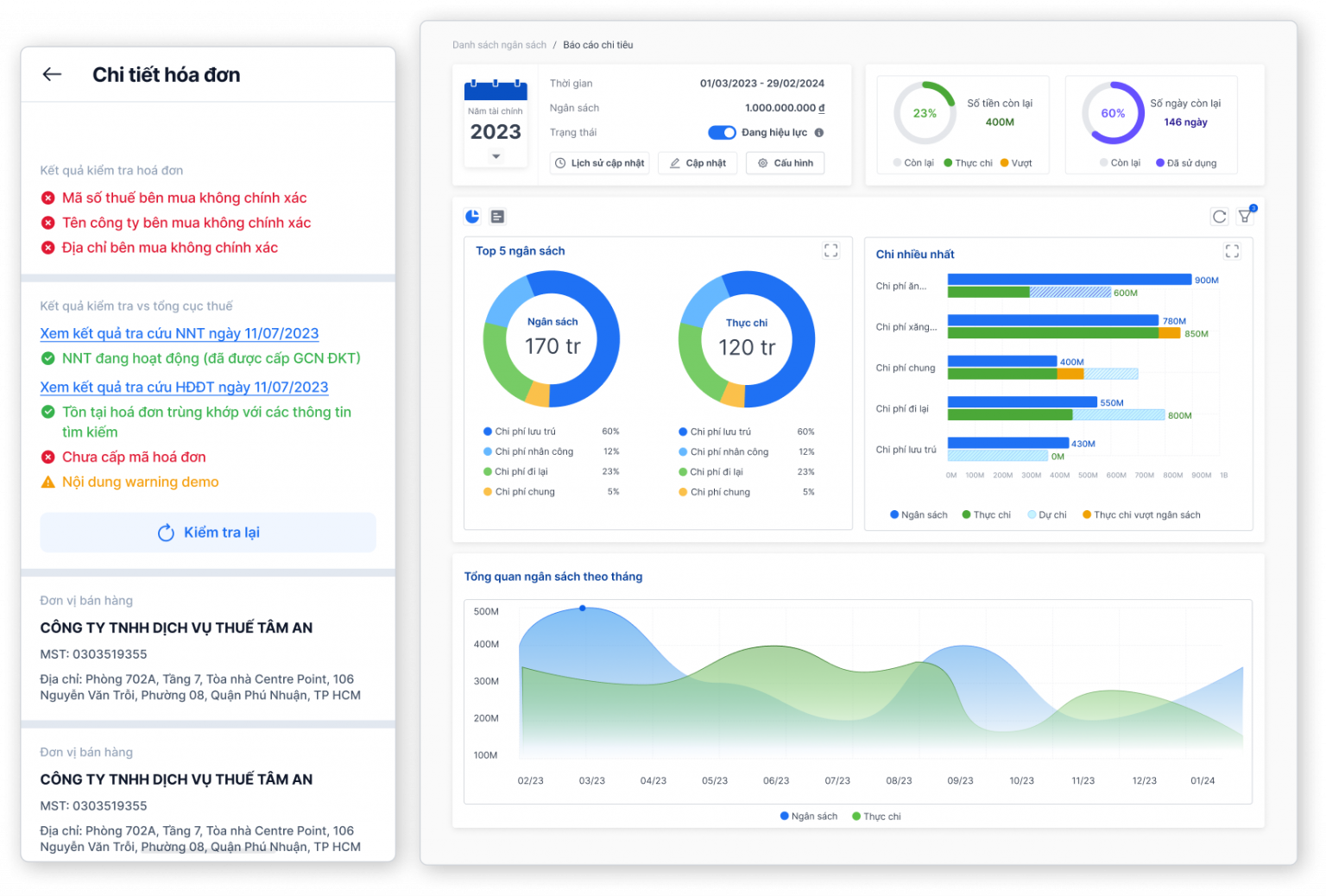

Learn about Bizzi's expense and payment management solutions.
If your business is struggling with expense requests, approvals, limits, payments, or document reconciliation, you can review the scope of Bizzi Expense Pay before deciding to change your processes.
Frequently Asked Questions about Excel files for business financial management
What sections should an Excel file for managing business finances include?
There is no single structure that works for every business. At a minimum, you should define input data, common categories, transaction tables, summaries, and reconciliation checks. If the goal is forecasting or P&L, include assumptions and comparison periods; if it's accounts receivable/payable, include due dates and outstanding amounts.
Is it possible to use a single Excel file for all income and expenses, accounts receivable and payable, and financial reporting?
It may be possible on a small scale, but the more transactions there are, the greater the risk of formula errors, permission issues, and versioning problems. Source data should be separated from reports and only merged when there are clear rules regarding categories, reconciliation, and responsible parties.
Is an internal management Excel template mandatory according to Circular 99?
This shouldn't be the default. Forecasts, budgets, break-even points, or management reports can be designed according to internal needs. Circular 99 becomes directly relevant when a business prepares documents, accounting books, and financial statements within the scope of the corporate accounting system.
Will we still be able to use files according to Circular 200 in 2026?
The TT200 files in this set should be considered outdated documents for reference or comparison with previous periods. For fiscal years starting on or after January 1, 2026, businesses falling under Circular 99 need to refer to Circular 99; businesses whose fiscal year starts before that date need to determine the applicable regime for the entire fiscal year, without changing mid-term just because it changes to January 1, 2026.
What should small and medium-sized enterprises (SMEs) using Circular 133 be aware of?
The national database of legal documents records Circular 133 as partially expired, and the history shows that the document was amended from July 1, 2025, by Circular 46/2025/TT-BTC. When using accounting forms associated with Circular 133, it is necessary to check the parts that are still in effect and the relevant amendments.
Which regulations will micro-enterprises be subject to from the second half of 2026?
Circular 58/2026/TT-BTC takes effect on July 1, 2026, and applies to fiscal years beginning on or after this date for micro-enterprises within the scope of the circular. Businesses need to correctly determine the start date of the fiscal year and their chosen operating regime before using the forms or reports.
Why does this set include a Word file when the title talks about Excel?
The old content contained several reports in DOC/DOCX format. The update displays the correct format and retains those files to avoid losing existing documents, and also clearly indicates when a file is an old TT200 document or an internal template.
How do the two new workbooks differ from the 21 specialized files below?
Two new workbooks are designed to serve as starting points: a comprehensive financial management file and a monthly management report file. The 21 files below cater to more specific business operations or situations. If you don't already have a file system, use the comprehensive workbook first; if you know your exact needs, you can download specialized templates.
Select files based on the task, not just by template name.
A useful Excel file should answer three questions for the user: what data needs to be entered, what figures are calculated/summarized, and who is responsible for verification. With internal management templates, businesses can customize them to suit their processes. For accounting ledgers and financial reports, it's necessary to check the accounting system and fiscal year before use.
If the process has gone beyond mere record-keeping and aggregation—for example, requiring budgets/limits, multiple levels of approval, payments, and document reconciliation—then a suitable cost management system should be evaluated instead of continuing to expand the workbook.






